








General
Cheap Chromebooks for School That Last

When a school device gets tossed into a backpack, used through six periods, then opened again at the kitchen table for homework, the spec sheet stops mattering quite so much. What matters is whether it turns on quickly, holds charge, handles classroom apps without fuss, and survives everyday student use. That is why cheap Chromebooks for school can make a lot of sense – if you buy with the right priorities.
For many families and schools, the goal is not to find the flashiest machine. It is to get a dependable laptop that covers Google Classroom, web research, documents, video lessons, email, and light media use without blowing the budget. In that space, refurbished Chromebooks have earned their place. They are simple to manage, quick to start up, and generally easier for students to use than a full-featured Windows device when the workload is mostly browser-based.
Why cheap Chromebooks for school are worth considering
A Chromebook suits schoolwork best when the learning environment already runs on cloud tools. That is common now, especially with Google Workspace, web portals, online assignments, and browser-based testing. If a student spends most of the day in Chrome, Docs, Sheets, Slides, YouTube, and school websites, a Chromebook can deliver exactly what is needed without paying for extra hardware power that never gets used.
Cost is the obvious advantage, but it is not the only one. Battery life is often strong, startup times are quick, and updates are handled in the background. That reduces the usual friction of patching, slow boots, and software clutter. For younger students in particular, that simplicity is useful. They open the lid, sign in, and get on with the work.
There is also a practical budget argument for parents and schools. If a device is likely to be carried daily, occasionally dropped, and replaced after a few school years, spending less on the initial purchase can be the smarter call. A well-chosen refurbished Chromebook often delivers better value than a brand-new budget laptop built to a lower standard.
What actually matters in a school Chromebook
The cheapest option on paper is not always the cheapest option over time. A low-end Chromebook with poor battery health, a tired keyboard, or only a short remaining update life can turn into a false economy quite quickly.
Start with screen size. An 11.6-inch model is easy to carry and suits younger students well. It fits neatly in a school bag and is less awkward on a classroom desk. A 13-inch or 14-inch Chromebook gives more screen space for split-screen work and extended homework sessions, but it is a little less portable. Neither is automatically better. It depends on the student, their year level, and how often the device travels. Our laptop screen-size guide explains the practical differences between smaller and larger devices.
Keyboard quality matters more than many buyers expect. Students type constantly, and flimsy keys become annoying fast. Business-grade ex-lease hardware often has the edge here because it was made for heavier day-to-day use in the first place. That is one reason professionally refurbished models can be appealing in the education market.
Battery life is another major factor. Schools do not always offer convenient charging during the day, so a Chromebook that comfortably lasts through classes is worth paying attention to. The listed battery estimate is only part of the story. On a refurbished unit, the battery condition and testing process matter just as much. You can also use the built-in diagnostic tools to check battery health on a Chromebook.
Performance should be matched to real school tasks. For basic browsing, documents, email, and classroom platforms, an entry-level processor with 4GB of RAM may be enough. If the student regularly uses lots of tabs, joins video calls, streams lessons, or runs Android apps, 8GB of RAM is a safer choice. It gives the device more breathing room and usually extends its useful life. Our guide to how much computer memory you need provides more detail.
Storage is less critical than on a Windows laptop because much of the work lives in the cloud. Even so, enough local storage helps with offline files, downloaded resources, and app use. For many students, 32GB is workable, while 64GB gives a little more flexibility.
The big trade-off: cheap vs too cheap
This is where a lot of buyers get caught. There is a difference between affordable and disposable.
A very cheap Chromebook from the consumer end of the market can look fine at first glance, but build quality is often where corners get cut. Hinges can feel loose, trackpads can be average, and keyboards may not handle years of school use particularly well. That does not mean every budget model is bad. It means the lowest sticker price should not be the only filter.
A refurbished business or education-grade Chromebook can often be the better buy because the original hardware was designed for institutional use. That usually means sturdier construction, better keyboards, and more consistent reliability. If the device has been properly tested, cleaned, and sold with clear specs and warranty support, the value equation changes quite a bit.
For parents, the question is not just, “How little can I spend?” It is also, “Will this still be doing the job next year?”
Refurbished cheap Chromebooks for school can be the smart middle ground
In New Zealand, professionally refurbished devices have become a practical option for families, schools, and organisations trying to stretch IT budgets. That is especially true when buying for a student who needs something reliable rather than flashy.
The advantage of refurbished is straightforward. You can often get better-grade hardware for the same money as a lower-quality new unit. A professionally refurbished Chromebook should come with tested components, honest condition notes, and clear information about processor, memory, storage, charger, and overall functionality. That transparency matters.
There are still trade-offs. Cosmetic wear is normal on ex-lease devices, and model availability can vary. But for school use, a few marks on the lid are usually a minor issue compared with getting a machine that performs properly every day. For many buyers, that is an easy trade. Reading the seller’s condition-grading information can help you understand what level of cosmetic wear to expect.
Retailers that specialise in refurbished IT, such as NZ Laptop Wholesale, tend to understand this buying decision well. The real value is not just lower pricing. It is supplying fit-for-purpose machines that have already been checked for the kind of dependable use students need.
Don’t ignore update support
One of the most overlooked details with Chromebooks is ChromeOS update life. ChromeOS devices receive automatic updates until a set expiry date, known as Auto Update Expiration. Once that date is close, the value of the machine drops because security and feature support will not continue for long.
This does not mean every older Chromebook should be avoided. It means buyers should check how much supported life is left and balance that against price. If a device is for a younger student and needs to last several school years, a longer update window is worth prioritising. If it is a short-term stopgap for basic use, a lower-cost option with a shorter remaining support period may still be reasonable.
This is one of those areas where clear product specs make all the difference. Schools and parents should not have to guess.
Who should buy a Chromebook, and who should not?
Chromebooks are excellent for many students, but not all.
They are a strong fit for primary and intermediate students, and for secondary students whose schools use browser-based platforms for most classwork. They also suit households wanting a simple homework machine without the maintenance headaches that can come with older conventional laptops.
They may be less suitable for students taking courses that need full desktop software, such as advanced design applications, specific engineering tools, some coding environments, or local Windows-only programs. Senior students with specialist subjects should always check school requirements first. Our Chromebook versus Windows laptop guide for parents can help you compare the two options.
It is also worth reading the school’s device requirements before ordering. Our NZ school BYOD laptop guide covers the main points families should consider.
A cheap Chromebook for school is only a bargain if it actually supports the coursework. That is the practical test. Buy for the workload, not the marketing label.
What to look for before you buy
A good school Chromebook should feel like a safe, sensible purchase. That usually means looking for four things: a usable screen and keyboard, enough RAM for current school workloads, decent battery condition, and a clear remaining update period.
It also helps to buy from a seller that provides honest grading, proper testing, and local support. Warranty support matters because even affordable devices should come with some backup. For New Zealand buyers, that local reassurance can be valuable, especially when ordering online for the school term rush.
If the budget is tight, it is often better to buy a slightly older, well-built refurbished Chromebook than a brand-new machine that feels underdone from day one. Students are hard on devices. Sturdiness counts.
The best school laptop is rarely the one with the biggest sales pitch. It is the one that opens every morning, connects quickly, lasts through the day, and keeps schoolwork simple. If that sounds modest, it is. But for most families and schools, that is exactly the point.
A cheap Chromebook for school is a good buy when it is genuinely fit for school. Focus on reliability first, price second, and the right machine usually becomes much easier to spot.
Browse our current range of refurbished Chromebooks for students, or visit our laptops for students page to compare more study-device options. NZ Laptop Wholesale is based in Auckland and ships securely throughout New Zealand.
-
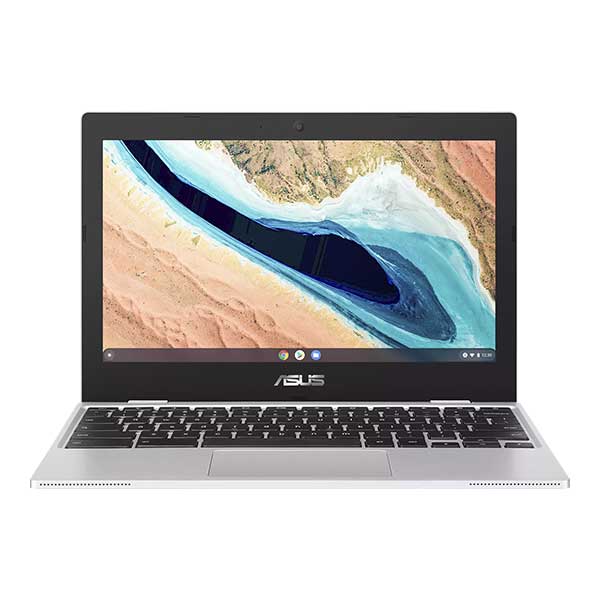
Asus 11.6″ ChromeBook CX1101CMA- Updates until 2029
Original price was: $219.00.$179.00Current price is: $179.00. -
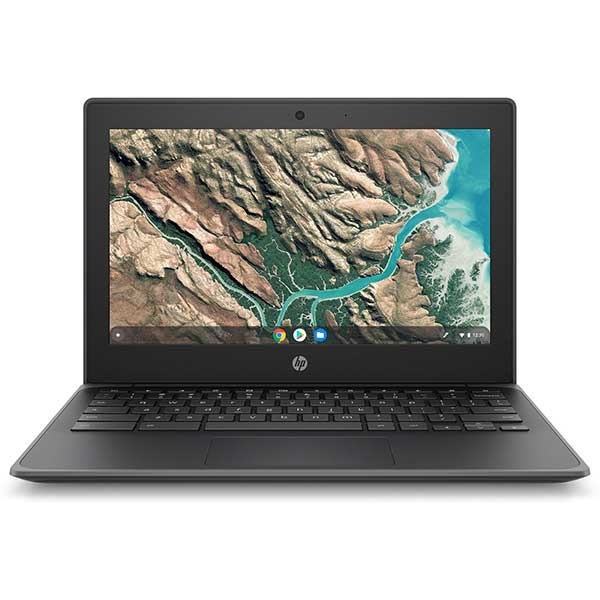
HP Chromebook 11 G8 EE – 11.6″ Rugged Student Laptop | ChromeOS Updates to 2029 | Refurbished NZ
Original price was: $219.00.$189.00Current price is: $189.00. -
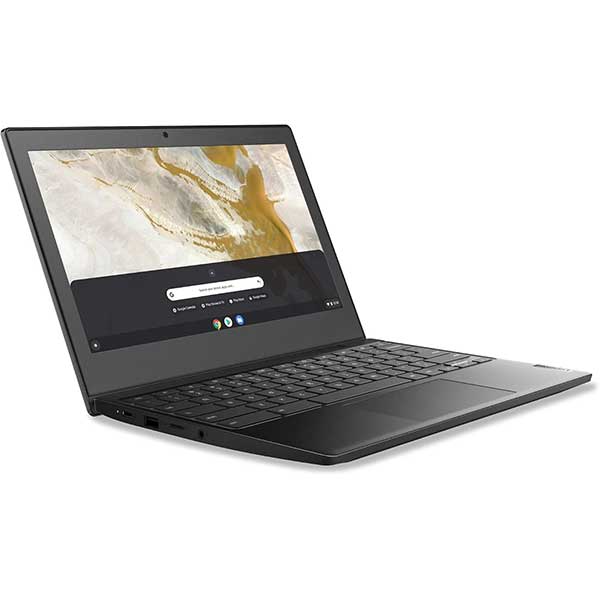
Less-than-Perfect | Lenovo Ideapad 3 Chromebook – Updates until 2029
Original price was: $189.00.$149.00Current price is: $149.00. -

The $99 Chromebook
$99.00