









Guides
Laptop vs Desktop: What Should You Buy in NZ?

Laptop vs Desktop: What Should You Buy for Home or Office?
If you’re trying to decide between a laptop and a desktop, you’re not alone. It’s one of the most common questions people ask when shopping for a computer for home, school, study or work.
The right choice depends less on which one is “better” overall, and more on how you’ll actually use it day to day. Some people need portability and flexibility. Others want better value, a larger screen setup, or a machine that mostly stays in one place.
In this guide, we’ll break down the real-world differences between laptops and desktops, look at the pros and cons of each, and help you work out what makes the most sense for your situation.
At NZ Laptop Wholesale, we supply professionally refurbished, business-grade ex-lease laptops, desktops and monitors to customers across New Zealand. That means we regularly help home users, parents, students and small businesses choose the right setup for their needs.
Quick answer: laptop or desktop?
If you want the short version, here’s a useful rule of thumb:
- Buy a laptop if you need portability, flexibility, or want to work from different rooms, classrooms or offices.
- Buy a desktop if you want better value for performance, easier upgrades, or a permanent workstation with a larger screen.
That said, there are a few important details worth considering before you make the call.
Laptop vs desktop at a glance
| Feature | Laptop | Desktop |
|---|---|---|
| Portability | Easy to carry and use anywhere | Designed to stay in one place |
| Screen size | Usually smaller unless connected to a monitor | Often paired with larger external monitors |
| Performance for the money | Good, but usually costs more for the same power | Often better value at the same price point |
| Upgrade options | Usually limited | Generally easier to upgrade and service |
| All-in-one convenience | Built-in screen, keyboard, webcam and battery | Needs monitor, keyboard and mouse |
| Power backup | Battery keeps you going during short outages | Turns off if power is lost unless on UPS |
| Best for | Students, parents, hybrid workers, flexible home use | Office desks, reception areas, home offices, fixed workstations |
When a laptop makes more sense
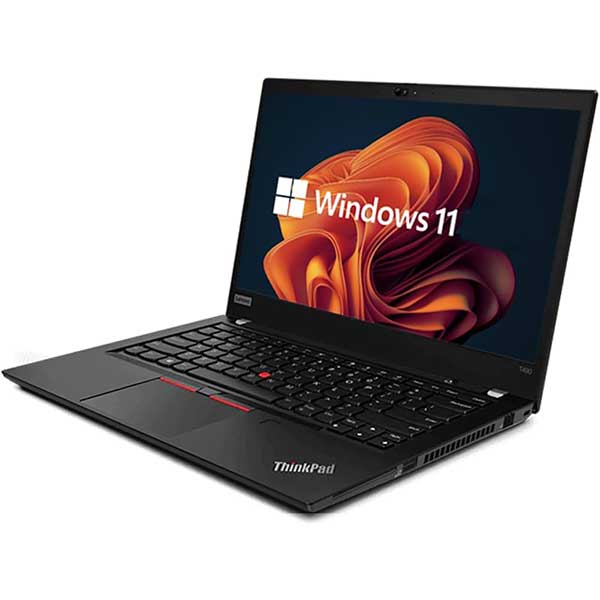
A laptop is usually the better choice if you need to move around. That might mean taking it to school, university, meetings, a client site, or simply from the office to the lounge at home.
Choose a laptop if you need portability
This is the biggest reason people choose laptops. You can pack one away, carry it easily, and work from almost anywhere. For students and families, that flexibility is often worth a lot.
Choose a laptop if you want an all-in-one setup
A laptop includes almost everything in one device: screen, keyboard, trackpad, webcam, speakers and battery. That makes it simple for people who don’t want a lot of cables or extra gear on the desk.
Choose a laptop if your workspace changes
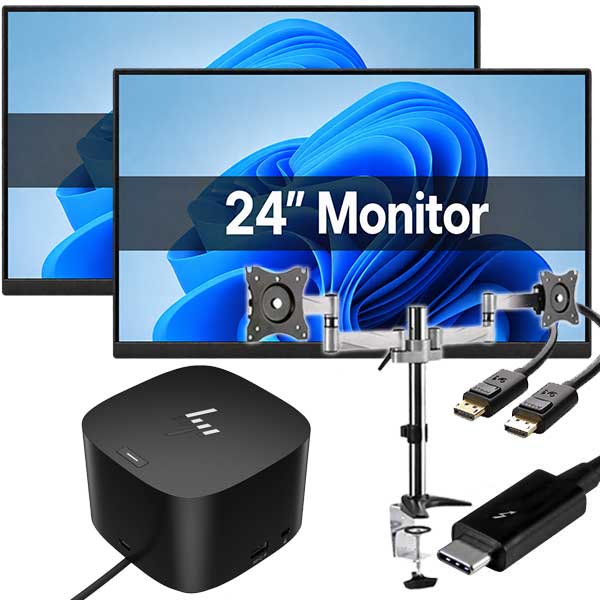
If you work from home some days and the office on others, or you don’t have a permanent desk, a laptop usually fits better. You can also connect it to an external monitor, keyboard and mouse when you want a more comfortable workstation.
Laptop pros
- Portable and easy to store
- Built-in battery for short power cuts or moving between rooms
- Less clutter on the desk
- Built-in webcam and microphone on many models
- Great for study, flexible work and general home use
Laptop cons
- Usually smaller screen unless you add a monitor
- Can cost more than a desktop with similar performance
- Fewer upgrade options
- Battery health matters, especially on older machines
When a desktop makes more sense
A desktop is often the smarter choice if the computer will mostly stay in one place. For a dedicated home office, reception desk, admin station, or family study area, desktops still make a lot of sense.
Choose a desktop if you want the best value
At the same budget, a desktop often gives you more performance, easier expansion, and a more comfortable setup. If portability doesn’t matter, desktops can be excellent buying.
Choose a desktop if you want a proper workstation
Many people simply work better with a full-size monitor, keyboard and mouse. A desktop setup can be easier on the eyes and more comfortable for long admin sessions, accounts work, web browsing, quoting, or office tasks.
Choose a desktop if you may want to upgrade later
Desktops are generally easier to maintain and upgrade. Depending on the model, you may be able to add more RAM, change storage, or improve other components more easily than with a laptop.
Desktop pros
- Often better value for performance
- Easier to pair with larger monitors
- More comfortable for fixed desk use
- Often easier to service or upgrade
- Great for office-based work and shared family spaces
Desktop cons
- Not portable
- Needs separate monitor, keyboard and mouse
- More cables and more desk space required
- No battery backup during a power cut
What about performance?
For everyday tasks such as email, web browsing, Microsoft Office, cloud apps, schoolwork, invoicing and video calls, both laptops and desktops can perform very well if you choose the right specs.
Performance matters more than the device type in some cases. A well-specced refurbished business laptop can easily outperform a cheap, brand new consumer machine. The same applies to desktops.
For most home and office users, we suggest focusing on:
- Processor: Intel Core i5 or better for a good all-round experience
- RAM: 8GB minimum, 16GB preferred for smoother multitasking
- Storage: SSD or NVMe storage for faster startup and responsiveness
- Screen size: Think carefully about comfort, especially for long use
If you need help understanding computer specs, it’s often more useful to think in terms of what you actually do on the machine rather than chasing numbers alone.
What’s better for students and school use?
For most students, a laptop is the practical winner. It’s easier to carry, take to class, move between home and school, and use in different parts of the house.
Parents shopping for a BYOD device usually want something reliable, portable and not too fragile. In many cases, a refurbished business-grade laptop is a better fit than a cheap consumer model because it is built for everyday work and regular handling.
If the student only uses the computer at home and does not need to carry it anywhere, a desktop can still be a solid option. It may give you better value and a larger screen for the same money.
What’s better for working from home?
This depends on how fixed your setup is.
- If you work from a dedicated desk every day, a desktop or a laptop connected to a monitor can both work well.
- If you move between home, office and meetings, a laptop is usually the better choice.
- If comfort matters most, a desktop with a proper monitor setup may be easier for full-day use.
A popular middle ground is a laptop plus an external monitor. That gives you portability when you need it, while still allowing a more comfortable desk setup at home or work.
What’s better value: refurbished laptop or refurbished desktop?
For many buyers, refurbished is where the value really starts to show.
Professionally refurbished business-grade computers are often a smart alternative to buying cheap, low-spec new devices. Business models are generally built to a higher standard and designed for longer-term use.
At NZ Laptop Wholesale, our stock is typically ex-lease equipment from professional environments. That means you’re looking at business-grade machines that have been cleaned, tested and prepared for resale, with real local support and NZ-wide courier delivery available. Every purchase is also backed by our warranty.
Whether a refurbished laptop or desktop is better value depends on your needs:
- Refurbished laptop: Better if flexibility and portability matter most
- Refurbished desktop: Better if you want maximum value and a fixed workstation
Safety check before you buy
Before choosing either option, it’s worth thinking about your setup properly. Buying the wrong type of computer can be more frustrating than buying a slightly older one that actually suits your needs.
Quick checklist
- Will this computer stay in one place, or do I need to carry it around?
- Do I want a larger screen for comfort?
- Do I need built-in webcam, keyboard and battery?
- Will I be using multiple programs at once?
- Do I already have a monitor, keyboard and mouse?
- Am I buying for school, work, home use, or a mix of all three?
- Would a laptop plus monitor setup give me the best of both worlds?
A note on backups and data transfer
Important: If you’re replacing an old computer, make sure your files are backed up before moving to a new one. Photos, documents, email archives and browser bookmarks can be easy to forget until it’s too late.
- Back up important files before retiring your old machine
- Check whether you need software reinstalled on the new one
- Make sure cloud accounts and passwords are accessible
- Allow time for data transfer if the new purchase is replacing a working computer
If that all sounds like a hassle, this is exactly the sort of thing many customers ask for help with. We regularly deal with replacement computers and practical setup questions, not just the hardware itself.
Our honest recommendation
If you’re still torn, here’s the simplest way to think about it:
- Buy a laptop if flexibility matters more than desk comfort.
- Buy a desktop if comfort, value and a permanent setup matter more than portability.
- Buy a laptop plus monitor if you want a good middle-ground option.
There isn’t one correct answer for everyone. The best computer is the one that suits the way you actually live and work.
Need help choosing the right setup?
If you’re comparing options and not sure where to start, it often helps to narrow it down by use case first: school, home admin, remote work, business, browsing, or general family use.
We stock professionally refurbished laptops, desktops and monitors for a wide range of practical needs, and we’re always happy to help point people in the right direction. Whether you need a portable BYOD laptop, a simple office desktop, or a full desk setup with a monitor, keyboard and mouse, the goal is the same: reliable tech that does the job properly.


