











Ex-Lease Desktops NZ
Shop business-grade ex-lease desktops in NZ from NZ Laptop Wholesale. Our desktop computers are professionally tested, cleaned and prepared in Auckland before being securely shipped nationwide.
Ex-lease desktop PCs are a practical choice for home offices, workplaces, families and small businesses wanting reliable performance without paying full new retail pricing.
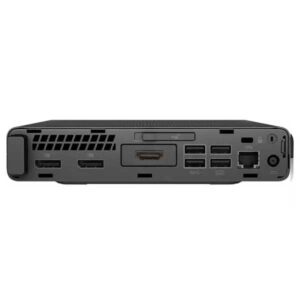
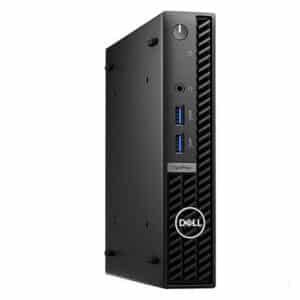
Browse our current range of refurbished desktops, including compact mini PCs, small form factor computers, towers and popular business-grade models from Dell and HP.
Business-Grade Ex-Lease Desktops, Tested in Auckland
An ex-lease desktop is a computer that has usually come from a business, school, corporate, government or managed IT environment after being replaced as part of a regular equipment upgrade cycle.
These machines are often business-grade models originally designed for dependable everyday workplace use. Compared with many entry-level new consumer computers, an ex-lease desktop can offer stronger build quality, practical specifications, useful connectivity and excellent value.
At NZ Laptop Wholesale, our ex-lease desktops are tested, cleaned and prepared before resale. This gives you more confidence than buying an unknown second-hand computer privately.
Shop Our Current Refurbished Desktop Range
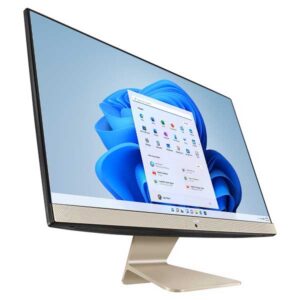
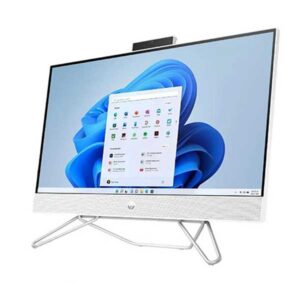
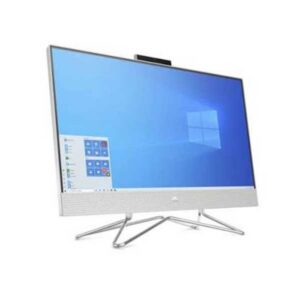
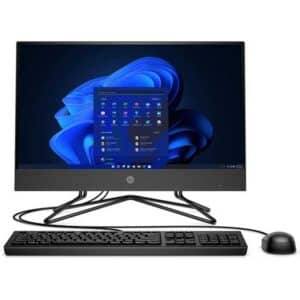
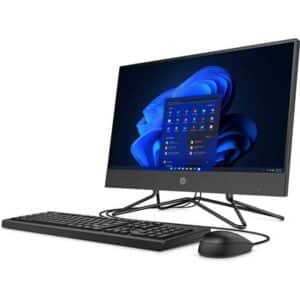
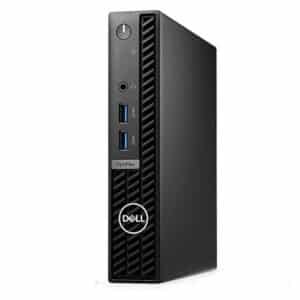
Our stock changes regularly depending on availability. Browse the latest refurbished and ex-lease desktop computers currently available online.

Why Buy an Ex-Lease Desktop?
A good ex-lease desktop can be a smart way to get a reliable and capable computer without the price of buying new.
Desktops are well suited to people who mainly work from one location. They can provide strong everyday performance, a comfortable full-size workspace and better upgrade options than many laptops.
For many NZ buyers, the appeal is simple: you can often get a better-quality business computer for the same budget as a basic new consumer PC. Buying refurbished also helps extend the usable life of quality IT equipment.
Good for Everyday Use
- Home browsing, email and banking
- Work-from-home and office administration
- Microsoft Office and Google Workspace
- Small business and reception desks
- Study, family and shared computer setups
- Single or multiple-monitor workstations
Desktops for Home, Office and Business
Desktops for Home Use
Affordable ex-lease desktop computers for browsing, email, banking, photos, video calls and general everyday use.
Work-from-Home Desktops
Create a comfortable permanent workspace with a reliable desktop, full-size monitor, keyboard and mouse.
Small Business Computers
Business-grade computers for email, accounts, administration, point-of-sale systems and general workplace tasks.
Higher-Performance Desktops
More powerful desktop options for heavier multitasking, specialist business applications and demanding workloads.
What Desktop Specs Should You Choose?
For general home use, office administration and everyday business tasks, an Intel Core i5 desktop with SSD storage and at least 8GB RAM can provide a practical starting point.
Choosing 16GB RAM is worthwhile if you regularly keep multiple browser tabs, programs, spreadsheets or documents open at once. An Intel Core i7 desktop may be more suitable for demanding applications, heavier multitasking or users wanting additional processing performance.
SSD or NVMe storage makes a major difference to startup times and everyday responsiveness compared with an older mechanical hard drive. A 256GB drive may be enough for cloud-based and general office use, while 512GB or more provides additional room for files and applications.
Remember to check whether Wi-Fi is included. Many business desktops are designed primarily for a wired Ethernet connection, although Wi-Fi can often be added when required.
Simple Desktop Buying Guide
- Core i5: a strong choice for most everyday users
- Core i7: useful for heavier applications and multitasking
- 8GB RAM: suitable for general home and office tasks
- 16GB RAM: better for frequent multitasking
- 256GB SSD: practical for cloud and office-based use
- 512GB SSD: more room for files and applications
- Wi-Fi: check the individual product listing
Choose the Right Desktop Style
Business desktop computers come in several sizes. The best option depends on your available desk space, required connections and whether you may want to upgrade the computer later.
Tiny and Mini Desktops
Compact desktop PCs are ideal for reception areas, home offices and workplaces where desk space is limited. Despite their small size, many offer excellent everyday business performance.
Small Form Factor Desktops
Small form factor computers offer a useful balance between a compact footprint and additional room for ports, storage or selected upgrades.
Tower Computers
Tower desktops generally provide more internal space and can be a better option when expandability, additional drives or upgrade flexibility are important.
All-in-One Computers
An all-in-one computer combines the desktop and screen into one tidy unit, helping reduce desk clutter and the number of separate cables required.
Popular Business Desktop Ranges
Dell OptiPlex Desktops
Dell OptiPlex computers are widely used in business environments and are available in compact micro, small form factor and tower configurations.
HP EliteDesk and ProDesk
HP EliteDesk and ProDesk computers are practical business-grade systems suited to office, home and small business use.
Compact Mini PCs
Mini PCs such as Intel NUC and other tiny business computers deliver practical everyday performance while taking up very little desk space.
Windows 11 Desktops
Browse refurbished desktops prepared with Windows 11 for current home, office and small business computing requirements.
Desktop or Laptop: Which Is Better?
A desktop is usually the better option when the computer will remain in one location. It gives you the freedom to choose your preferred monitor size, keyboard and mouse while creating a comfortable permanent workspace.
Desktops can also offer better value when portability is not required. There is no built-in screen, battery, keyboard or hinge to account for, allowing more of your budget to go towards the computer itself.
A laptop remains the better choice when you need to regularly carry your computer between home, work, school or customer sites.
A Desktop May Suit You If:
- Your computer will stay at one desk
- You want a larger or multiple-monitor setup
- You prefer a full-size keyboard and mouse
- You do not require battery-powered portability
- You want more potential for future upgrades
Build a Complete Desktop Setup
Complete your desktop workspace with a suitable monitor, keyboard, mouse and other accessories. You can also create a dual-screen setup for additional working space and improved productivity.
Computer Monitors
Choose a practical business monitor for home, administration, study or everyday workplace use.
Dual Monitor Setups
Create a larger workspace for spreadsheets, email, accounting, research and multitasking.
Computer Accessories
Add keyboards, mice, cables, adapters and other essentials needed to complete your setup.
Tested, Cleaned and Ready to Use
Every desktop we list is checked before sale, cleaned and prepared for its next owner. We focus on practical, business-grade ex-lease equipment that offers good value for NZ buyers.
NZ Laptop Wholesale is based in Auckland and ships desktop computers nationwide with secure packaging. Our products are backed by our warranty, and you can contact real local people if you need help choosing the right computer.
Browse Ex-Lease Desktops in NZ
Browse our current range of refurbished and ex-lease desktop computers online. Stock changes regularly, so if you see a model that suits your needs, it is worth ordering while it is available.
Frequently Asked Questions
Are ex-lease desktops worth buying?
Yes. A good ex-lease desktop can offer excellent value, particularly when it is a business-grade model that has been tested, cleaned and prepared before resale.
What is the difference between refurbished and ex-lease?
Ex-lease describes where the desktop came from, usually a business, school, corporate or managed IT environment. Refurbished describes the testing, cleaning and preparation process completed before the computer is sold again.
Do refurbished desktops include a monitor?
Desktop computers are generally sold as the computer unit only unless the product listing states otherwise. Monitors, keyboards, mice and other accessories can be purchased separately to create a complete setup.
Do ex-lease desktops include Wi-Fi?
Some desktop computers include built-in Wi-Fi, while others are designed primarily for a wired Ethernet connection. Check the individual product specifications or contact us if you need help confirming connectivity.
Can an ex-lease desktop run Windows 11?
Many of our newer ex-lease desktops are available with Windows 11. Check the operating system shown on the individual product listing or browse our dedicated Windows 11 desktop range.
Are refurbished desktops good for small businesses?
Yes. Business-grade ex-lease desktops are well suited to email, Microsoft Office, accounts, administration, point-of-sale systems and general workplace use.
Do your ex-lease desktops come ready to use?
Yes. NZ Laptop Wholesale checks, cleans and prepares desktop computers before sale so they are ready for normal everyday use.
Do you ship desktop computers around New Zealand?
Yes. NZ Laptop Wholesale is based in Auckland and ships desktop computers NZ-wide using secure courier packaging.
Need Help Choosing a Desktop?
Tell us what you need the computer for, which programs you use and whether you already have a monitor. We can point you towards a practical option from our current stock.


