










Refurbished Chromebooks NZ
Shop refurbished Chromebooks in NZ from NZ Laptop Wholesale. Chromebooks are a practical, affordable option for school, study, online learning, browsing, email and everyday web-based use.
Our refurbished Chromebooks are tested, cleaned and prepared in Auckland before being shipped NZ-wide with secure packaging.
They are a popular choice for students, parents, home users and anyone who wants a simple, lightweight device for Google Workspace, school portals, web apps and general online tasks.
Affordable Refurbished Chromebooks for NZ Buyers
A refurbished Chromebook can be a smart option if you mainly need a device for web-based tasks. They are commonly used for browsing, email, Google Docs, Google Classroom, school portals, online learning, video calls and general everyday use.
Chromebooks are different from Windows laptops. They run ChromeOS and are designed around the Chrome browser, Google Workspace and cloud-based apps. For the right user, that makes them simple, fast to start and easy to use.
At NZ Laptop Wholesale, our refurbished Chromebooks are checked, cleaned and prepared before resale, so you can buy with more confidence than buying a random second-hand device privately.
Shop Our Current Chromebook Range
Browse our current refurbished Chromebooks. Stock changes regularly depending on availability, so models, specs and pricing may vary from week to week.
12 - 13.3" Laptops
Less-than-Perfect | Lenovo Ideapad 3 Chromebook – Updates until 2029
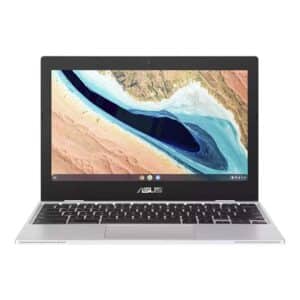
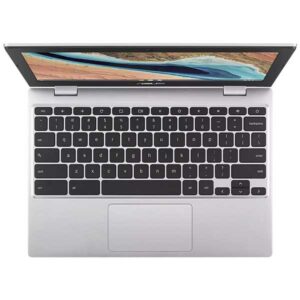
12 - 13.3" Laptops
12 - 13.3" Laptops
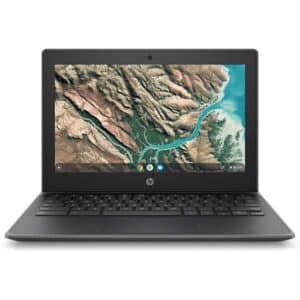
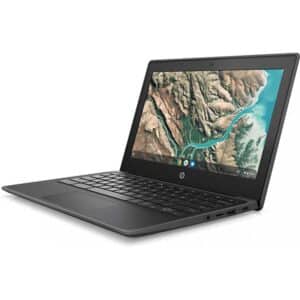
HP Chromebook 11 G8 EE – 11.6″ Rugged Student Laptop | ChromeOS Updates to 2029 | Refurbished NZ


12 - 13.3" Laptops
Cheap Laptops
Why Buy a Refurbished Chromebook?
A refurbished Chromebook can be a cost-effective way to get a practical device for school, study, home use or basic everyday tasks without paying full new retail pricing.
Because Chromebooks are designed for web-based use, they are often a good fit for students, parents and home users who mainly use online tools rather than traditional Windows software.
They can also be a sensible option when you want something simple, lightweight and affordable for browsing, email, Google Workspace, video calls and online learning.
Good for Everyday Web Use
- School and BYOD use
- Google Classroom and school portals
- Google Docs, Sheets and Gmail
- Browsing, email and online banking
- Video calls and online learning
- Simple home and study use
Choose the Right Chromebook for Your Needs
Chromebooks for School
Affordable refurbished Chromebooks for students using Google Classroom, school portals, online learning and web-based study tools.
BYOD Chromebooks
A practical option for families needing a simple device for school use, homework, research and online assignments.
Chromebooks for Home
Good for browsing, email, online banking, YouTube, light documents and general web-based everyday tasks.
Windows Alternatives
If you need Windows software, Microsoft Office desktop apps or specialist programs, a refurbished Windows laptop may be a better fit.
Chromebooks vs Windows Laptops
Chromebooks are best for people who mainly work online. They are built around ChromeOS, the Chrome browser and Google Workspace. This makes them simple and practical for school, study, browsing, email and cloud-based work.
A Windows laptop is a better option if you need to install traditional Windows programs, use specialist software, run desktop versions of certain apps or need broader compatibility with business systems.
Not sure which one suits you? Contact NZ Laptop Wholesale and tell us what you need the device for. We can help point you towards the most practical option.
Choose a Chromebook If You Use
- Google Classroom
- Google Docs, Sheets and Slides
- Gmail and Google Drive
- Web-based school portals
- Browser-based apps
- Online learning platforms
What Specs Should You Look For?
For most Chromebook users, the most important things to consider are screen size, portability, storage, memory and whether the device suits the type of web-based work you plan to do.
Many Chromebooks are designed to be lightweight and easy to carry, which makes them useful for school bags, classrooms, study spaces and shared home use.
Because Chromebooks rely heavily on cloud storage and online apps, they do not always need the same specifications as a Windows laptop. However, it is still worth choosing a device that feels responsive and suits your everyday workload.
Always check the individual product listing for the exact specifications, condition notes and ChromeOS support details where shown.
Simple Chromebook Buying Guide
- 11.6 inch: compact and easy to carry
- 13–14 inch: more comfortable for longer use
- Touchscreen: useful on selected 2-in-1 models
- 4GB RAM: suitable for basic web-based use
- 8GB RAM: better for heavier browsing where available
- ChromeOS support: check the product listing details
Popular Chromebook Options
School Chromebooks
Compact refurbished Chromebooks are popular for students who need a simple device for school portals, Google Classroom and homework.
Touchscreen Chromebooks
Selected touchscreen and 2-in-1 Chromebooks can be useful for younger students, classroom use and more flexible everyday browsing.
Rugged Student Models
Some education-focused Chromebooks are designed with school use in mind, making them practical for students and shared learning environments.
Budget Web Laptops
For buyers who mainly need web browsing, email and online tools, a refurbished Chromebook can be a simple and affordable choice.
Good for School, Study and Home Use
Chromebooks are commonly used in education because they are simple, web-focused and work well with Google services. They can be a good fit for students who need a device for research, assignments, school portals, Google Docs and online learning.
For Students
A practical device for schoolwork, homework, online research, Google Classroom and web-based assignments.
For Parents
An affordable option when you need a school or study device without spending laptop-new prices.
For Home Users
Simple everyday devices for browsing, email, online banking, streaming, documents and general web use.
Can a Chromebook Replace a Laptop?
For many people, yes — but it depends what you need to do. If most of your work happens in a web browser, a Chromebook may be all you need.
If you need Windows-only programs, specialist business software, advanced gaming, full desktop app support or specific hardware compatibility, a Windows laptop is usually the safer choice.
For school, web browsing, email, Google Workspace and everyday online use, a Chromebook can be a very practical and budget-friendly option.
A Chromebook Suits Buyers Who Want
- A simple web-based device
- An affordable school laptop alternative
- Google Workspace and cloud storage
- Easy browsing and email
- Lightweight portability
- Good value for everyday online tasks
Tested, Cleaned and Ready to Use
Every Chromebook we list is checked, cleaned and prepared before sale. We focus on practical refurbished devices that offer good value for NZ students, families, home users and everyday web-based use.
NZ Laptop Wholesale is based in Auckland and ships Chromebooks nationwide with secure packaging. Our products are backed by our warranty, and you can contact real local people if you need help choosing the right device.
Browse Refurbished Chromebooks in NZ
Browse our latest refurbished Chromebooks online. If you see a model that suits your needs, it is worth ordering while it is available.
12 - 13.3" Laptops
Less-than-Perfect | Lenovo Ideapad 3 Chromebook – Updates until 2029
12 - 13.3" Laptops
12 - 13.3" Laptops
HP Chromebook 11 G8 EE – 11.6″ Rugged Student Laptop | ChromeOS Updates to 2029 | Refurbished NZ
12 - 13.3" Laptops
Cheap Laptops
Helpful Buying Guides
Not sure whether a Chromebook is the right choice? These pages can help you compare options and understand what to look for before buying.
Frequently Asked Questions
Are refurbished Chromebooks worth buying?
Yes. A refurbished Chromebook can be a good-value option for school, study, home use and everyday web-based tasks, especially when it has been tested, cleaned and prepared before resale.
Are Chromebooks good for school?
Yes. Chromebooks are commonly used for school because they work well with Google Classroom, Google Docs, school portals, web-based learning platforms and online research.
What is the difference between a Chromebook and a Windows laptop?
A Chromebook runs ChromeOS and is designed mainly for web-based use. A Windows laptop is better if you need traditional Windows programs, specialist software or broader app compatibility.
Can I install Windows programs on a Chromebook?
In most cases, no. Chromebooks are designed for ChromeOS, web apps and Google Workspace rather than traditional Windows desktop programs. If you need Windows software, browse our refurbished Windows laptops instead.
Are Chromebooks good for working from home?
They can be, if your work is mainly browser-based. Chromebooks are suitable for email, Google Workspace, online meetings and web apps, but a Windows laptop may be better for specialist business software.
What size Chromebook is best for students?
Compact 11.6 inch Chromebooks are popular for students because they are easy to carry. Larger 13 to 14 inch models can be more comfortable for longer study sessions where available.
Do your refurbished Chromebooks come ready to use?
Yes. NZ Laptop Wholesale checks, cleans and prepares Chromebooks before sale so they are ready for everyday use.
Do you ship refurbished Chromebooks around New Zealand?
Yes. NZ Laptop Wholesale is based in Auckland and ships Chromebooks NZ-wide with secure packaging.
Need Help Choosing a Chromebook?
Tell us who the Chromebook is for, what it will be used for and whether the school has any BYOD requirements. We can help point you towards a practical option from our current refurbished stock.


