










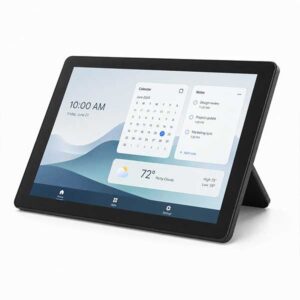
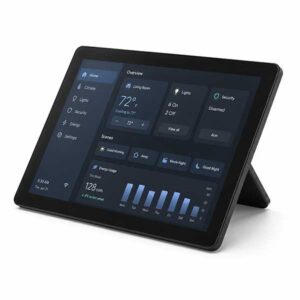
External 12.3″ USB-C Alt Mode Touchscreen Monitor – 1440 × 960
$119.00
Only 1 left in stock!
Ready to ship
Display: 12.3-inch diagonal touchscreen
Resolution: 1440 × 960
Aspect Ratio: 3:2
Touch: 10-point touch capable
Connection: USB-C with DisplayPort Alt Mode
Power: Powered through a compatible USB-C connection
Positioning: Dual-orientation design
Included: Touchscreen display only
Not Included: USB-C cable or HP Elite Slice G2 computer
About this Product
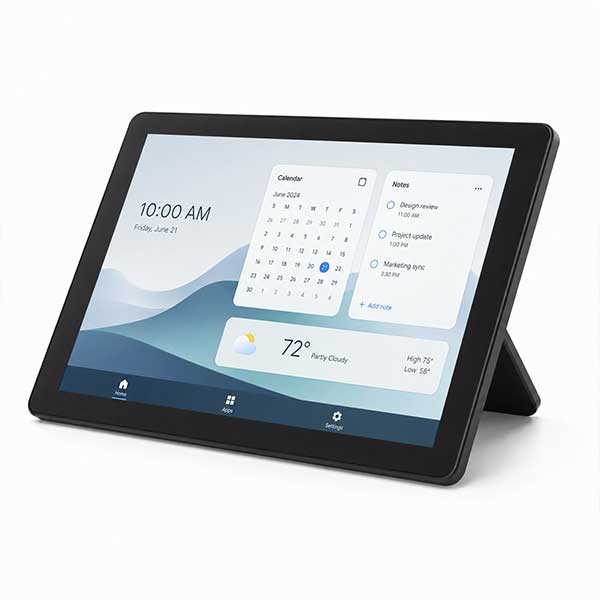
A compact 12.3-inch USB-C touchscreen monitor for adding a convenient second display to a compatible laptop. One USB-C connection carries the picture, touchscreen data and power for a tidy desktop setup.
- 12.3-inch touchscreen: Compact size with 10-point touch capability.
- 1440 × 960 resolution: Clear 3:2 display with useful vertical screen space.
- USB-C Alt Mode: Video, touch data and power through one compatible USB-C connection.
- Flexible positioning: Dual-orientation design for different viewing angles.
- Display only: USB-C cable and computer are not included.
Compatibility: Your laptop or computer must have a full-featured USB-C port supporting DisplayPort Alt Mode, USB data and sufficient power output. A USB-C charging port alone is not sufficient.
Cable requirement: A USB-C cable is not included. A full-featured USB-C 3.1 Gen2 cable capable of carrying video, USB data and power is required.
The 12.3-inch USB-C Alt Mode Touchscreen Monitor is a compact and practical way to add an interactive second screen to a compatible laptop. Its 3:2 aspect ratio and 1440 × 960 resolution provide useful space for productivity tools, dashboards, communication apps, media controls and other frequently used windows.
A single compatible USB-C connection carries the display signal, touchscreen data and power, helping keep your workspace tidy without requiring separate display and power cables. The connected laptop or computer must have a full-featured USB-C port supporting DisplayPort Alt Mode, USB data and sufficient power output.
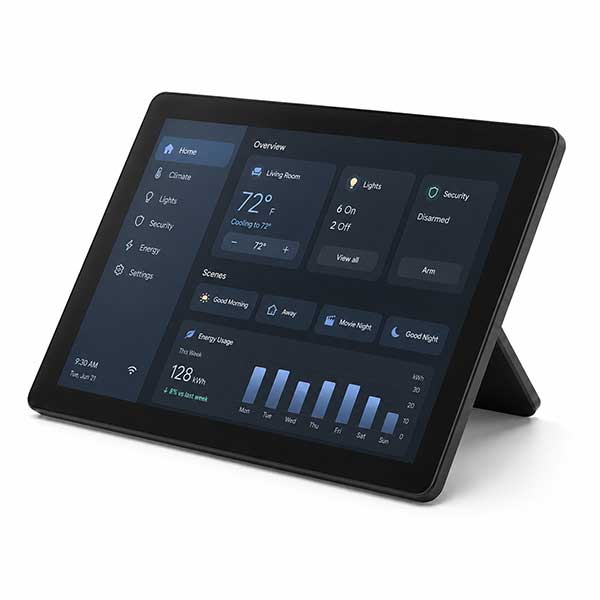
The display supports 10-point touch on compatible devices and operating systems. Its dual-orientation design allows it to sit at different viewing angles, making it suitable for use beside a laptop, at a reception desk, as a compact control display or as an additional screen where desk space is limited.
This display was originally manufactured as the touchscreen screen module used with the HP Center of Room Control system. It has been tested for use as a generic USB-C Alt Mode touchscreen monitor with compatible laptops.
Please note: This listing is for the touchscreen display only. The HP Elite Slice G2 computer is not included. A USB-C cable is also not included, as the required cable type and length will depend on the buyer’s device and intended setup.
A full-featured USB-C 3.1 Gen2 cable supporting video, USB data and power is required. Standard charging-only USB-C cables and USB-C ports without DisplayPort Alt Mode will not provide a display signal.
Backed by our Warranty and available with NZ-wide delivery from our Auckland warehouse.
Practical Ways to Use This Compact Touchscreen
This 12.3-inch USB-C touchscreen can be repurposed as a useful secondary display for compatible laptops and computers. Its compact size makes it especially suitable for desks where a full-size second monitor would take up too much room.
- Secondary laptop screen: Keep email, Teams, chat windows, calendars or reference material visible while working on your main display.
- Touch control panel: Use it for media controls, presentation controls, smart-office dashboards or frequently used shortcuts.
- Reception or front-desk display: Suitable for check-in forms, customer information, booking systems or basic touchscreen applications.
- Point-of-sale companion screen: Useful as a compact touch display alongside compatible retail, hospitality or workshop software.
- Monitoring dashboard: Display system statistics, CCTV viewing software, sales figures, website analytics or other live information.
- Creative workspace companion: Keep tool palettes, timelines, notes or reference images available beside your primary screen.
- Communication screen: Dedicate it to video meeting controls, messaging apps or shared workplace communication tools.
- Compact workshop display: View manuals, instructions, parts diagrams or diagnostic software without taking over the main screen.
Compatibility note: The connected device must have a USB-C port supporting DisplayPort Alt Mode, USB data and sufficient power output. A suitable full-featured USB-C cable is required and is not included.
This is a display only and is not a standalone tablet or computer.
| Weight | 6 kg |
|---|
$119.00




USB-C External Laptop Monitor