











Buying Advice, FAQs, General, Guides, Tech-Info
Chromebook Update Policy: What to Expect When Buying a Refurbished Chromebook
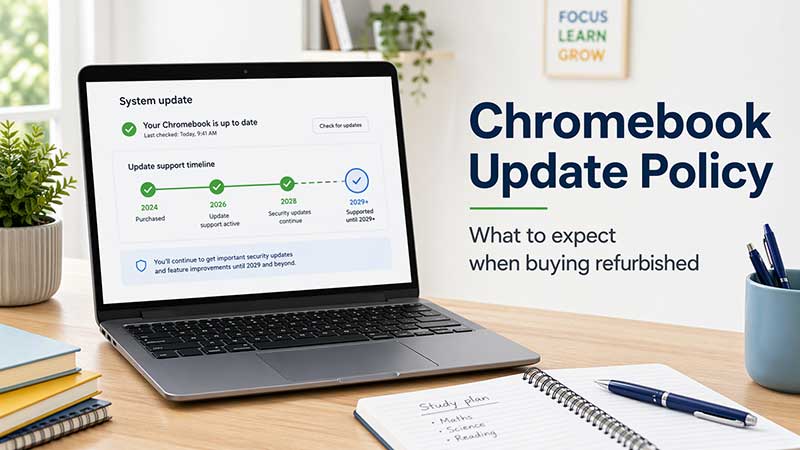
TL;DR: Chromebook Update Policy for Refurbished Buyers
When buying a refurbished Chromebook, always check its Auto Update Expiration date, often called the AUE date. This tells you how long Google will continue providing automatic ChromeOS updates, including security, stability and feature updates.
Quick answer: A refurbished Chromebook can still be a smart buy if it has enough update life remaining. For most NZ buyers, three or more years of updates is a comfortable choice, while less than a year should be considered carefully.
A Chromebook does not stop working when updates end, but it may become less secure and less suitable for online banking, school accounts, work logins or long-term everyday use. Check the exact model, confirm the update date, and choose a seller that clearly states the remaining support life.
If you are thinking about buying a refurbished Chromebook, one of the most important things to check is how long it will continue receiving updates. Unlike a typical Windows laptop, a Chromebook has a defined support period from Google, and that date matters.
The good news is that a refurbished Chromebook can still be a very smart buy. For schoolwork, web browsing, email, streaming, and day-to-day use, a good Chromebook with years of update support left can offer excellent value. At NZ Laptop Wholesale, we always note the update life on our Chromebook listings so you know what to expect before you buy.
If you are browsing our range, you can view our available models here: Refurbished Chromebooks.
Google’s official Chromebook update schedule is also worth bookmarking: Google Chromebook Auto Update policy list.
What does Chromebook update policy actually mean?
Chromebooks receive automatic updates from Google for a set period. These updates cover security, stability, browser improvements, and new ChromeOS features. This support period is sometimes called the Auto Update Expiration date, or AUE.
Once that date is reached, the Chromebook does not suddenly stop working. You can still turn it on and use it. However, it will no longer receive regular automatic updates in the normal way, which is important for security, compatibility, and long-term peace of mind.
Why update life matters when buying refurbished
When buying refurbished, update life is part of the value equation. A lower price may look attractive, but if the device is near the end of support, it may not be the best long-term choice for a student, parent, or home user.
On the other hand, a refurbished Chromebook with support through 2029 or beyond can still have plenty of useful life left. That is why it pays to check the update date, not just the brand, storage, or screen size.
| What to compare | Chromebook with short support left | Chromebook with years of support left |
|---|---|---|
| Security updates | Ending soon or already ended | Ongoing automatic updates |
| Best for | Very short-term or basic backup use | Students, families, and everyday use |
| Long-term value | Lower | Stronger |
| Buyer confidence | Depends heavily on price | Usually much better overall value |
What happens when a Chromebook reaches its update expiry date?
It is important not to panic when you hear the words “update expiry”. The Chromebook does not become unusable overnight. But there are some clear trade-offs.
What usually still works
- Web browsing
- Email and Google Docs
- YouTube and streaming services
- Basic schoolwork and online forms
- Offline files already stored on the device
What you should be more cautious about
- No ongoing security updates in the usual way
- Possible compatibility issues over time with websites or apps
- Less confidence for online banking, work logins, or sensitive use
- Reduced long-term value compared with a still-supported model
How to check a Chromebook’s update life
There are two practical ways to check.
1. Check Google’s official support list
The best starting point is Google’s official Auto Update policy page. Search the exact model name and compare it carefully with the device you are considering. This is especially important with education and business models, where similar names can have different support dates.
View Google’s Chromebook update schedule here.
2. Check the date on the Chromebook itself
If you already have the Chromebook in front of you, go to the device settings and check its update schedule directly.
- Open Settings
- Go to About ChromeOS
- Click Additional details
- Look for the Update schedule section
This is the easiest way to confirm what the device itself reports.
Quick checklist before buying a refurbished Chromebook
- Check the exact model number, not just the product family name
- Confirm how long the device will keep receiving updates
- Make sure the update life suits how long you want to keep it
- Consider who will use it: student, parent, senior, or business user
- Check the screen size, storage, RAM, and overall condition
- Buy from a seller that clearly states the update life
- Choose a tested and cleaned business-grade ex-lease unit where possible
How much update life is enough?
There is no single rule, but here is a simple way to think about it.
Good option
Three or more years of updates remaining is usually a comfortable choice for most buyers.
Still reasonable
Two years remaining can still make sense if the price is sharp and the Chromebook suits a short-to-medium term need.
Think carefully
If there is less than a year of support left, the price needs to be very compelling and the buyer should understand the trade-off.
Why refurbished Chromebooks still make sense in NZ
For many people, a refurbished Chromebook is a practical alternative to buying brand new. They are often simple to use, quick to start, and ideal for web-based tasks. For parents buying a school device, students needing something affordable, or households wanting a second computer, they can be a great fit.
The key is buying carefully. A refurbished Chromebook is not just about getting the cheapest unit available. It is about finding one with the right balance of condition, performance, and remaining support life.
At NZ Laptop Wholesale, many of our Chromebooks are valid until 2029 and beyond, so there is still plenty of life left in them. We also note the update life on our product listings so buyers can make a clearer decision.
Safety note: do not ignore support dates
Before buying any Chromebook, make sure you understand how long it will stay supported. This is especially important if the device will be used for school accounts, personal email, online shopping, or anything involving personal information.
Important: If you already own a Chromebook and are planning to replace it, back up any important files first. While checking settings or preparing to move to a newer device usually does not cause data loss, it is always best to keep important schoolwork, photos, and documents backed up in Google Drive or another safe location.
What we recommend at NZ Laptop Wholesale
We recommend looking for a refurbished Chromebook with a healthy amount of update life remaining, not just the lowest upfront price. That usually leads to a better ownership experience and better value over time.
We focus on professionally prepared business-grade and education-grade ex-lease devices that have been tested and cleaned, with NZ-wide courier delivery and real local support. And because update life matters, we make a point of noting it on our Chromebook listings.
If you want to browse current stock, start here: Chromebooks at NZ Laptop Wholesale.
Final thoughts
A refurbished Chromebook can absolutely be worth buying, as long as you know what to expect. The most important question is not simply “Does it turn on?” It is “How long will Google continue supporting it?”
Check the model, check the update life, and compare the value properly. Do that, and a refurbished Chromebook can be a smart, affordable option for everyday NZ users.


