










TL;DR: What a VESA Mount Means for Monitors
A VESA mount is a standard hole pattern on the back of many monitors that lets you attach the screen to a monitor arm, wall bracket or desk mount. The most common sizes are usually measured in millimetres, such as 75x75mm or 100x100mm.
Quick answer: If your monitor is VESA-compatible, you can usually remove the original stand and attach it to a compatible monitor arm or bracket. Just check the VESA size, monitor weight and mount type before buying.
VESA mounting is especially useful for creating a cleaner desk setup, improving screen height, saving space, or building a single, dual or multi-monitor workstation. Not every monitor supports VESA, so always check the back of the screen or the product specs first.
If you’ve been shopping for a monitor, monitor arm, or wall bracket, you’ve probably come across the term VESA mount. For many buyers, it sounds technical at first, but the idea is actually quite simple.
A VESA mount is a standard pattern of mounting holes on the back of a monitor or display. These holes allow the screen to be attached to a compatible monitor arm, wall mount, stand, or bracket. If your monitor has a VESA mount, it gives you more flexibility in how you set up your desk or workspace.
This matters whether you are setting up a home office, upgrading a student desk, fitting out a business, or just trying to free up space. Many business-grade monitors include VESA mounting support, which is one reason they are so popular for practical, tidy desk setups.
What does VESA stand for?
VESA stands for the Video Electronics Standards Association. In everyday terms, it refers to a standard mounting pattern used by many monitor and TV manufacturers.
Instead of every brand using a different bracket system, VESA makes it easier to match a screen with a compatible mount. That means less guesswork when buying a monitor arm, a wall bracket, or a replacement stand.
What does a VESA mount look like?
On the back of a VESA-compatible monitor, you will usually see four screw holes arranged in a square or rectangle. The spacing between those holes determines the VESA size.
For example, a monitor might use a 100 x 100 VESA pattern. That means the mounting holes are spaced 100mm apart horizontally and 100mm apart vertically.
Common VESA mount sizes
Smaller and mid-sized monitors often use one of a few common mounting patterns. Here is a simple guide:
| VESA Size | Typical Use | Common on Monitors? |
|---|---|---|
| 75 x 75mm | Small monitors and compact displays | Yes |
| 100 x 100mm | Most office monitors and business displays | Very common |
| 200 x 100mm | Some larger displays and ultrawides | Less common |
| 200 x 200mm and above | Larger TVs and heavier screens | Usually more common on TVs than monitors |
For many office and refurbished business monitors, 100 x 100mm is the most common VESA pattern, with 75 x 75mm also appearing on smaller screens.
Why would you want a VESA mount?
A VESA mount gives you more options than a standard factory stand. Depending on the setup you want, that can make a noticeable difference to comfort, desk space, and overall practicality.
1. It helps free up desk space
Using a monitor arm can lift the screen off the desk and create more usable room underneath for a keyboard, documents, chargers, or other gear.
2. It makes positioning easier
A good VESA-compatible arm or mount can let you raise, lower, tilt, swivel, or rotate your screen. This can be especially useful if more than one person uses the same workspace.
3. It can improve ergonomics
Having your monitor at a better height and viewing angle may help reduce neck and shoulder strain, especially for long work or study sessions.
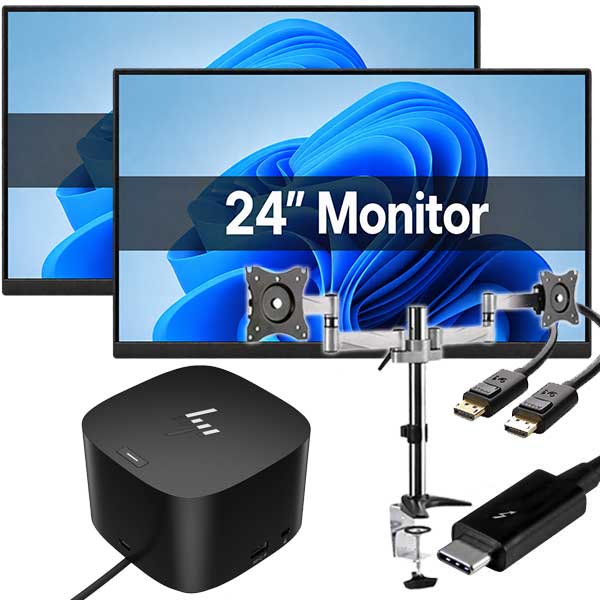
4. It is ideal for dual monitor setups
Many people use VESA mounts to build cleaner two-screen setups for office work, studying, admin, accounts, and everyday multitasking.
5. It can create a tidier look
A wall-mounted screen or desk-mounted arm often looks neater than a bulky factory stand, particularly in smaller home offices or customer-facing workspaces.
VESA mount vs non-VESA monitor
| Feature | VESA-Compatible Monitor | Non-VESA Monitor |
|---|---|---|
| Works with monitor arms | Yes | Usually no |
| Can be wall mounted | Yes, with the right bracket | Often not |
| Desk setup flexibility | High | More limited |
| Best for dual monitor setups | Usually yes | Less ideal |
| Common on business-grade monitors | Very common | Less common |
How do I know if my monitor has a VESA mount?
There are a few easy ways to check:
- Look at the back of the monitor for four screw holes in a square or rectangle pattern.
- Check the model specifications online or in the product manual.
- Look for terms like VESA 75 x 75 or VESA 100 x 100 in the listing.
- If the holes are hidden under a plastic cover or attached stand plate, remove that section carefully and check underneath.
Some monitors have a removable stand neck or cover plate that hides the mounting holes, so they are not always obvious at first glance.
Quick compatibility checklist
Before buying a monitor arm or wall mount, check these points:
- Does the monitor have a VESA mounting pattern?
- What is the VESA size: 75 x 75, 100 x 100, or something else?
- Is the mount rated for the monitor’s size and weight?
- Do you need tilt, swivel, height adjustment, or portrait rotation?
- Will the arm or bracket fit your desk, wall, or workspace?
- Are the correct screws or spacers included?
Important safety notes before mounting
It is always worth taking a little extra care before mounting any screen.
- Check the weight rating: Not all arms and brackets support the same load.
- Use the correct screws: The wrong screw length can damage the monitor or fail to secure it properly.
- Follow installation instructions: This is especially important for wall mounting.
- Do not force compatibility: If the VESA pattern does not match, do not try to improvise.
- Protect the screen during setup: Lay the monitor on a soft, clean surface to avoid pressure damage.
If you are reusing an older screen, it is also smart to check the stand removal method before starting. Some models release easily, while others use hidden clips or screws.
Why business-grade monitors are often a smart choice
One reason many people like ex-lease business monitors is that they are often designed for practical office use rather than just showroom appeal. That usually means better stands, sensible ports, and, quite often, VESA mounting support.
For buyers planning a home office or dual-screen setup, that can be a real advantage. A VESA-compatible monitor gives you more flexibility now and more upgrade options later.
At NZ Laptop Wholesale, we regularly stock tested and cleaned business-grade ex-lease monitors that suit everyday home use, work-from-home setups, study spaces, and small business desks. They are a practical way to get reliable gear without paying new-retail prices, and they are backed by our warranty. We also ship NZ-wide and offer real local support if you need help choosing the right fit.
Is a VESA mount worth caring about?
Yes, especially if you want flexibility.
If you only ever plan to use the original stand, VESA compatibility may not matter much. But if you want a cleaner desk, a dual monitor arm, wall mounting, or better ergonomics, it is definitely worth checking before you buy.
It is one of those small details that can make a setup much easier to live with over time.
Final takeaway
A VESA mount is a standard set of mounting holes on the back of a monitor that allows it to attach to compatible arms, stands, and wall brackets. It is simple, useful, and worth paying attention to if you want more control over your workspace.
For many buyers, especially those considering office monitors or dual-screen setups, choosing a VESA-compatible display is the more flexible option. And because many business-grade monitors include VESA support, refurbished ex-lease screens can be a very practical choice.
Quick summary
- A VESA mount is a standard hole pattern used to mount monitors and displays.
- Common monitor sizes are 75 x 75mm and 100 x 100mm.
- VESA support makes it easier to use monitor arms and wall brackets.
- Many business-grade monitors include VESA mounting.
- Always check the monitor’s VESA size, weight, and mounting compatibility before buying an arm or bracket.


