









General
Refurbished Laptop Buying Guide for NZ
A cheap laptop can cost you twice. Once at checkout, and again when it starts lagging through video calls, chewing through battery, or refusing a Windows update six months later. That is why a proper refurbished laptop buying guide matters. If you want dependable performance without paying new-device prices, the smartest buy is usually not the cheapest machine on the page. It is the one that matches your workload, has been properly tested, and gives you clear value for money.
For a lot of New Zealand buyers, refurbished makes sense because business-grade ex-lease laptops are built better than many entry-level new models. They were designed for offices, schools, and daily travel, not just light home use. A well-selected refurbished Dell, HP, or Lenovo can give you stronger build quality, better keyboards, more upgrade options, and more reliable long-term performance than a bargain-bin consumer laptop.
What a refurbished laptop buying guide should help you avoid
The biggest mistake is shopping by price alone. Two refurbished laptops can look similar in photos and still be very different in real use. One may be ready for office work, remote study, and Windows 11. The other may be too old, too slow, or too limited to stay useful.
The second mistake is assuming all refurbished stock is equal. There is a real difference between a professionally refurbished ex-lease business laptop and a used laptop sold with vague specs and no clear testing process. Buyers should expect transparent condition grading, battery expectations, warranty details, and accurate hardware information. If those basics are missing, that is usually a sign to keep looking.
Start with the job the laptop needs to do
Before you compare brands or screen sizes, work out what the laptop actually needs to handle. For a student, that often means web browsing, Microsoft Office, cloud apps, email, and video classes. For a home office user, it could mean spreadsheets, accounting software, multiple browser tabs, and a proper docking setup. For a small business, it may involve buying several units that need to be consistent, reliable, and easy to deploy.
This matters because the right laptop for school is not always the right laptop for design work or multi-screen office use. Buying too little machine creates frustration. Buying far more than you need wastes money that could be better spent on monitors, docks, or extra storage.
For study and everyday use
Look for at least an Intel Core i5 or equivalent, 8GB of RAM, and a solid state drive. That combination covers the needs of most students and everyday users comfortably. A lightweight 12-inch or 13-inch model is easier to carry, but a 14-inch screen often gives the best balance between portability and usability.
For office and remote work
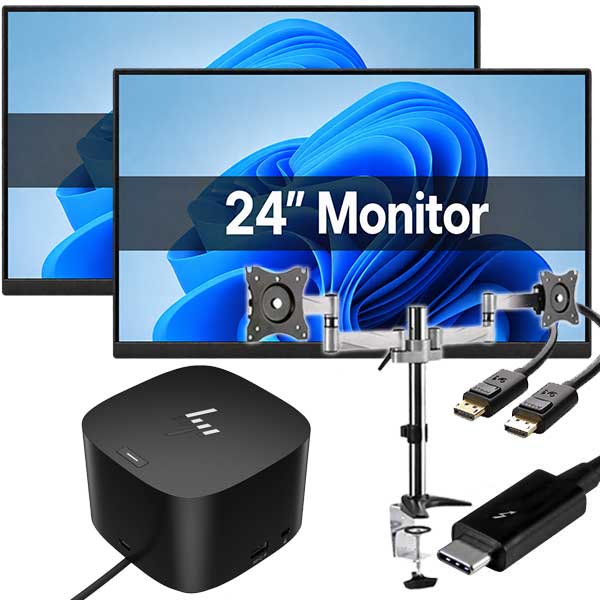
Aim for 8GB to 16GB of RAM, a solid state drive, and a processor recent enough to handle video meetings and multitasking without dragging. If the laptop will spend most of its time on a desk, check for HDMI, USB-C, or docking support. That can make a big difference to productivity.
For business fleets and power users
Consistency matters as much as price. It is easier to support a team when devices share the same charger type, similar specs, and the same Windows compatibility. In that case, buying from a specialist with curated ex-lease stock makes more sense than piecing together random single units.
The specs that matter most
A lot of buyers get distracted by brand names or processor labels without looking at the full picture. Specs need to be balanced.
Processor matters, but not in isolation. A reasonably modern Intel Core i5 will suit most users better than an older i7 paired with too little memory or a slow hard drive. RAM affects how smoothly the system handles multiple tasks. For current use, 8GB is the practical minimum. If you keep dozens of tabs open or run heavier software, 16GB is a safer bet.
Storage is where refurbished laptops often offer excellent value. A solid state drive is non-negotiable for most buyers now. It improves boot times, responsiveness, and overall user experience. Capacity depends on use. For cloud-based school or office work, 256GB is often enough. If you store large files locally, 512GB gives more breathing room.
Screen resolution also deserves attention. Full HD is preferable if you spend hours reading documents, working in spreadsheets, or joining online meetings. Lower resolutions can still work for basic tasks, but the difference in comfort is real.
Why business-grade ex-lease is usually the better buy
Refurbished enterprise laptops are popular for a reason. Models built for commercial use generally have stronger hinges, better keyboards, more durable chassis, and easier servicing than many low-cost retail laptops. They were designed to survive years of office use, travel between meetings, and daily opening and closing.
That does not mean every ex-lease unit is perfect. Some will show cosmetic wear, and batteries are consumable components that vary by age and previous use. But if the refurbishing process is done properly, the trade-off is often well worth it. You may get a machine that is a little older cosmetically, but far stronger where it counts.
Battery life, condition, and the questions worth asking
Battery life is one of the most common concerns with refurbished laptops, and fairly so. Unlike RAM or storage, a battery naturally degrades over time. The key is not expecting brand-new battery performance from an ex-lease device. The key is knowing what standard the seller works to and whether the expected battery condition fits your use.
If the laptop will mostly be used at a desk, battery wear may not matter much. If it is for a student moving between classes or a mobile worker on the road, it matters more. This is where clear product descriptions and realistic expectations are more useful than marketing fluff.
Cosmetic condition is another area where buyers should be practical. Minor marks on the lid or palm rest generally do not affect performance. For many buyers, especially schools, offices, and families on a budget, that is an easy trade for better specs at a lower price. What matters more is the condition of the screen, keyboard, ports, hinges, and charger.
Check Windows 11 readiness before you buy
A laptop that seems cheap today can become poor value quickly if it is not suitable for current operating system requirements. Windows 11 readiness is now an important filter, especially for buyers expecting a few more years of use. If a system is too old to support current software comfortably, the savings can disappear fast.
For home users, that means less hassle later. For business and school buyers, it means fewer compatibility issues and a longer replacement cycle. This is one of the clearest examples of why buying based on upfront price alone is shortsighted.
Warranty and testing are part of the value
A refurbished laptop is only as good as the process behind it. Proper testing should cover storage health, memory, keyboard, screen, ports, charging, and general functionality. A warranty matters because it shows the seller stands behind the product, not just the listing.
This is especially relevant when buying online anywhere in New Zealand, whether you are in Auckland, Wellington, Christchurch, Hamilton, or a smaller centre. Clear freight, returns, and warranty information helps remove the guesswork. It also separates professional refurbished IT retailers from casual sellers shifting used gear.
Brand choice matters less than model quality
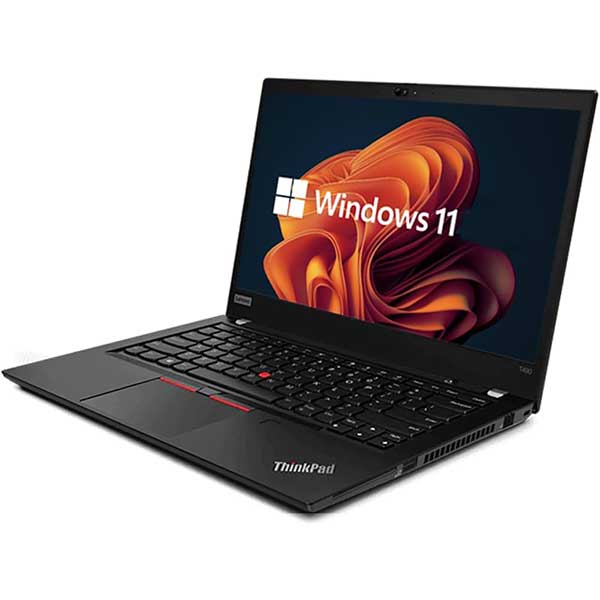
Dell, HP, and Lenovo all make excellent business laptops, and all of them have weaker models too. It is better to compare specific ranges than chase a logo. A Dell Latitude, HP EliteBook, or Lenovo ThinkPad is generally a different class of machine from an entry-level consumer notebook.
That is where specialist retailers have an advantage. They tend to curate around proven business models rather than stocking whatever turns up. NZ Laptop Wholesale, for example, focuses on fit-for-purpose ex-lease hardware rather than treating refurbished laptops like a lucky dip. For buyers, that usually means clearer specs, better consistency, and less risk of ending up with the wrong machine.
A practical way to choose without overthinking it
If you want the short version, match the laptop to the workload, insist on an SSD, avoid outdated hardware, and treat warranty and testing as part of the price. Spend a bit more for the right spec if it means better lifespan and less frustration. That is usually the better value move.
For most people, the sweet spot is a business-grade refurbished laptop with an Intel Core i5, 8GB of RAM, and a 256GB SSD or better. It is enough for study, admin work, web-based systems, video calls, and general home use. If your workload is heavier, move up the RAM or storage before chasing fancy extras.
A refurbished laptop should feel like a sensible purchase, not a compromise. When the specs are honest, the testing is done properly, and the machine suits the job, you end up with something many buyers prefer to a cheap new laptop – a dependable tool that just gets on with the work.


