










General
Which Laptop Screen Size Is Right for You?
A laptop that feels perfect on a desk can become a nuisance after one day in a backpack. That is why the question of which laptop screen size to buy is not just about seeing more on screen. It affects portability, battery life, comfort, cost and how well the machine suits your actual day.
For many New Zealand buyers, a professionally refurbished business laptop offers excellent value. Enterprise models from Dell, HP and Lenovo were designed for regular travel, long workdays and practical use. Choosing the right screen size helps you get those benefits without paying for screen space you will rarely use.
Which laptop screen size suits your routine?
The best laptop size depends on where you use it, what you need to see at once and how often you carry it. A student moving between classes has different priorities from a home-office worker with a permanent desk, or a tradie checking plans between jobs.
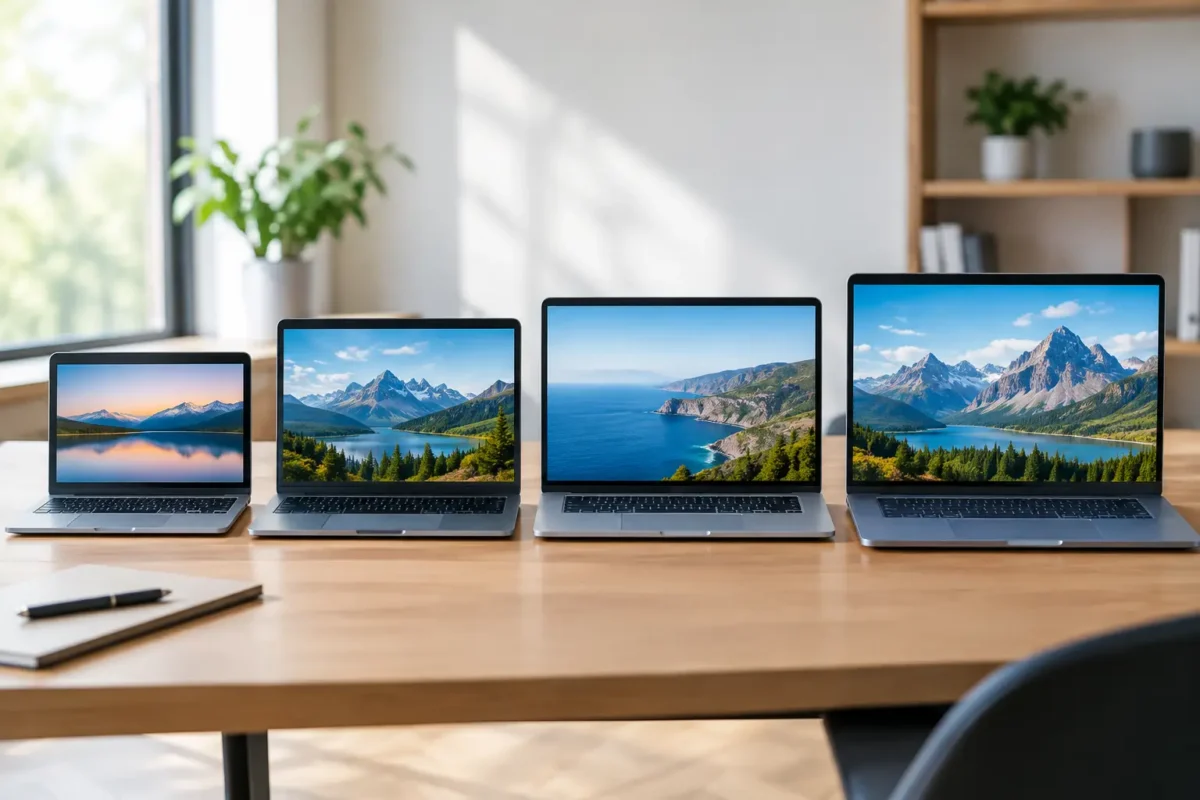
As a simple starting point, 13-inch and 14-inch laptops suit people who carry their device often. A 15-inch model is the practical middle ground for general work and study. Larger 16-inch and 17-inch models are best when screen space matters more than portability.
Do not judge by the measurement alone. Screen size is measured diagonally, so a 14-inch widescreen display can feel noticeably roomier than an older 14-inch screen with a squarer shape. Slim bezels also mean newer business laptops can offer a generous display without adding much bulk to the chassis.
12-inch and 13-inch laptops: made for carrying
A 12-inch or 13-inch laptop is a strong choice when the device needs to travel every day. These models fit easily into a small bag and are comfortable to use on a train, in a lecture theatre or at a café table. They are often lighter than larger alternatives, which makes a real difference if you are carrying books, chargers and lunch as well.
For email, web browsing, Word documents, online learning, MYOB-style admin tasks and video calls, a 13-inch screen is usually more than adequate. Higher-resolution displays can keep text sharp, although resolution does not create physical workspace. Two side-by-side documents will still feel tight compared with a larger panel.
This size works particularly well for students and mobile professionals who value a compact, dependable machine. The trade-off is that spreadsheets, design tools and large PDF documents can feel cramped. If you regularly have multiple windows open, connecting a monitor at home or in the office is a sensible way to keep the laptop portable without sacrificing desk productivity.
Why 14-inch laptops are the practical sweet spot
For a large number of buyers, a 14-inch laptop is the best balance of screen room and portability. It is large enough for everyday office work, research, Teams meetings and moderate spreadsheet use, while still being easy to take between home, school and the workplace.
Business-grade 14-inch laptops are common in the ex-lease market for good reason. Organisations issue them to staff who need one reliable device for both desk work and travel. As a result, refurbished 14-inch Dell Latitude, HP EliteBook and Lenovo ThinkPad models are often available with useful specifications at a lower price than a comparable new consumer laptop.
A 14-inch model is also a practical choice for families. It is less awkward for a child or teenager to carry than a 15-inch laptop, but provides enough room for schoolwork, browser-based learning platforms and typing assignments. Look beyond screen size, though. A solid keyboard, webcam, battery condition, RAM and SSD storage will have just as much impact on day-to-day use.
15-inch laptops: more room for everyday work
A 15-inch laptop gives you noticeably more space for documents, web pages and spreadsheets. It is a comfortable option for people who mainly work from one location but still want the flexibility to move the computer around the house or take it to occasional meetings.
This is often the right size for home-office users, small business owners and students doing detailed assignments. The larger keyboard area may include a number pad, which is handy for accounting, stock entry and data work. A 15.6-inch screen, common on older and current business models, is particularly good for viewing two documents side by side without constantly resizing windows.
The compromise is weight and footprint. A 15-inch business laptop can still fit in a standard backpack, but it takes up more room on a small table and is less enjoyable to carry all day. Battery life may also be lower than a similar 13-inch or 14-inch device, especially if the machine has a bright display or dedicated graphics.
If your laptop normally stays on a desk, that compromise may not matter. For many buyers, the added comfort is worth it.
16-inch and 17-inch screens: choose them for a reason
Larger laptops are ideal when the laptop screen will be your main workspace. A 16-inch model gives extra room for wide spreadsheets, timelines, reports, photo editing and multitasking, without always being as bulky as a traditional 17-inch machine. Modern 16-inch displays often use a taller screen shape, which shows more lines of a document and reduces scrolling.
A 17-inch laptop is best treated as a portable desktop rather than an everyday carry device. It can be an excellent fit for an office administrator working across large spreadsheets, a user who needs a big display at several sites, or someone who does not have room for a separate monitor. It is not the most convenient option for daily commuting or school bags.
Larger screens can cost more, and the laptops themselves are usually heavier. They can also be harder to use comfortably on your lap. Before paying extra, ask whether a 14-inch laptop plus an external monitor would better suit your setup. For a fixed workspace, that combination can give you more screen area, better ergonomics and a more affordable overall solution.
Screen size is only part of what you see
A bigger screen is useful, but display quality matters too. Two laptops with the same 14-inch measurement can look very different depending on resolution, brightness, panel type and finish.
Full HD resolution, usually 1920 x 1080 pixels, is a reliable target for most work and study laptops. It keeps text clear and gives enough room for everyday multitasking. Lower-resolution displays can still work for basic tasks, but they may show less information at once and look less sharp when reading for long periods.
Brightness matters if you work near windows, in bright classrooms or outside occasionally. A matte screen can reduce reflections, while a glossy screen may look more vivid indoors but can be distracting under strong light. For photo or design work, colour accuracy may be important. For email, documents and schoolwork, it is usually less critical than clear text and comfortable viewing.
Touchscreen capability is another choice, not an automatic upgrade. It can be useful for note-taking, presentations and some classroom tasks, but it often adds cost and may reduce battery life. A standard non-touch display is perfectly practical for most office users.
Match the size to your desk setup
Laptop size should work with the way you sit and work. If you use the device for several hours a day, looking down at a small screen can strain your neck and shoulders. A laptop stand, external keyboard and mouse can improve comfort, regardless of whether the laptop is 13 or 17 inches.
For office work, a compact 13-inch or 14-inch laptop paired with one or two external monitors is often the most flexible arrangement. You can take the laptop to a meeting, then return to a full-sized workspace. A docking station makes this setup quicker by connecting monitors, power, keyboard, mouse and wired internet through one cable.
For a bedroom desk, kitchen table or small home office, a 15-inch laptop may be enough on its own. There is no need to buy a larger machine simply because bigger sounds better. The best value comes from buying a device that meets the job without adding unnecessary cost, weight or power use.
A practical way to make the final choice
Think about your most demanding regular task, not the occasional one. If you mostly write emails but sometimes edit a large spreadsheet, a 14-inch laptop and external monitor may be smarter than carrying a 17-inch unit every day. If you work in spreadsheets for hours and rarely travel, a 15-inch or 16-inch screen could save a great deal of scrolling and squinting.
Also measure your bag and desk before ordering. It sounds basic, but it avoids a common disappointment: a laptop that technically travels but does not fit comfortably with everything else you carry. Check the listed dimensions and weight, not just the screen size.
NZ Laptop Wholesale can help buyers compare professionally refurbished business laptops by their specifications and intended use. Whether you choose 13, 14 or 15 inches, a tested business-grade model with sufficient RAM, SSD storage and a suitable processor will provide far better value than chasing screen size alone.
Choose the screen you will be happy to use on an ordinary Tuesday. That is the size that will keep earning its place in your bag or on your desk.


