












General
ProDesk Review for Refurbished Office Buyers
A desktop does not need to be new to be a sensible purchase. For many New Zealand offices, students and home users, the right refurbished business PC delivers the performance needed for everyday work at a far more reasonable price. This ProDesk review looks at HP’s long-running business desktop range, where it fits best, and what to check before buying.
HP ProDesk machines were built for commercial fleets rather than occasional home use. That usually means practical ports, straightforward servicing, solid chassis construction and components selected for years of office workloads. When a business replaces a fleet at the end of a lease, those machines can become excellent-value refurbished computers.
What is the HP ProDesk range?
HP ProDesk is a family of business desktops available in several sizes and performance levels. You will commonly see ProDesk 400, 600 and 800 series models, although the exact specifications vary significantly by generation. A model number alone is not enough to judge performance. The processor generation, memory, storage and physical form factor matter just as much.
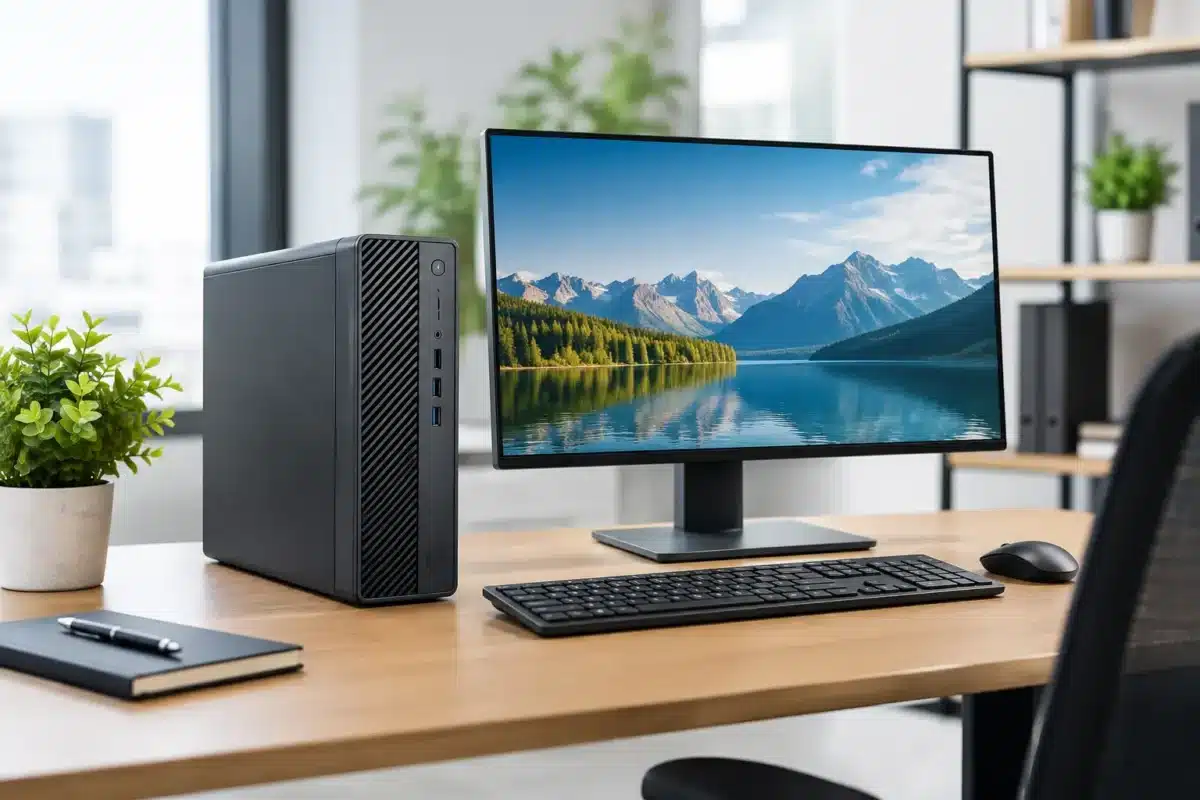
The range generally comes in three main chassis styles. Mini desktops are compact units that sit neatly behind a monitor or on a small desk. Small form factor, often called SFF, machines are slim desktop towers with more ports and upgrade room. Tower versions take up more space but can suit users who need extra expansion options.
For a reception desk, school office, bookkeeping setup or home study space, a Mini or SFF ProDesk is usually the sensible choice. It handles the work without taking over the desk. A larger tower is worth considering only when you genuinely need additional drives, specialised cards or more internal expansion.
ProDesk review: where it performs well
A refurbished ProDesk with an Intel Core i5 processor, 8GB or 16GB of RAM and an SSD is well suited to the work most people actually do. Think Microsoft 365, web-based systems, accounting software, email, video calls, PDFs, online learning and general office administration. SSD storage makes a noticeable difference here, reducing startup and loading times compared with older hard drives.
For small businesses, this is often the real appeal. Instead of spending heavily on new entry-level desktops, you can buy commercial-grade hardware that remains capable for routine workloads. A matching set of refurbished units also makes it easier to standardise desks, accessories and support across a small team.
Students and parents can benefit too. A desktop ProDesk is a strong option where portability is not required, particularly for a dedicated study area. It can comfortably manage research, documents, learning platforms and browser-based assignments. Add a decent monitor, keyboard and mouse, and it becomes a practical workstation for less than the cost of many new laptops.
The ProDesk also works well in dual-monitor setups. Most business models include multiple display outputs, but buyers should always confirm the ports on the exact unit. DisplayPort is common on ex-lease machines, while some screens use HDMI. The right cable or adapter may be all that is needed, but it is better to check before the PC arrives.
The main trade-offs to understand
The value is real, but a ProDesk is not the right answer for every buyer. These are office-first desktops. Integrated graphics are fine for normal displays, video playback and general applications, but they are not designed for modern gaming, complex 3D modelling or heavy video production. A tower with a suitable dedicated graphics card may help in some cases, but that changes both the cost and the suitability of the machine.
Age is the other consideration. Refurbished ProDesk units can span several processor generations. An older model may still be perfectly usable for basic tasks, yet a newer generation will usually offer better efficiency, improved Windows 11 compatibility and a longer useful life. For a business intending to keep machines for several years, buying the newest practical generation within budget often makes sense.
Storage capacity can also be modest on ex-lease systems. A 256GB SSD is plenty for many office users who rely on cloud storage, but it may be restrictive for large photo libraries, offline files or extensive local records. Check whether the machine has room for another drive if storage needs are likely to grow.
Finally, Mini models save space but provide less upgrade flexibility than SFF and tower units. That is not a fault – it is the compromise that makes them so compact. Choose the chassis around the job rather than assuming smaller or larger is automatically better.
What to check before buying a refurbished ProDesk
Start with the exact processor rather than broad labels such as “Core i5”. An 8th generation Intel Core i5 is very different from an older 4th generation version. For general office use, both may be capable, but the newer unit is usually a better choice for long-term Windows 11 use and demanding multitasking.
Memory is next. Eight gigabytes of RAM remains workable for email, documents and light browser use. For staff who keep many browser tabs open, join video meetings and run several applications at once, 16GB is the more comfortable starting point. It is also a sensible choice for a shared family computer.
Choose SSD storage where possible. Traditional hard drives can offer plenty of capacity, but they make an otherwise capable PC feel slow. An SSD gives the computer a much more responsive feel in daily use, which is one of the biggest practical gains you can make.
Also confirm the included operating system, wireless capability and display connections. Some business desktops were used on wired office networks and may not include built-in Wi-Fi. This is easily solved with an adapter in many cases, but it should not be a surprise after purchase. Similarly, check whether a keyboard, mouse, monitor or power cables are included if you are buying for a complete desk setup.
For organisations buying several units, consistency matters. Purchasing similar models with the same memory and storage configuration reduces setup time and makes future replacements easier. It also helps when staff move between desks or when one spare machine needs to be deployed quickly.
Who should buy an HP ProDesk?
The ProDesk is a particularly good fit for buyers who value dependable day-to-day performance over flashy design. It suits administration teams, home offices, retail counters, community groups, schools and students with a fixed workspace. It is also a sensible replacement for an ageing desktop that struggles with current software but does not need specialist workstation hardware.
A compact ProDesk Mini makes sense where desk space is tight. An SFF model is often the best all-round option for a typical office because it offers useful connectivity and upgrade potential without the footprint of a full tower. Larger ProDesk towers are best reserved for users who know they need the extra internal room.
If you need a computer to travel between class, home and work, a refurbished business laptop is likely the better fit. If your work depends on intensive graphics, engineering applications or professional editing, compare workstation-class options instead. Buying for the actual workload is how you get value, rather than simply buying the highest specification available.
Is a refurbished ProDesk worth it?
For standard business and study workloads, yes, provided the configuration is appropriate and the machine has been professionally refurbished. The ProDesk range has earned its place in offices because it is practical, serviceable and built around everyday productivity. Those qualities remain useful after its first corporate lease.
A properly checked ex-lease unit can give a home office or small business a reliable desktop without the premium attached to new hardware. Look for clear specifications, condition information, tested components and warranty support. NZ Laptop Wholesale focuses on this type of business-grade refurbished equipment, making it easier to compare a ProDesk by the job it needs to do rather than by marketing claims.
The best ProDesk is not necessarily the cheapest one or the newest one. It is the one with enough processing power, memory, SSD space and ports to keep your work moving comfortably for the next few years.


