











General
Intel NUC Evaluation: Is a Refurbished Mini PC Right?
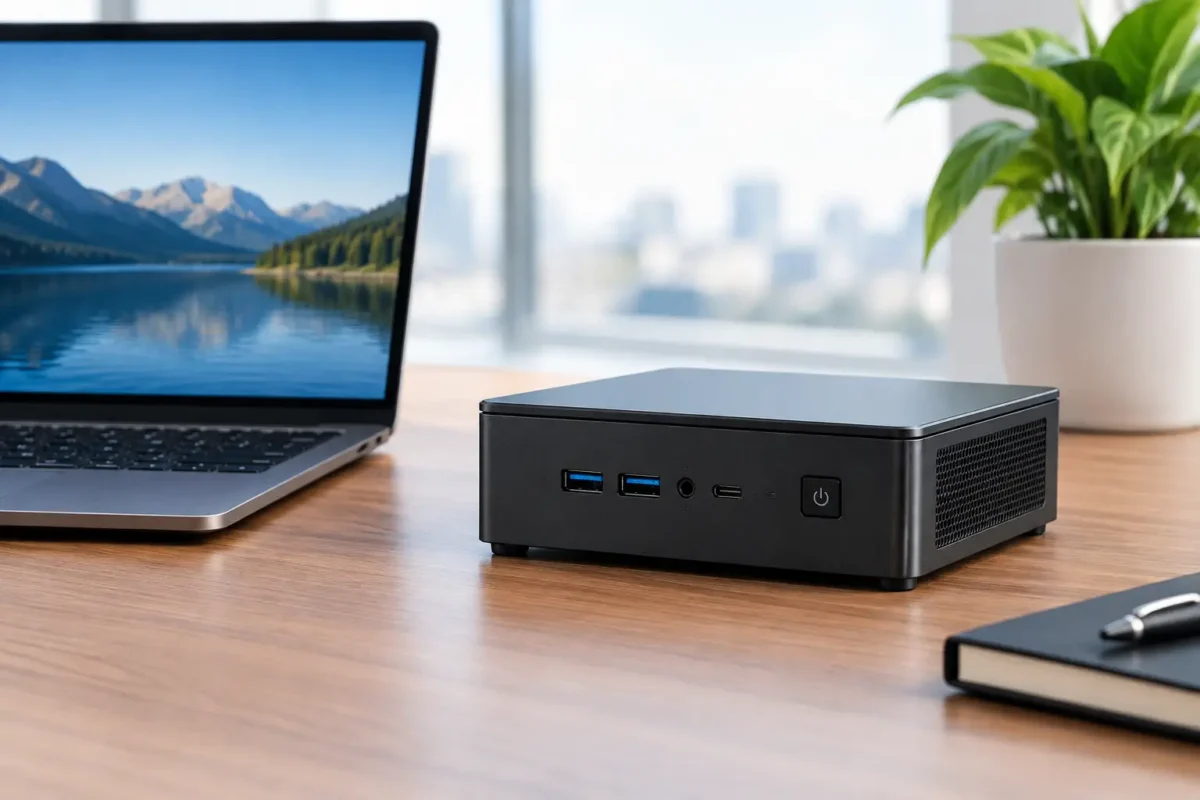
A desktop does not need to take over the desk to do proper work. For many home offices, reception desks, classrooms and compact workstations, an Intel NUC can deliver the everyday performance people expect from a business PC while taking up less room than a notebook. This Intel NUC evaluation looks at where a refurbished NUC makes sense, where it does not, and what to check before buying.
What an Intel NUC is designed to do
Intel NUC stands for Next Unit of Computing. It is a small-form-factor desktop, usually compact enough to sit beside a monitor, behind a display with a suitable mount, or neatly on a shelf. Unlike a tablet or all-in-one PC, it is still a proper desktop computer: connect a monitor, keyboard, mouse and power, then use it as you would any Windows PC.
Most business-grade NUC models use Intel Core i3, i5 or i7 processors, laptop-style RAM and an M.2 solid-state drive. That combination is more than capable of web-based work, Microsoft Office, accounting software, video calls, email, cloud storage and standard business applications. The compact case is the point, not a compromise made for novelty.
A refurbished unit can be particularly good value because many NUCs come from office fleets where they have had a stable, light-duty working life. Professionally refurbished hardware should be tested, cleaned and supplied with clear specifications, so buyers know the processor generation, RAM, storage and operating system they are getting.
Intel NUC evaluation: start with the job, not the size
The best way to assess a NUC is to begin with the workload. Small does not automatically mean low-powered, but processor generation and configuration matter far more than the badge on the front.
For administration, study and home use, a Core i5 NUC with 8GB of RAM and an SSD is generally a sensible baseline. It will handle browser tabs, documents, online learning platforms, Teams or Zoom calls, MYOB-style accounting tasks and everyday multitasking without feeling held back. If several applications are open all day, or the machine will run dual monitors, 16GB of RAM gives more breathing room and is often the better long-term choice.
A Core i3 model can still be a practical budget option for a basic reception PC, point-of-sale back office, schoolwork or a shared family computer. The trade-off is less headroom when multiple people have browser-heavy habits or need to run more demanding software at the same time.
Core i7 NUCs can offer excellent compact performance, especially in later generations, but buyers should not assume every i7 is faster than every i5. A newer i5 may outperform an older i7 in daily use. Compare the processor generation, RAM and SSD capacity rather than buying on processor label alone.
Windows 11 readiness deserves a proper check
For a machine intended to stay in service for several years, Windows 11 compatibility is worth confirming before purchase. In general, later Intel processor generations are the safer choice for supported Windows 11 use. This matters for households, schools and businesses that need current security updates and software compatibility.
Do not rely on a vague description such as “fast PC”. Look for the exact CPU model and the installed operating system. A clear specification saves guesswork and makes it easier to compare two similarly priced devices.
Where a refurbished NUC performs well
A NUC is at its best when desk space, tidy cabling and reliable everyday productivity matter more than maximum graphics power. It can be an excellent replacement for a bulky tower at a front counter or a practical desktop for a staff member who mainly works in cloud applications.
For remote workers, the attraction is simple: pair the NUC with a decent monitor, full-size keyboard and mouse, and you have a more comfortable work setup than a notebook alone. Many models support two displays, which is useful for emails and spreadsheets, research and reports, or accounts work alongside web portals. Check the available HDMI, DisplayPort, USB-C or Thunderbolt connections on the specific model, as ports differ considerably by generation.
Students can benefit too. A refurbished NUC creates a fixed study station that does not compete with a shared family laptop. It is well suited to documents, research, online classes and streaming educational content. Add a keyboard and monitor already available at home and the total setup can be cost-effective.
Businesses with several similar roles may find NUCs easier to standardise than mixed consumer PCs. They are small, usually quiet and straightforward to place in tight spaces. For a call centre, check-in desk, meeting room screen or office workstation, that can be more valuable than having a large case with unused expansion bays.
The trade-offs to consider before buying
A mini PC is not the right answer for every task. The compact chassis limits graphics options and expansion compared with a traditional desktop tower. Most NUCs rely on integrated Intel graphics, which are fine for office work, high-definition media and light creative tasks, but not ideal for modern gaming, advanced 3D design, intensive video editing or CAD workloads with demanding graphics requirements.
Storage can also be more limited. Many NUCs accept one M.2 SSD, while some versions include room for a 2.5-inch drive. That is enough for typical office files and cloud-based work, but it is not ideal for someone storing large local video libraries, raw photography files or extensive project archives. External storage is an option, although it adds another device to manage.
Upgradability depends on the exact model. RAM and SSDs are often accessible, which is a useful advantage over many compact consumer PCs. However, the processor and graphics are generally fixed. If you expect the computer to grow into a high-performance workstation, a refurbished business desktop may be the better fit.
Cooling is another realistic consideration. NUCs are designed to run efficiently, but their small fans may become noticeable under sustained heavy loads. In a quiet office doing email and documents, this is rarely a major issue. In a task that keeps the processor busy for long periods, a larger desktop is likely to run cooler and quieter.
What to inspect in a refurbished Intel NUC
Condition and preparation matter as much as model name. A good refurbished purchase should make it easy to understand exactly what is included and how the unit has been prepared for use.
Check the CPU model, installed RAM and SSD size first. For most people, an SSD is essential. It makes Windows start quickly, applications open promptly and general use feel much more responsive than an older hard drive-based system.
Then check connectivity. Count the USB ports needed for keyboard, mouse, webcam, printer, external drive and any other accessories. If dual monitors are part of the plan, confirm that the NUC supports the required display arrangement and that you have the right cables or adapters. A monitor’s input matters just as much as the PC’s output.
Also confirm whether Wi-Fi and Bluetooth are built in, particularly if the NUC will sit away from the router or use wireless peripherals. Ethernet remains a worthwhile option for office locations where stable video calls and reliable network access are priorities.
Finally, look for a clearly stated warranty and an operating system that is ready for use. Buying from a local refurbished IT specialist such as NZ Laptop Wholesale gives NZ customers a practical route to tested ex-lease hardware without the cost of buying new. It also makes it easier to select a system based on actual requirements rather than chasing consumer specifications that will never be used.
Choosing the right setup around the NUC
The NUC itself is only one part of the workstation. A good 22-inch to 24-inch monitor, comfortable keyboard and reliable mouse often have a greater effect on day-to-day comfort than a small jump in processor speed. For spreadsheet-heavy work or staff who spend full days at a screen, a dual-monitor setup can be a worthwhile productivity upgrade.
Think about placement before ordering. A NUC can be mounted behind a compatible monitor to keep the desktop clear, but ensure there is room for ventilation and easy access to power and USB ports. If it will be tucked under a counter, wired Ethernet and a wired keyboard and mouse may be simpler than relying on wireless signals.
For a shared workspace, label power supplies and accessories. NUC power adapters are compact but model-specific, and keeping each unit’s charger with the correct computer prevents avoidable downtime.
A refurbished Intel NUC is a sensible choice when you need a compact, capable PC for real work, not a gaming machine in a tiny box. Match the specification to the workload, check the ports and Windows support, and spend the saved budget on the screen and peripherals that make every working day easier.


