











General
HP EliteBook Ex Lease Review: Worth Buying?
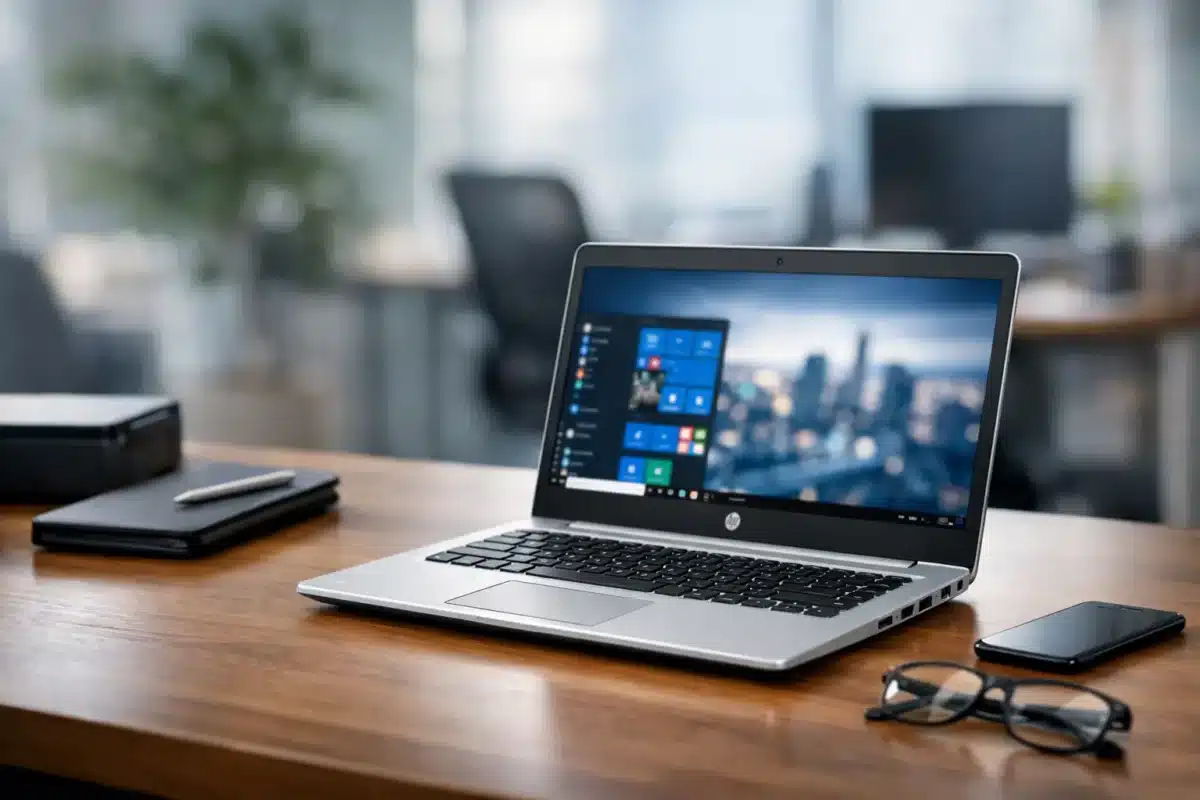
An HP EliteBook can look like a costly corporate laptop when it is new. Once it comes off a business lease, it becomes a far more realistic option for households, students and small businesses. This HP EliteBook ex lease review looks at what you actually get for the money, where these laptops still perform well, and what to check before buying.
The short version is that a professionally refurbished EliteBook is usually a very sensible buy when you need dependable Windows performance rather than the latest styling. They were built for daily office use, travel between meetings and managed business environments. That means better build quality, useful security features and easier servicing than many entry-level new laptops at a similar price.
What an Ex-Lease HP EliteBook Actually Is
Large organisations commonly lease laptops for two to four years, then replace them as part of an IT refresh. The returned machines are called ex-lease. They are not automatically worn out or obsolete. In many cases, they have spent most of their life on a desk, connected to a dock and used for email, documents, browser-based systems and video calls.
A professionally refurbished unit should be tested, cleaned and prepared for its next owner. Depending on the supplier and model, this can include storage checks, memory tests, operating system installation, driver updates and inspection of the keyboard, screen, ports, webcam and wireless connection. Cosmetic marks are possible on an ex-lease laptop, but they should be described honestly and should not affect normal operation.
EliteBook models sit in HP’s business range, above basic consumer machines. Common ex-lease options include the 13-inch EliteBook 830, 14-inch 840 and 845, and 15.6-inch 850. The number after the model name, such as G5, G6 or G7, identifies the generation. That detail matters more than the badge alone.
HP EliteBook Ex Lease Review: Strengths That Matter
The main reason to choose an EliteBook is simple: it was designed to work hard. The chassis is generally more solid than a low-cost retail laptop, hinges tend to be sturdier, and keyboards are made for people who type all day. A 14-inch EliteBook 840 is particularly popular because it gives most people enough screen space without becoming awkward to carry between home, school and work.
Business-focused connectivity is another genuine advantage. Many models include a good selection of USB ports, HDMI or DisplayPort via USB-C, an audio jack and a dedicated charging port. Some earlier generations also include an Ethernet port or a docking connector. For a home office running two monitors, this can be far more practical than relying on adapters.
Security hardware is common too. Features may include a fingerprint reader, smart-card reader, TPM security chip and webcam shutter, although the exact specification varies by model. These are useful extras for business users, but they should not be the sole reason for choosing a laptop. Processor generation, RAM, storage and screen quality have a bigger effect on daily use.
Most refurbished EliteBooks also offer excellent value in the specifications that count. An Intel Core i5 model with 8GB or 16GB RAM and an SSD remains quick for Microsoft 365, Google Workspace, Xero, web research, email, online learning and video meetings. An SSD makes a major difference: startup, updates and file access feel much faster than on an older hard drive.
Performance: Which Specifications Are Enough?
For straightforward home, study and office work, an 8th-generation Intel Core i5 or later paired with 8GB RAM and a 256GB SSD is a strong starting point. This is often the sweet spot for buyers who want Windows 11 capability, reliable multitasking and a sensible price.
Choose 16GB RAM if you regularly keep many browser tabs open, work with large spreadsheets, use accounting software alongside email and Teams, or plan to keep the laptop for several years. Storage can be upgraded in some models, but it is still worth buying enough capacity from the start if you store lots of photos, documents or offline files.
A Core i7 sounds better on paper, but it is not always necessary. In the same generation, an i7 may offer only a modest benefit for ordinary office work while costing more. For most buyers, newer processor generation, adequate RAM and a healthy battery are better priorities than chasing the i7 label.
These machines are not intended as high-end gaming laptops or mobile workstations for demanding 3D rendering. Integrated graphics are fine for streaming, presentations, light photo editing and casual games, but serious gaming, CAD or intensive video production calls for a more specialised device. Being clear about that trade-off avoids disappointment.
Battery Life and Condition: The Points to Check
Battery condition is the most variable part of any ex-lease laptop. Batteries naturally lose capacity over time, and runtime depends on screen brightness, workload, battery size and the model’s age. A realistic expectation is more useful than a headline figure. An older EliteBook may comfortably handle a meeting or class session away from power, but it may not run all day like a new premium laptop.
If long unplugged use is essential, ask how battery condition is assessed and whether replacement batteries are available. For desk-based work, a charger and docking setup may matter more than maximum battery runtime.
Screen specification deserves attention as well. Full HD, or 1920 x 1080, is a worthwhile target for most people. It provides a sharper workspace than lower-resolution panels and is easier on the eyes when reading documents or working in spreadsheets. Some business laptops were originally ordered with basic panels, so do not assume every EliteBook has the same screen simply because the model name matches.
Check whether the listing clearly states the processor, RAM, SSD size, screen resolution, operating system, included charger and cosmetic grade. Clear specifications are a good sign that you are comparing like for like rather than buying on a vague model description.
Who Should Buy an HP EliteBook?
An ex-lease EliteBook is a particularly good fit for students who need a dependable Windows laptop for research, assignments and online classes. It also suits remote workers who value a proper keyboard, webcam and easy monitor connections, and small businesses replacing several ageing machines without stretching the IT budget.
Parents buying a first laptop for a teenager can benefit too. Business-grade construction is helpful when a device is travelling in a school bag each day, although no laptop is indestructible. A compact 13-inch model is easier to carry, while a 14-inch model generally offers the best all-round balance.
For offices, buying several matching models makes support simpler. Staff use the same chargers, docks and accessories, while replacement parts and setup processes are easier to manage. This is where ex-lease hardware can offer more than a low purchase price – it can make a small fleet more consistent.
When Another Option May Be Better
An EliteBook is not automatically the right refurbished laptop for every buyer. If you mainly want a larger screen and number pad for accounts work, a 15.6-inch EliteBook 850 or a business desktop with a monitor may be more comfortable. If portability is the priority, a lighter 13-inch model may be the better choice.
Buyers who need a brand-new battery, manufacturer warranty coverage for several years, USB4 or the newest Wi-Fi standards may prefer a new device. Likewise, very old EliteBooks with earlier processors can still be useful for basic tasks, but they may have shorter software support horizons and may not meet Windows 11 requirements. Check the individual processor and operating system rather than assuming every refurbished laptop is Windows 11-ready.
A Practical Buying Checklist
Before ordering, confirm these five points:
- The exact model and processor generation, not just “Core i5”.
- RAM and SSD capacity for the programs and files you use.
- Screen size and resolution, especially if you work with spreadsheets.
- Battery condition expectations and what charger is included.
- Warranty terms, condition grade and whether the device has been professionally tested.
A trusted refurbished IT supplier should make those details easy to find. NZ Laptop Wholesale focuses on business-grade ex-lease equipment because the underlying hardware has already proved itself in real workplaces, not just on a showroom shelf.
The best EliteBook purchase is not necessarily the cheapest one. It is the model with the right generation, memory, storage and screen for the work in front of you. Choose carefully, and an ex-lease EliteBook can be the laptop that quietly handles study, work and everyday life for years without demanding a new-device budget.


