












General
Chromebook Review: Is a Refurbished Model Right?
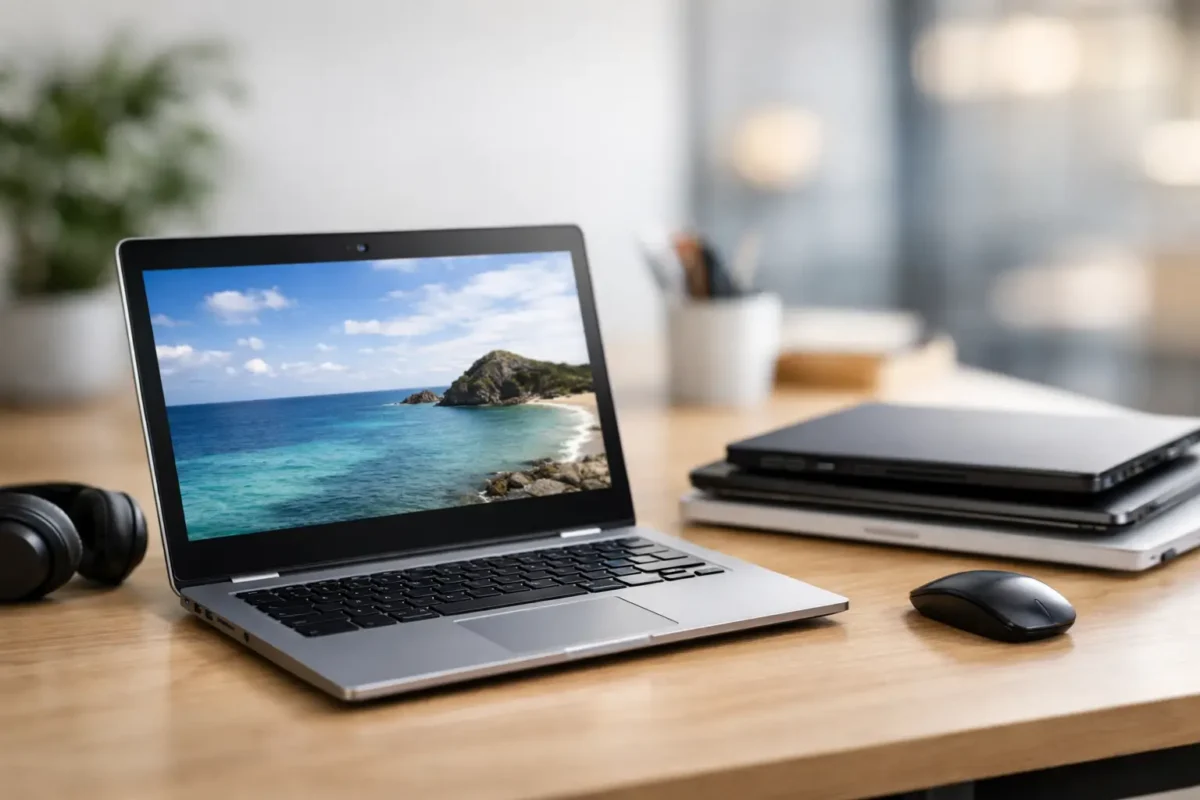
A Chromebook can be the right answer when the job is browsing, documents, video calls and schoolwork – and the wrong answer when a buyer expects it to replace a Windows laptop for specialised software. That distinction matters more than the badge on the lid. This Chromebook review looks at what refurbished Chromebooks do well, where their limits sit, and how to buy one that delivers reliable value.
For many New Zealand households, schools and small offices, the appeal is straightforward: a quality refurbished Chromebook can handle everyday online work at a considerably lower cost than a new laptop. It starts quickly, is simple to use and is less exposed to the maintenance issues that can build up on older PCs. But it still needs to suit the user, the required apps and the expected working life.
Chromebook review: what you are really buying
A Chromebook runs ChromeOS rather than Windows. Most work happens through the Chrome browser, web-based services and Android apps. Google Docs, Microsoft 365 in a browser, Gmail, Google Meet, Zoom, online learning platforms, internet banking and streaming services are all well suited to this setup.
The operating system is deliberately light. Updates are handled in the background, files can be stored in the cloud, and a user can sign in on another compatible device to access their usual bookmarks, settings and documents. For a student moving between home and school, or a staff member who works mainly in browser-based systems, that simplicity is a genuine advantage.
It is also why specifications need to be viewed differently. A Chromebook with a modest processor and 4GB of memory may feel perfectly responsive for email, research and document writing, while an older Windows laptop with similar hardware can feel slow under a full desktop operating system. ChromeOS asks less of the machine, provided the workload remains sensible.
Where a refurbished Chromebook makes sense
Chromebooks are particularly practical for primary and secondary students whose schoolwork is browser-based. They suit parents who want a straightforward device for homework without paying for hardware that will never be fully used. They can also work well as a shared household computer for web browsing, email, online forms and video calls.
For businesses, a Chromebook is a sensible fit for front-desk use, staff training, field forms, web-based point-of-sale systems or employees who work entirely in cloud applications. Their easy sign-in process is useful where several people share a device, although businesses should still have clear account and data policies.
A refurbished business-grade model can offer another benefit: build quality. Ex-lease devices from established enterprise brands were commonly designed for regular daily use, not occasional use at home. When professionally refurbished, tested and accurately specified, they can be a practical alternative to entry-level consumer laptops with less durable construction.
NZ Laptop Wholesale focuses on professionally refurbished equipment because a good device is not simply one with the lowest price. It needs to be fit for purpose, tested and clear about what the buyer is getting.
The limits worth checking before you buy
The biggest limitation is software compatibility. A Chromebook cannot install normal Windows desktop programs such as full versions of many accounting packages, specialised engineering tools, desktop Adobe workflows or organisation-specific legacy software. Some services have web alternatives, but buyers should confirm this before choosing ChromeOS.
Microsoft Office is a common point of confusion. Word, Excel and PowerPoint work through Microsoft 365 in a browser, which is enough for many basic tasks. However, the browser version does not provide every advanced feature found in installed desktop Office. Complex spreadsheets, macros, particular templates and offline workflows may require a Windows laptop instead.
Storage is another trade-off. Many Chromebooks have 32GB or 64GB of internal storage because they are designed around cloud files. That is usually enough for documents and light downloads, but it is not ideal for someone storing large photo libraries, video projects or extensive offline files. Check whether the model includes a microSD card slot if additional local storage matters.
Chromebooks also have an Auto Update Expiration date, often called AUE. This is the date until which the device is scheduled to receive ChromeOS and security updates. It is one of the most important checks on a refurbished Chromebook. A lower-priced device with only a short period of updates remaining may not represent the best long-term value, especially for a student who needs it for several school years or an organisation buying multiple units.
Which specifications matter most?
For everyday school and web work, an Intel Celeron, Pentium or comparable processor can be sufficient. The key is to match the processor to the workload rather than paying for performance that will sit unused. If the Chromebook will regularly run many browser tabs, video meetings and several web applications at once, a stronger Intel Core processor is a worthwhile step up.
Memory affects how comfortably the device manages those tabs and applications. Four gigabytes of RAM can be suitable for light, focused use. Eight gigabytes is the safer option for older students, office users and anyone who tends to keep plenty of tabs open. It gives the Chromebook more breathing room and can make it feel useful for longer.
Screen size is mainly about how and where the device will be used. An 11-inch Chromebook is compact and easy for younger students to carry, but the smaller screen can feel restrictive for long writing sessions. A 13- or 14-inch model is often the better all-round choice for home study and office tasks. A Full HD display provides more comfortable text clarity and working space than a lower-resolution panel.
Battery condition deserves attention on refurbished units. Battery life varies with screen brightness, video calls, Wi-Fi use and the age of the battery. A professionally refurbished device should be assessed before sale, but buyers should still read the condition description and understand that an ex-lease battery may not match the runtime of a brand-new laptop. For a full school day away from a charger, realistic expectations are better than headline claims.
Ports, webcams and practical everyday use
Do not assume every Chromebook has the connections you need. USB-C is increasingly useful because it can handle charging, accessories and external displays on compatible models. Standard USB ports remain handy for a mouse, keyboard or USB drive. HDMI can simplify connection to a classroom screen or office monitor, though some models require a USB-C adapter instead.
A webcam and microphone are basic requirements for online learning and remote work, yet quality varies. For occasional video calls, most models are adequate. If a device will be used daily for client meetings, online tutoring or staff collaboration, look for a model with a clear webcam specification and test the setup early, including Wi-Fi quality and the meeting platform your organisation uses.
Keyboard layout matters too. New Zealand buyers should confirm that the keyboard is comfortable for the intended user and understand any condition notes relating to key wear. A clean, fully functioning keyboard is more valuable than a minor cosmetic saving on a device used for typing every day.
Refurbished versus new: judge the whole deal
A new budget Chromebook may come with a fresh battery and a longer update window, but it can also have weaker build quality, limited ports and a less capable processor. A refurbished business-grade Chromebook may offer better construction, a more usable keyboard and stronger everyday performance for similar money. Neither option wins automatically.
The sensible comparison includes the update support period, battery condition, screen quality, memory, storage, charger, warranty and the seller’s refurbishment process. A clear product specification is more useful than broad claims about speed. For schools and businesses, consistency also matters: buying similar models makes chargers, accessories and support easier to manage.
If the user needs Windows-only software, substantial offline storage, advanced Excel functions or demanding creative applications, choose a refurbished Windows laptop instead. There is no value in buying a cheaper Chromebook that creates workarounds from day one.
A practical buying decision
A Chromebook is at its best when it is treated as a focused online computer, not a cut-price version of every other laptop. For school portals, research, writing, email, video calls and cloud-based work, it can be fast, secure and refreshingly simple. A professionally refurbished model can make that capability more affordable without settling for unknown-condition hardware.
Before purchasing, confirm the apps the user needs, the remaining update period and the specification that suits their daily workload. Make those checks first, and a refurbished Chromebook can be a dependable tool that leaves more of the budget for the things that matter around it.


