









General
Best Business Desktops for Small Office Buyers

A slow desktop is rarely just one person’s problem. It holds up invoices, video calls, stock updates and the small jobs that keep an office moving. The best business desktops for small office use are not necessarily the newest or most expensive machines. They are dependable, appropriately specified systems that fit the work being done and leave room in the budget for monitors, accessories and support.
For many New Zealand businesses, professionally refurbished ex-lease desktops make strong commercial sense. Enterprise machines from Dell, HP and Lenovo are built for long workdays, easy servicing and years of business use. When they are properly tested and supplied with clear specifications, they can provide excellent value compared with a cheap new consumer PC.
What a small office desktop needs to do
Start with the workload, not the brand badge. A two-person bookkeeping firm has different needs from a busy reception desk, a property management team or a workshop office running inventory software. Most small offices need machines that can run Microsoft 365, web-based systems, accounting software, email, video meetings and several browser tabs without slowing down.
For this type of work, an Intel Core i5 processor from the 8th generation onwards is usually the sensible starting point. It offers a good balance of speed, cost and Windows 11 compatibility. An i7 can be worthwhile for heavier multitasking, large spreadsheets, design work or users who regularly work with substantial files. Older Core i3 systems may suit a very light reception or browser-only role, but they can become limiting sooner.
Memory matters just as much as processor choice. Eight gigabytes of RAM is workable for basic office use, but 16GB is the better target for a shared office environment. It gives staff more breathing room when they have email, browser tabs, Teams or Zoom, accounting software and documents open at once. It also helps extend the useful life of the desktop.
Storage should be an SSD rather than an older mechanical hard drive. A 256GB SSD is adequate for many cloud-first offices, while 512GB makes more sense where users store local documents, photos, PDFs or customer files. SSD storage makes the computer feel quicker in daily use, from startup through to opening applications.
Best business desktops for small office setups
There is no single winner for every workplace. The right desktop format depends on desk space, connection requirements and how much future expansion your business expects. These business-grade options cover the needs of most small offices.
Dell OptiPlex Micro, Small Form Factor and Tower
Dell OptiPlex desktops are a familiar sight in offices for good reason. They are designed as practical work machines, with widely available parts, straightforward servicing and configurations that suit everything from a compact front desk to a full workstation.
The OptiPlex Micro is ideal where space is tight. It can sit behind a monitor or under a desk, reducing clutter in reception areas, shared hot desks and home offices. The trade-off is limited internal expansion. You can add RAM or replace storage in many models, but it is not the right choice if you expect to install a dedicated graphics card or several internal drives later.
A Small Form Factor OptiPlex provides more ports and upgrade options while still taking up little room. For offices with fixed desks, this is often the best all-round choice. Tower models suit businesses that want maximum flexibility, extra storage or a graphics card for specialised applications.
HP EliteDesk and ProDesk
HP EliteDesk systems are premium business desktops built for reliable daily work. They are especially well suited to administration, education, medical reception, professional services and remote staff who need a stable office PC without unnecessary extras.
The EliteDesk Mini is a compact alternative to a traditional desktop and works well in clean desk setups. The EliteDesk Small Form Factor range gives you more practical room for upgrades and connections. HP ProDesk models can also be excellent value where the goal is a dependable, no-frills machine for standard office tasks.
When comparing HP units, check the exact processor generation, RAM and storage rather than relying on the product family name alone. Two similar-looking desktops can have a meaningful difference in everyday performance depending on their configuration.
Lenovo ThinkCentre Tiny and Small Form Factor
Lenovo ThinkCentre desktops are another proven choice for small business fleets. The Tiny models are compact, quiet and easy to place in areas where a traditional tower would be awkward. They are a strong fit for staff working with cloud apps, office documents, customer management systems and video conferencing.
ThinkCentre Small Form Factor desktops suit offices that require more USB ports, additional storage or easier component upgrades. They are also a sensible choice for shared workspaces, where a standardised setup makes replacement and support simpler.
For a business buying several machines, choosing the same ThinkCentre generation and specification can save time later. Staff get a consistent experience, and it is easier to keep spare chargers, monitor cables and replacement parts organised.
Intel NUC for compact specialist spaces
Intel NUC mini PCs are worth considering when physical space is the main constraint. They can be mounted behind a display, placed in a meeting room or used for digital signage, front-of-house applications and simple desk work. Their small size is useful, but it comes with fewer expansion options than a Small Form Factor desktop.
A NUC is not automatically the best value choice for every office. If you have room for a standard compact business desktop, an OptiPlex, EliteDesk or ThinkCentre may offer more ports and easier servicing for similar money. Choose the NUC when its size solves a real workplace problem.
Do not overlook monitor support and ports
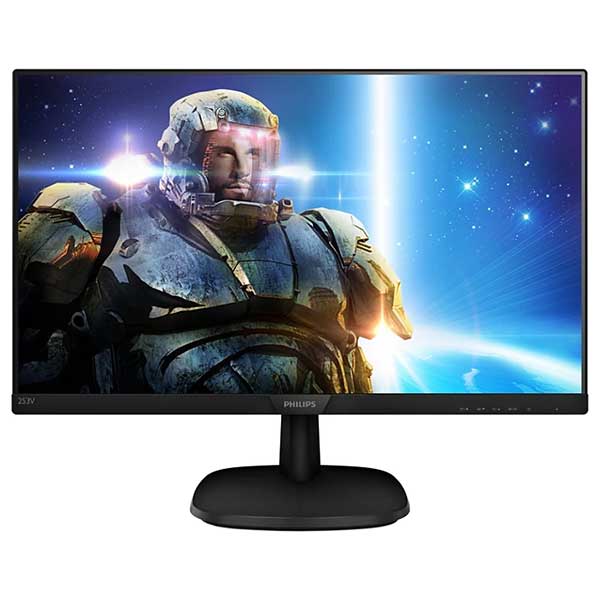
A desktop is only as useful as the workstation around it. Dual monitors can make a noticeable difference for accounts teams, administrators, schedulers and anyone moving between spreadsheets, email and browser-based systems. Before buying, confirm that the desktop supports the display connections your monitors use, such as DisplayPort, HDMI or USB-C.
Most modern business desktops can run two monitors, but the available ports vary by model. You may need a DisplayPort-to-HDMI adaptor for an existing screen, and not all adaptors perform the same way. Check the monitor resolution as well. Two 1080p displays are a practical baseline for many offices, while larger or higher-resolution screens may require the right graphics outputs.
Also count the everyday connections. Front USB ports are useful for USB drives and headsets. Rear ports are better for keyboards, mice, printers and monitor cables. If staff use wired networking, ensure there is a gigabit Ethernet port. Wi-Fi can be convenient, but a wired connection is often more reliable for a fixed desk.
Windows 11 readiness is a buying decision, not a bonus
Windows 10 support ends in October 2025. That makes Windows 11 readiness a key consideration when purchasing refurbished desktops for business use. A compatible processor, TPM 2.0 support and an appropriate Windows licence help avoid a forced replacement sooner than expected.
For most buyers, choosing an 8th-generation Intel Core processor or newer is a straightforward way to stay on the safer side of Windows 11 compatibility. There can be exceptions, so confirm the individual machine’s specification before ordering, particularly when comparing clearance stock or older models.
A properly configured business desktop should arrive ready for work, with a licensed operating system and the core hardware checked. That is where professionally refurbished stock differs from an unknown private-sale computer. Condition grading, testing and warranty coverage are practical protections when the machine will be part of your business day.
How to spend the budget wisely
It is tempting to buy the cheapest desktop available, especially when replacing several ageing PCs. However, an under-specced machine can cost more in lost staff time and earlier replacement. For a general-purpose office desktop, prioritise a Windows 11-ready Core i5, 16GB RAM and SSD storage before paying extra for cosmetic features or excessive processor power.
A sensible buying approach is to match systems to roles. Put a higher-spec i7 desktop with 16GB or 32GB RAM in the hands of the person handling large spreadsheets, databases or creative work. Use capable Core i5 systems for administration and general staff. Reserve entry-level units for genuinely light duties such as reception, point-of-sale or a meeting room display.
Buying refurbished also lets a small office direct more of the budget into the setup around the PC: a second monitor, quality keyboard and mouse, webcam, docking equipment for hybrid staff or a spare unit for business continuity. NZ Laptop Wholesale focuses on this practical value – tested enterprise hardware that is fit for work without the new-device price tag.
Before you place an order, write down what each staff member actually does, what monitors and peripherals they already have, and whether the desktop needs to last three years or five. That short check will point you towards a machine that feels right on day one and remains dependable when the office gets busy.


