









General
What Does Ex Lease Mean for Laptop Buyers?

A three-year-old business laptop can be a far better buy than a cheap new consumer model. That is the practical answer behind the question, what does ex lease mean. These devices started life in workplaces, schools or government organisations, then returned at the end of a lease agreement rather than being thrown away.
For New Zealand buyers trying to make a budget go further, ex-lease equipment offers a useful middle ground: recognised business brands, proven specifications and a lower price than new hardware. The key is knowing what has happened to the device before it reaches you, what condition to expect and whether its specifications suit the work you need it to do.
What does ex lease mean?
An ex-lease laptop, desktop or monitor is equipment previously supplied to an organisation under a fixed-term lease. Large organisations commonly lease IT hardware for two to four years, often replacing it on a planned cycle so staff have current, supported machines.
When that agreement ends, the devices are returned to the leasing provider or asset recovery company. They may then be sold into the refurbished market. This is where many quality Dell, HP and Lenovo business machines come from.
Ex-lease does not simply mean old or unwanted. In many cases, it means a machine was replaced because an organisation’s standard refresh date arrived, not because the laptop stopped working. A finance team may replace an entire fleet at once for consistency, warranty coverage or security policy. That can leave plenty of capable hardware with years of useful life remaining.
The term describes the device’s previous ownership arrangement. It does not, by itself, guarantee a particular condition, specification or level of refurbishment. Those details still matter.
Why business-grade ex-lease hardware is different
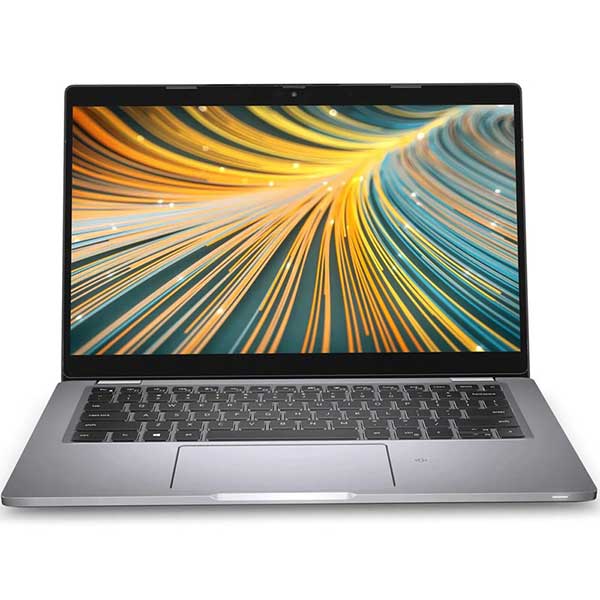
Businesses tend to buy hardware built for regular, demanding use. Enterprise ranges such as Dell Latitude and OptiPlex, HP EliteBook and ProDesk, and Lenovo ThinkPad and ThinkCentre models are designed around practical features that matter in offices: durable chassis, accessible parts, sensible ports, docking support and easier servicing.
A new entry-level laptop may look attractive on price, but it can come with a lower-powered processor, limited memory, minimal storage and a build intended for lighter use. A professionally refurbished ex-lease model may offer better day-to-day performance for documents, video calls, web browsing, accounting software and multi-screen work, even though it is not brand new.
This does not mean every ex-lease device is automatically the right choice. A compact business laptop from several years ago may have excellent build quality but a smaller screen or less battery life than a current model. The value comes from matching the machine to the job, rather than buying based on age alone.
What happens before an ex-lease device is sold?
A reputable refurbishment process is more than wiping down a laptop and putting it in a box. Equipment should be assessed, cleaned, tested and prepared for its next owner. Depending on the retailer and product, this usually includes hardware testing, storage checks, charging and battery assessment, screen inspection, port testing and a fresh operating system installation.
Business data must also be removed properly. For organisations replacing fleets, secure data handling is a major part of the process. The device should arrive ready for its new owner, without the previous organisation’s files, accounts or software configuration.
Cosmetic condition is normally graded separately from functionality. A unit may have light marks on its lid, faint keyboard shine or small signs of ordinary office use, while still performing exactly as it should. That is why clear condition descriptions are valuable. A small cosmetic compromise can produce a significant saving, particularly for a student device, home office computer or business fleet.
Battery condition deserves a realistic view. Batteries are consumable parts, and no used laptop can promise the same runtime as a new device unless a replacement battery has been fitted. If long periods away from a charger are essential, check the battery information provided and consider whether a newer model or replacement battery is the better fit.
What to check before you buy
Start with the tasks the device needs to handle. For email, online learning, Microsoft 365, browsing and video calls, a business laptop with a suitable modern processor, solid-state drive and adequate memory is usually a sensible choice. For larger spreadsheets, bookkeeping applications, lots of browser tabs or regular multitasking, more memory and a faster processor will make a noticeable difference.
Windows 11 compatibility is also worth checking. A lower price is not much help if the device cannot run the operating system your school, workplace or software requires. Look for a system sold as Windows 11-ready or supplied with a properly installed supported version of Windows.
For most buyers, the main specifications to compare are processor generation, RAM, storage capacity, screen size and ports. An SSD is especially important. It makes starting Windows, opening programmes and handling everyday work feel much faster than an older mechanical hard drive.
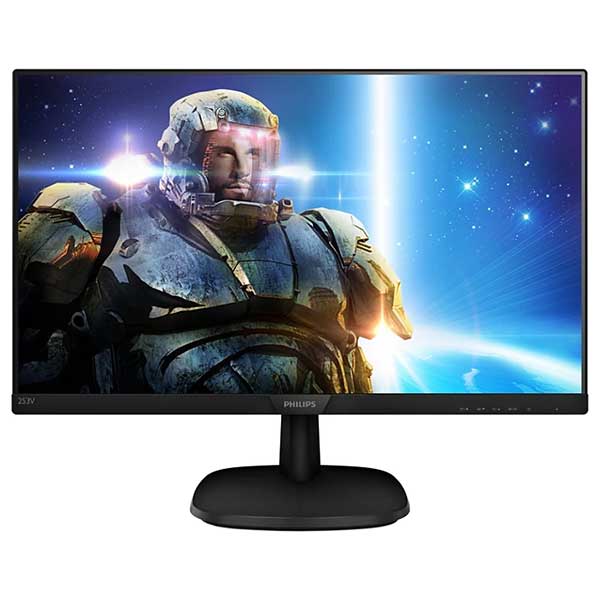
Think about how and where you will use the machine. A 13 or 14-inch laptop is convenient for commuting, classes and moving between meetings. A 15-inch screen can be easier for home use and spreadsheets. For a fixed workspace, a compact desktop paired with one or two monitors may provide more comfortable, productive setup than a laptop on its own.
Check connectivity before purchasing accessories. USB-C ports, HDMI or DisplayPort outputs, Wi-Fi capability and docking compatibility can all affect whether the machine works neatly with your existing monitor, printer and peripherals. Older enterprise devices often have an excellent range of ports, but the exact mix varies by model.
Is ex-lease suitable for students and businesses?
For students, ex-lease laptops can offer a dependable way to meet BYOD or study requirements without paying premium new-device prices. A well-configured business notebook is generally well suited to research, assignments, online classes and everyday software. If a course involves design, engineering, coding or video work, check the recommended specifications from the education provider first. Those workloads may require more RAM, storage or graphics capability.
For small businesses, the appeal is straightforward: standardise capable devices for staff while controlling upfront costs. The same model across several users can simplify chargers, docks, replacement devices and support. Ex-lease desktops are particularly useful for reception desks, administration teams, point-of-sale back offices and shared workstations where portability is not a priority.
Remote workers often get the best result by putting more of the budget into the workspace rather than the laptop alone. A reliable ex-lease laptop with a dock, keyboard, mouse and external monitor can be a major step up from working all day on a small screen. The right setup reduces clutter and makes routine work more comfortable.
Common misconceptions about ex-lease equipment
The biggest misconception is that ex-lease means unreliable. The reality depends on the machine, its prior use and the standard of refurbishment. Business-grade hardware is not indestructible, but it is made for commercial environments and should be tested before resale.
Another assumption is that refurbished means obsolete. Some older models will not suit current software or modern security requirements, which is why the processor generation and Windows 11 compatibility matter. But a recent ex-lease system can still be a highly practical machine for years of ordinary work, study and office use.
Buyers also sometimes expect every used device to look pristine. A refurbished product can be technically excellent while showing minor cosmetic wear. If appearance is a priority, choose the stated condition carefully. If value is the priority, light signs of use may be an easy trade-off for stronger specifications or a lower price.
Finally, ex-lease is not the same as buying privately with no support. Purchasing through a specialist retailer gives you clearer specifications, a defined condition standard and warranty information. That makes the decision more predictable than buying an unknown laptop from an individual seller.
The practical value of buying ex-lease
The best ex-lease purchase is not necessarily the cheapest listing. It is the device that meets your requirements now, has enough headroom for the next few years and is sold with honest details about its condition and support. A laptop that costs a little more for extra RAM, a larger SSD or Windows 11 readiness can be better value than one that needs upgrading straight away.
At NZ Laptop Wholesale, the focus is on professionally refurbished, business-grade equipment that gives buyers a practical alternative to buying new. Whether you need a student laptop, a compact office desktop or a dual-monitor setup, choosing by use case and specification will lead to a better result than chasing a badge or the lowest price.
Ex-lease hardware makes most sense when you treat it as what it is: proven commercial equipment with a previous life, carefully selected for a useful next one. Check the specifications, accept reasonable cosmetic wear where it saves you money, and buy the performance you will actually use.


