











General
Lenovo ThinkPad Refurbished Review for NZ Buyers
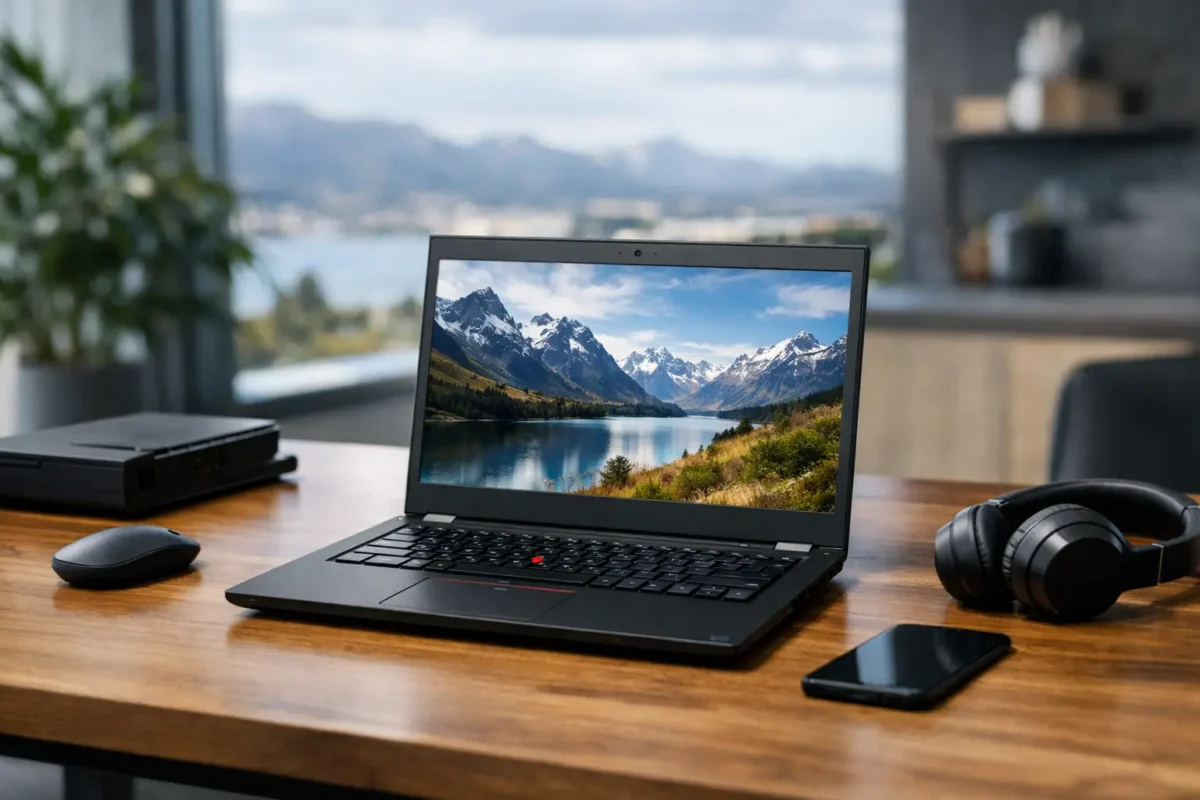
A laptop that has survived three years in a busy office has already proved something useful: it can handle daily work. That is the real appeal behind a Lenovo ThinkPad refurbished review. Rather than paying new-device prices for a basic consumer model, NZ buyers can get a professionally refurbished business laptop with a better keyboard, stronger chassis and practical ports for work, study and home use.
ThinkPads are not the right answer for every buyer. They are designed for productivity rather than gaming, and a refurbished unit may show cosmetic wear or have a battery with less capacity than a new machine. But for students, remote workers, small businesses and anyone replacing an ageing laptop, a good ex-lease ThinkPad is often one of the most sensible buys on the market.
Lenovo ThinkPad Refurbished Review: What You Are Buying
Most refurbished ThinkPads began life as corporate fleet devices. Businesses commonly lease laptops for a fixed period, then replace them on schedule even when the equipment is still perfectly capable. Those returned machines are tested, cleaned, repaired where needed and prepared for resale.
This business background matters. Enterprise ThinkPads are built for regular travel, long typing sessions, docking stations and office peripherals. You will usually find a sturdier lid, a more comfortable keyboard and more useful connectivity than on a low-cost new laptop. USB ports, HDMI or USB-C video output, Wi-Fi, webcams and security features are generally chosen to meet real workplace needs.
Condition varies, so refurbished does not mean identical to new. A Grade A unit may have only light signs of previous use, while a Grade B laptop can have more visible marks, shine on the keyboard or small scuffs on the lid. Cosmetic wear does not necessarily affect performance, but it should be described honestly and reflected in the price.
Where ThinkPads Still Perform Well
A refurbished ThinkPad with an Intel Core i5 processor, 8GB of RAM and a solid-state drive is still a very capable machine for the work most people do. That includes Microsoft 365, web research, email, Zoom or Teams calls, online learning, accounting software and light photo editing. An SSD makes a major difference here: startup, file opening and everyday responsiveness all feel much quicker than they do on an older hard drive.
For school and university users, a 14-inch model is often the best balance. It is large enough for documents and split-screen work but small enough to carry between classes. The ThinkPad T-series is a common choice for a more premium business feel, while the L-series can offer practical value. X-series models are lighter and more portable, though screen size and upgrade options vary by generation.
For office buyers, the docking capability is a genuine advantage. Many ThinkPads can connect to an external monitor, keyboard, mouse and network cable through a compatible dock. This makes it easier to create a proper desk setup without buying a separate desktop computer. It also suits hybrid staff who need one laptop for both home and office.
The trade-off is graphics performance. Integrated graphics are fine for video streaming, presentations and general office tasks, but they are not intended for demanding modern games, advanced 3D design or heavy video production. Buyers with those needs should look for a machine with dedicated graphics or a newer, higher-spec system.
Processor generation matters more than the badge
Not every Core i5 ThinkPad delivers the same experience. A newer generation i5 can be much faster and more power-efficient than an older one, even though the label sounds similar. Check the full processor model rather than stopping at “i5”.
For Windows 11, processor compatibility is also worth checking before purchase. A laptop may run Windows 10 very well but not meet the official Windows 11 requirements. If long-term operating system support is a priority for your household, school or business, choose a Windows 11-ready model from the start.
The Checks That Make a Refurbished ThinkPad Worth It
The best value is not always the cheapest listing. A very low-priced laptop with limited RAM, a small storage drive or an unsupported processor can cost more in frustration than it saves upfront. Compare the specification, physical condition and included warranty before making a decision.
Start with memory. For basic web browsing and documents, 8GB remains a workable minimum. For regular multitasking, large spreadsheets, many browser tabs or video calls running alongside other applications, 16GB is the more comfortable option. Some ThinkPads allow RAM upgrades, while others have memory soldered to the motherboard, so it pays to check before assuming an upgrade is possible.
Storage deserves equal attention. A 256GB SSD is a sensible starting point for most users, particularly where files are stored in cloud services. A 512GB SSD gives more room for photos, local files and software. Avoid older mechanical hard drives unless the price is very sharp and an SSD upgrade is part of the plan.
Battery health is another realistic consideration. Batteries are consumable parts, and capacity reduces with age and use. A refurbished seller should test that the battery charges and operates normally, but a used battery will not always provide the same runtime as it did when new. If you work away from a power point all day, ask about battery condition or budget for a future replacement.
Before ordering, make sure the supplied charger is included and suitable for the model. Confirm the screen resolution, webcam, keyboard layout and available ports as well. These details matter more than they first appear, especially for students attending online classes or staff connecting to projectors and external displays.
Why ThinkPads Suit Business, Study and Home Offices
ThinkPads have earned their reputation through everyday usability rather than flashy design. The keyboards are usually a standout feature, which matters if you write reports, manage email or work through long spreadsheets. Many models also include the red TrackPoint pointing stick in the keyboard, which some experienced users prefer for quick cursor control without lifting their hands.
Their practical design also helps when a laptop has to work with existing equipment. Older ThinkPads may include full-size USB-A ports, HDMI and Ethernet, while newer models often add USB-C and improved docking support. The exact combination depends on the model, but business-grade connectivity can prevent the need for a drawer full of adapters.
For organisations buying several units, standardised models simplify setup and support. A fleet of similar laptops uses the same chargers, docks and accessories, and staff have a consistent experience. That is why ex-lease ThinkPads remain a strong option for small offices, schools and community organisations working to a fixed budget.
NZ Laptop Wholesale focuses on professionally refurbished business hardware because this is where proven build quality and sensible pricing meet. A carefully selected ThinkPad can provide the dependable day-to-day performance many buyers need without stretching the budget for features they will never use.
When a Refurbished ThinkPad Is Not the Best Choice
There are cases where buying new makes more sense. If you need the longest possible battery life, the latest AI features, a very bright high-resolution display or the lightest available laptop, a current model may be worth the additional spend. New hardware is also a better fit where a manufacturer warranty period and exact configuration are non-negotiable.
A refurbished ThinkPad may also be less suitable for buyers who want a large screen for design work but do not plan to use an external monitor. Some 12.5-inch and 14-inch business models prioritise portability over screen space. In that situation, consider a 15-inch model, a desktop setup or a laptop paired with a monitor.
The key is to buy for the job, not the logo. A modest ThinkPad with the right processor, RAM and SSD will outperform a poorly matched new laptop for everyday work.
A Practical Buying Decision
For most NZ buyers, the strongest refurbished ThinkPad choice is a Windows 11-ready 14-inch model with a Core i5 processor, 8GB to 16GB of RAM and at least a 256GB SSD. It is a specification that suits schoolwork, administration, remote work and general home computing without unnecessary cost.
Check the condition grade, battery information, operating system, charger, ports and warranty terms before you commit. Then choose the machine that fits the way you actually work. A well-priced, professionally refurbished ThinkPad can keep doing useful work for years, and that is better value than paying for new hardware simply because it is new.


