











General
Are Refurbished Desktops Reliable for Work?
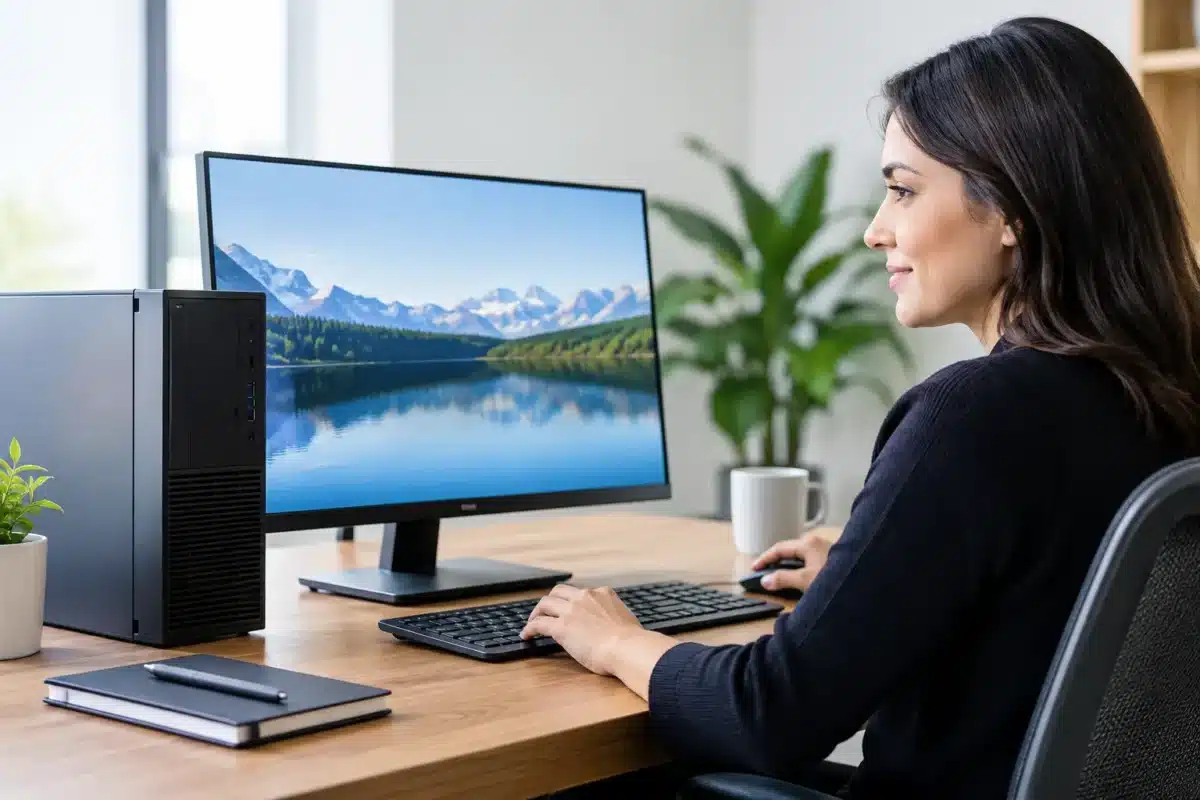
A new desktop can be an easy purchase to justify until the invoice arrives. For a home office, school computer room or small business replacing several machines, professionally refurbished equipment can make much better financial sense. But are refurbished desktops reliable enough for the work you need done every day? Usually, yes – provided the desktop was business-grade to begin with, properly tested, and chosen to suit the job.
The word refurbished covers a wide range of conditions. A desktop wiped by its previous owner and sold as-is is not the same as an ex-lease Dell, HP or Lenovo system that has been inspected, cleaned, tested and prepared for its next user. Knowing the difference is what protects your budget.
What makes a refurbished desktop reliable?
Reliability comes down to the machine, the refurbishment process and realistic expectations. Enterprise desktops are built for long hours in offices, schools and organisations. They often have sturdier cases, better cooling, readily available parts and components designed to run a full working day. That gives a quality ex-lease desktop a useful advantage over a low-cost consumer model that may have been built around a short warranty period.
Many business desktops are returned at the end of a three- to five-year lease, not because they have failed, but because the organisation has moved to a standardised new fleet. A capable desktop may still have plenty of life left for documents, accounting software, web-based systems, video calls, email, point-of-sale work and study.
A proper refurbishment process should include more than installing Windows. The system needs to be checked for physical damage, cleaned internally, tested under load, and assessed for issues with storage, memory, ports, networking and video output. The operating system should be freshly installed and activated, with the right drivers in place. If the listing says Windows 11 ready, the processor, security requirements and configuration should support it properly rather than relying on a workaround.
That process does not make an older computer new. It does, however, remove much of the uncertainty that comes with buying used hardware privately.
Are refurbished desktops reliable for your type of work?
The best answer is: it depends on the workload. Reliability is not just whether a desktop powers on. It is whether it will perform consistently with the software, files and accessories you rely on.
For everyday office use, a business-class refurbished desktop is often an excellent fit. An Intel Core i5 or similar processor, solid-state drive and 8GB to 16GB of RAM will comfortably cover Microsoft 365, browser tabs, online meetings, email, invoicing and standard business applications. An SSD matters here. It makes startup, updates and opening files noticeably faster than an older mechanical hard drive, while having no moving parts to wear in normal use.
Students and households can also get very good value from a compact desktop. A small-form-factor PC paired with a monitor, keyboard and mouse gives a comfortable setup for research, online learning, streaming and homework without taking over the desk. For a shared family computer, it can be a more practical option than a cheap new laptop.
Small businesses often benefit most when buying several matching systems. Standardising on the same model and specification makes setup simpler, keeps desks consistent and makes it easier to hold a spare machine or compatible power supply. A refurbished fleet can free up budget for dual monitors, docking stations, backups or other tools that improve daily productivity.
The fit is less convincing for demanding specialist work. Modern gaming, advanced video editing, 3D design, engineering simulation and large professional media projects can require a newer processor, dedicated graphics card and more memory than a standard ex-lease office desktop provides. Refurbished can still work in these cases, but the specification needs to be selected carefully rather than simply choosing the lowest-priced unit.
The components worth checking before you buy
A clear specification is one of the strongest signs of a trustworthy refurbished desktop seller. You should know exactly what you are getting, not just see vague descriptions such as fast computer or office PC.
Start with the processor generation and model. An older Core i5 can still be very capable, but it is not automatically equivalent to a recent Core i5. Check that it supports the software and operating system you plan to use. For buyers intending to keep the machine for several years, Windows 11 compatibility is a sensible baseline.
Next, look at RAM and storage. For basic tasks, 8GB of RAM is workable. For regular multitasking, multiple browser tabs, Teams meetings and business software, 16GB gives more breathing room. An SSD is generally preferable to a hard drive, both for speed and day-to-day responsiveness. Storage capacity should suit your files, although cloud storage or an external drive may be a better value solution than paying for more internal capacity you do not need.
Ports and display connections are easy to overlook until the desktop is on the desk. Check whether you need HDMI, DisplayPort, USB-C, Wi-Fi, Ethernet, audio ports or support for two monitors. Many enterprise machines are ideal for dual-monitor office setups, but the exact video outputs and monitor inputs must match. Adapters can help, although a desktop with the correct ports from the start is tidier and less troublesome.
Finally, consider form factor. A full tower may allow more expansion, while a small-form-factor desktop is easier to place under or beside a desk. Tiny PCs are excellent where space is tight, but can offer less room for internal upgrades. None is inherently more reliable. The right choice is the one that fits your workspace and future needs.
Warranty and support matter more than the word refurbished
Even well-maintained electronics can develop faults. The practical test of reliability is not a promise that nothing will ever go wrong. It is whether the seller stands behind the equipment if it does.
A warranty gives buyers a clear path if a covered hardware issue appears after purchase. Read the warranty terms before ordering, including the length of cover, how faults are assessed and who pays freight if the desktop needs to be returned. New Zealand buyers should also choose a seller with straightforward contact details, transparent condition notes and realistic product descriptions.
Be cautious with listings that do not identify the exact model, processor, storage type or operating system. A suspiciously cheap desktop can be poor value if it has an ageing hard drive, too little RAM, no supported Windows path, or no meaningful after-sales support. The lowest upfront price is not always the lowest cost once downtime, replacement accessories and early upgrades are considered.
At NZ Laptop Wholesale, the focus on professionally refurbished, business-grade systems helps buyers compare desktops by real needs, whether that is a compact home office PC, a Windows 11-ready machine or a practical multi-monitor workstation.
How to get the longest life from an ex-lease desktop
Once you have chosen the right machine, a few simple habits make a real difference. Keep Windows and security software updated, leave space free on the SSD, and avoid blocking ventilation around the case. Dust buildup is less dramatic than a dropped laptop, but it can still affect cooling over time, especially in a crowded office or a home with pets.
Use a quality surge protector where power is unreliable, and back up important documents separately. A reliable desktop is not a substitute for a backup plan. Hardware can fail, files can be deleted, and ransomware does not care whether the PC is new or refurbished.
If the desktop will be used heavily, consider upgrading memory at the start rather than waiting for slowdowns to interrupt work. In many business-class models, RAM and storage upgrades are straightforward and can extend the useful life of the machine at a modest cost. That repairability is one of the quiet advantages of enterprise hardware.
When refurbished is the smarter choice
Refurbished desktops are reliable when they are sourced from quality enterprise ranges, tested properly, sold with clear specifications and matched to sensible workloads. They are not the right answer for every task, and they should not be treated as brand-new machines. Yet for office work, learning, administration and everyday computing, they can deliver dependable performance at a price that leaves room in the budget for the things that make a setup work better.
Before buying, write down the programs you use, the number of monitors you need and how long you expect to keep the desktop. That small bit of planning will point you towards a machine that feels like a practical upgrade, not just a cheap replacement.


