










General
Clearance Laptops NZ: What to Buy Smart
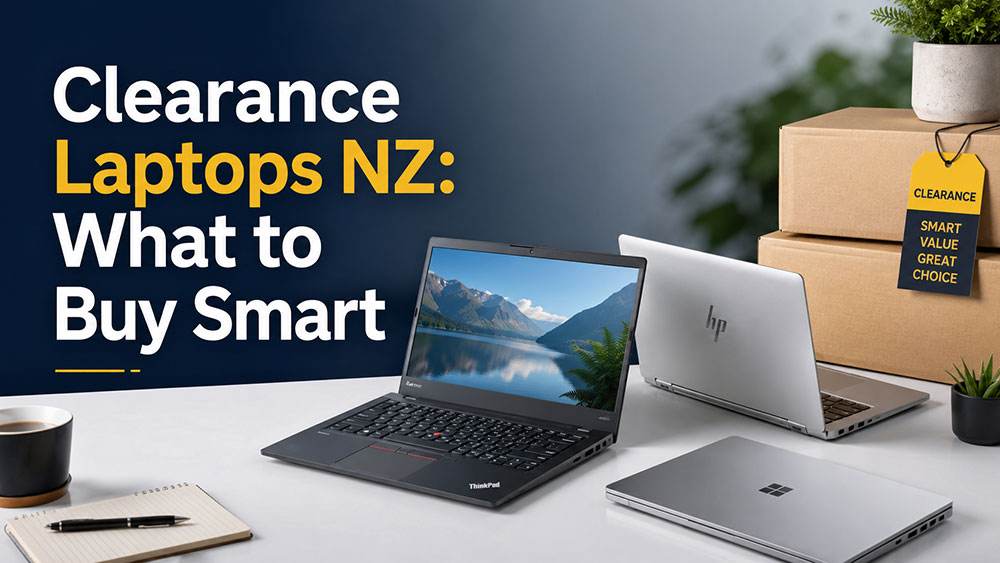
A cheap laptop can save you money on day one and cost you more by month three. That is usually the difference between consumer-grade discount stock and properly tested clearance laptops NZ buyers can rely on for work, study, and everyday use.
When people hear “clearance”, they often picture old machines with tired batteries, vague specs, or mystery condition. Sometimes that is exactly what is being sold. But clearance stock can also be one of the most practical ways to buy business-grade laptops from brands like Dell, HP, and Lenovo at a much lower price than new. The key is knowing what matters and what is just sales fluff.
Why clearance laptops NZ buyers should look at business models first
If your budget is tight, it is tempting to focus only on the lowest sticker price. That makes sense up to a point. But a very cheap consumer laptop with weak build quality, limited upgrade options, and entry-level parts can become frustrating quickly, especially if it is being used every day.
Business-grade ex-lease laptops are different. They were built for offices, schools, travelling staff, and long workdays. That usually means better keyboards, stronger hinges, more durable chassis design, and more consistent performance over time. When those machines move into clearance, the value gap can be significant.
For a student, that can mean a laptop that survives being carried to class all term. For a small business, it can mean buying several dependable machines instead of stretching the budget on one or two new devices. For home users, it often means getting a better screen, better keyboard, and more usable performance for the same spend.
What “clearance” should mean in practice
Clearance is not one fixed category. Sometimes it means end-of-line stock. Sometimes it means a reduced batch of refurbished machines. Sometimes it reflects cosmetic grading, overstock, or a supplier change. That is why a good listing matters.
You should expect clear specifications, an honest description of condition, and enough detail to understand whether the machine suits your workload. If the listing only says “fast laptop” or “great for home and office” without naming the processor, RAM, storage, operating system, and screen size, that is a warning sign.
Price matters, but context matters more. A laptop on clearance is only good value if it still matches the job you need it to do.
How to judge value, not just price
The best clearance buy is not always the cheapest one. It is the one that gives you the most usable life for the money.
Start with the processor generation. For basic work like email, web browsing, documents, school portals, and video calls, many older business laptops are still perfectly suitable. But if you want better longevity, smoother multitasking, or Windows 11 readiness, newer generations are worth paying a bit more for.
RAM is another major factor. For light use, 8GB is generally the practical minimum now. It gives enough headroom for a browser with multiple tabs, Office apps, and video meetings without making the laptop feel sluggish. If the machine has 16GB, that is even better for buyers who keep devices longer or run heavier workloads.
Storage should preferably be SSD rather than an old hard drive. An SSD makes a dramatic difference to startup speed, application loading, and overall responsiveness. A clearance laptop with an SSD will usually feel far more usable than a cheaper option still relying on slower storage.
Then there is screen size and portability. A 12-inch or 13-inch business laptop is handy for students and mobile work, while a 14-inch model often hits the sweet spot for everyday office use. A 15-inch machine gives more screen space but is less convenient to carry. There is no universal best option here. It depends on where and how the laptop will be used.
Clearance laptops NZ for students, work, and home
Different buyers need different things, and this is where clearance stock can be especially useful.
Students and school use
For school and tertiary study, reliability usually matters more than chasing premium features. A sturdy laptop with a decent battery, webcam, 8GB RAM, SSD storage, and a comfortable keyboard is often the right call. Touchscreen and ultra-thin designs can look attractive, but they are not always necessary if the goal is dependable daily use at a sensible price.
Parents buying for BYOD programs should pay attention to software compatibility and operating system support. If a school expects Windows-based applications, a low-cost clearance Chromebook may not be the best fit, even if the price is appealing.
Small business and office use
Businesses replacing a few ageing machines or fitting out a whole team tend to care about consistency. Matching models, docking support, Windows 11 readiness, and business-friendly ports can matter more than cosmetic perfection.
This is where refurbished clearance stock makes practical sense. A fleet of ex-lease enterprise laptops can provide far better value than new entry-level retail machines. You are paying for proven hardware designed for professional use, not flashy features that add little to day-to-day productivity.
Home and remote work
For home users, the question is usually simple: will it handle the basics without becoming annoying? A good clearance laptop should cover email, streaming, online banking, word processing, web browsing, and video calls comfortably. If remote work is part of the mix, look closer at webcam quality, keyboard comfort, Wi-Fi performance, and whether an external monitor can be connected easily.
What to watch for before you buy
Not every bargain is a smart one. A few checks can save a lot of hassle.
Battery condition matters, especially for mobile users. Refurbished clearance laptops may still have solid battery life, but expectations should be realistic on older units. If you mostly work from a desk, this may not matter much. If the laptop is for classes, travel, or field use, it matters a lot.
Cosmetic wear is another trade-off. Light marks on the lid or palm rest are common on ex-lease equipment and often have little effect on function. Many buyers are happy to accept that in return for lower pricing. But the condition should be stated clearly so there are no surprises.
Ports and connectivity are worth checking as well. Some buyers still need HDMI, USB-A, Ethernet, or docking support. Others only care that Bluetooth and Wi-Fi work reliably. The right choice depends on your setup, not on a generic “best laptop” claim.
Warranty is one more area where refurbished specialists stand apart from casual marketplace sellers. A clearance laptop backed by proper testing and warranty support is a very different proposition from buying privately and hoping for the best.
Why refurbished clearance often beats buying new
There is still an assumption that new automatically means better. Sometimes it does. If you need the latest processor, a specialised graphics chip, very long battery life, or a premium display, new may be the better fit.
But many buyers do not need any of that. They need a dependable machine that works properly, fits the budget, and does not feel like a compromise every time it is opened.
That is why professionally refurbished business laptops continue to make sense across New Zealand. They are practical. They are cost-effective. And in many cases, they are simply better built than brand-new budget laptops sold at a similar price point.
For buyers in Auckland, Wellington, Christchurch, Hamilton or Whangarei, and for those ordering elsewhere in NZ, local stock with clear specs and freight information also removes a lot of uncertainty. That matters when you need a laptop quickly and want to know exactly what is arriving.
How to shop clearance laptops NZ without overthinking it
You do not need to become a hardware expert to buy well. Start with the job the laptop needs to do. Be honest about whether it is for school basics, office work, remote admin, or heavier multitasking. Then match the machine to that use case.
If your budget is very tight, focus on core usability first – SSD storage, at least 8GB RAM, and a reliable business-grade model. If you can spend a little more, look for newer processor generations and Windows 11 readiness to give the device a longer useful life.
A specialist refurbisher with a practical range and transparent listings makes that process easier. That is the real advantage of buying through a business such as NZ Laptop Wholesale rather than chasing random deals across marketplaces. You get equipment chosen around real-world use, not just whatever happens to be cheap.
A good clearance laptop should feel like a sensible purchase, not a gamble. If the specs are honest, the hardware is tested, and the machine suits the work ahead, saving money does not mean settling for less. It just means buying with your head, not with hype.


