









General
Best Refurbished Laptops for Students

A student laptop usually gets judged at the worst possible moment – five minutes before class, halfway through an assignment, or when ten browser tabs and a video call are open at once. That is exactly why the best refurbished laptops for students are rarely the cheapest consumer models on the shelf. In most cases, a professionally refurbished business laptop gives you better reliability, stronger build quality and more practical performance for the money.
For students, that matters more than flashy marketing. School and uni work is mostly about consistency. The laptop needs to start quickly, hold charge well enough for a day on campus, run common apps without carrying on, and survive being moved between home, class, library and back seat. A good refurbished unit can do that at a much lower price than a new machine, provided you know what to look for.
What makes the best refurbished laptops for students?
The short answer is balance. Students do not all need the same machine, but they do need something fit for everyday work. That usually means a laptop with enough speed for web browsing, documents, video calls, streaming lessons and cloud apps, without paying extra for features they will never use.
For most school and uni users, the sweet spot is an ex-lease business laptop from Dell, HP or Lenovo with an Intel Core i5 or i7 processor, 8GB of RAM at minimum, and a solid state drive. A proper SSD still makes one of the biggest real-world differences. It shortens boot times, helps apps open faster and makes the machine feel responsive instead of sluggish.
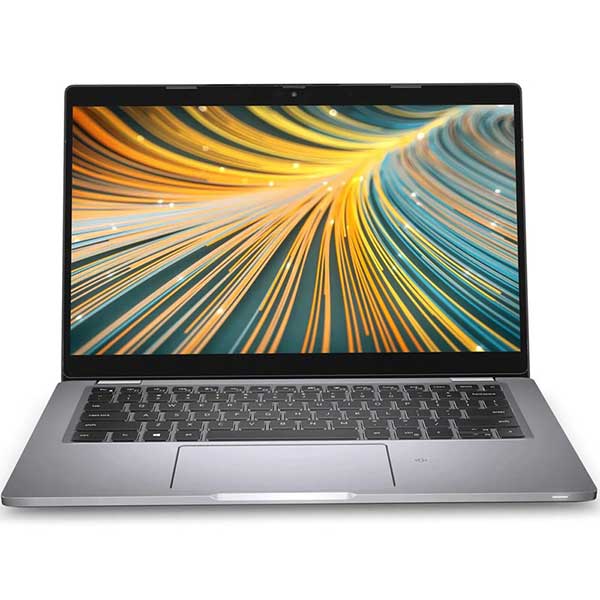
Screen size matters too. A 13-inch or 14-inch model is easier to carry all day and suits students who commute or move between classes. A 15-inch screen can be better for those doing more spreadsheet work, studying from home, or wanting a larger display for split-screen tasks. There is no perfect answer here. Portability usually wins for senior students and uni use, while visibility and comfort can matter more for home-based learning.
Why business-grade refurbished laptops often make more sense
A lot of new budget laptops look attractive on price, but they often cut corners where students notice it later – weaker hinges, lower-quality keyboards, slower storage, limited upgrade options and shorter usable life. Refurbished business laptops are different because they were built for office fleets, daily use and long service cycles.
That means better chassis strength, more dependable keyboards and generally better thermal design. For a student, that translates into practical value. You are buying hardware designed to be used properly, not just sold cheaply.
This is also where professional refurbishment matters. A tested, cleaned and graded ex-lease device with clear specs is a different proposition from a random second-hand listing. Parents and students are not usually looking for a hobby project. They want a machine that is ready to work.
The specs that actually matter for student use
Processor and memory
For basic schoolwork, an Intel Core i5 from a reasonably modern generation is often the best value point. It handles Office apps, browser-based learning platforms, video calls and multitasking comfortably. A Core i7 can be worthwhile for heavier uni workloads, but for many students it is a nice-to-have rather than a must-have.
RAM is where it pays not to underspend. 8GB is the practical minimum now. Anything less can feel cramped once multiple tabs, Teams or Zoom, PDF notes and documents are open together. If the budget stretches to 16GB, that gives more breathing room and can be worthwhile for students in design, engineering or IT courses.
Storage
A 256GB SSD is enough for many students, especially if much of their work is cloud-based. For those storing larger files, lecture recordings or media projects, 512GB gives more flexibility. The key point is not just capacity but type – an SSD is strongly preferred over older hard drives.
Battery life
Battery claims always need a bit of realism. A refurbished laptop may not match the original factory battery performance of a brand-new premium model, and that is fair to acknowledge. Still, many business laptops deliver very usable battery life for study, particularly if the screen brightness is sensible and the workload is mostly documents, browsing and video lessons.
If a student spends full days on campus, battery condition should be part of the buying decision. If the laptop will mainly be used at home, plugged in most of the time, battery becomes less critical than price and overall spec.
Webcam, ports and Wi-Fi
Students still need webcams and microphones for classes, meetings and group work. They also benefit from practical ports – USB-A, USB-C, HDMI and audio jack still matter. An ultra-thin laptop is not automatically the better laptop if it makes simple connections harder.
Reliable Wi-Fi is a given, but it is worth checking support for modern standards and whether the machine is Windows 11 ready. That helps extend useful life and reduces the chance of needing another replacement too soon.
Best refurbished laptop types for different students
For primary and intermediate students
Younger students usually need simplicity, durability and a manageable price. A compact refurbished Chromebook can be a smart fit if the school uses browser-based platforms and cloud tools. If Windows is required, a small business laptop with 8GB RAM and SSD storage is often a safer long-term choice than an entry-level retail machine.
At this age, toughness counts. A machine that can cope with being carried around matters more than chasing top-end specs.
For secondary school students
This is where a 13-inch or 14-inch refurbished business laptop often makes the most sense. Students at this level juggle research, writing, presentations, online learning portals and occasional media use. An i5 with 8GB RAM and 256GB SSD is usually a very solid baseline.
If the school has BYOD requirements, it is worth checking exact software needs before buying. Some schools are flexible, while others expect specific operating systems or minimum specs.
For university students
Uni students tend to benefit most from stepping up in either RAM, storage or both. They often keep more apps open, rely heavily on video calls, and may need course-specific software. A refurbished Dell Latitude, HP EliteBook or Lenovo ThinkPad with 8GB to 16GB RAM is a dependable place to start.
Course matters here. Arts and business students can usually focus on battery life, keyboard comfort and portability. Engineering, architecture, creative media and computing students may need stronger specs, larger storage or even a mobile workstation depending on the software involved.
Brands and models worth watching
When people ask about the best refurbished laptops for students, the reliable answer is usually less about one magic model and more about the right class of device. Dell Latitude, HP ProBook and EliteBook, and Lenovo ThinkPad ranges are consistently strong because they were built for professional use and tend to age well.
ThinkPads are often popular with heavy typists because the keyboards are excellent. Latitudes tend to offer a strong mix of portability and practical features. EliteBooks and ProBooks can be great value when the spec is right. None of these brands is automatically best in every case, but they are a safer bet than chasing a bargain no-name device.
When a refurbished laptop might not be the right fit
There are trade-offs, and it is better to be honest about them. A refurbished laptop may show cosmetic wear, even when fully functional. Battery health can vary. You may not get the ultra-thin design or high-resolution display of a premium new model.
For some buyers, that will not matter at all. For others, especially students doing colour-sensitive design work or wanting very light all-day carry, it could. Refurbished is about value, not pretending every machine is identical to buying new.
That said, if the priority is dependable performance per dollar, professionally refurbished business hardware remains one of the smartest options available. That is especially true for families buying more than one device, or for students who need capability without stretching the budget too far.
How to buy with fewer regrets
Start with the actual school or course needs, then work backwards. There is no point paying for extra performance if the workload is mostly web apps and documents. There is also no point buying too cheaply if the laptop will struggle from day one.
Check the processor generation, confirm at least 8GB RAM, make sure it has SSD storage, and look at screen size in relation to how often it will be carried. If warranty and testing details are clearly stated, that is a good sign. In New Zealand, buying from a specialist refurbisher such as NZ Laptop Wholesale can make the process simpler because the machines are selected around real use cases rather than vague second-hand listings.
The right student laptop is not the one with the biggest spec sheet. It is the one that keeps up with everyday study, holds its value in practical terms, and does not create extra stress when deadlines are already close enough.


