








General
Best Budget Laptop for Remote Work

TL;DR: Choosing a Budget Laptop for Remote Work
A good budget laptop for remote work should provide dependable everyday performance rather than simply having the lowest price. Focus on a capable processor, enough memory for multitasking, fast solid-state storage, a comfortable keyboard and reliable connectivity for video meetings, cloud software and office applications.
Quick answer: For most remote workers, a refurbished business laptop with an Intel Core i5 or equivalent processor, at least 8GB of RAM and a 256GB SSD offers a practical balance of performance, durability and value. Consider 16GB of RAM if you regularly use numerous browser tabs, spreadsheets and video calls together.
Before buying, check Windows 11 compatibility, battery condition, webcam and microphone suitability, and the ports needed for your monitor, headset or docking station. Specialist work such as video editing, CAD or large data processing may require more powerful hardware.
That cheap new laptop can look fine on paper until your first video meeting starts lagging, the keyboard feels flimsy, and the battery drops faster than expected. If you are shopping for a budget laptop for remote work, the real goal is not the lowest price. It is getting a machine that can handle daily work without slowing you down after a few months.
For most people working from home, reliability matters more than flashy design. You need a laptop that opens quickly, runs video calls without fuss, handles email and browser tabs all day, and still feels solid when it gets packed away on the dining table at the end of the day. That is exactly why refurbished business laptops are worth a serious look.
What makes a good budget laptop for remote work?
A remote work laptop does not need to be high-end, but it does need the right basics. The first is a decent processor. For general office work, an Intel Core i5 or equivalent is usually the sweet spot. It gives you enough performance for Microsoft Office, web apps, Zoom or Teams, and light multitasking without paying for power you will never use.
Memory is just as important. Eight gigabytes of RAM should be the minimum for remote work in 2026, especially if you often have multiple browser tabs open alongside meetings, spreadsheets, and chat apps. If your workload is heavier, 16GB gives you more breathing room and helps the laptop stay responsive for longer.
Storage also matters, but not in the way many buyers expect. Speed is more important than sheer size. A solid-state drive makes a noticeable difference to startup time, file access, and everyday responsiveness. Even a 256GB SSD is enough for many remote workers if most of your documents are cloud-based.
Then there is the less glamorous side of remote work – webcam quality, microphone clarity, Wi-Fi stability, battery health, and keyboard comfort. These are the details that affect your workday every single day. A laptop with business-grade build quality usually gets these fundamentals right better than a bargain consumer model.
Why refurbished business laptops often beat cheap new models
A lot of budget buyers assume new is safer. That sounds sensible, but at the lower end of the market, brand-new laptops are often built to hit a price point first. That can mean weaker hinges, poor keyboards, lower-quality screens, and limited upgrade options.
Refurbished business laptops are different. Models from Dell, HP, and Lenovo were originally built for offices and corporate fleets, so they were designed to survive daily use, travel, docking, and long hours of typing. Even after lease use, a professionally refurbished unit can still offer better build quality than a low-cost retail laptop bought new.
That is the main value proposition. You are not just buying second-hand hardware. You are buying a better class of machine at a more practical price. For remote workers who care about stability and value, that trade-off makes a lot of sense.
There are, of course, limits. A refurbished laptop may not have the latest design, and battery life can vary depending on model and condition. If your work relies on heavy creative software or specialised applications, you may need to step up your budget. But for email, spreadsheets, browser-based systems, accounting platforms, and daily video calls, a refurbished business laptop is often the smarter buy.
The specs that matter most
When comparing options, it helps to ignore marketing noise and focus on the few things that actually affect remote work.
Processor and performance
An Intel Core i5 from a reasonably recent generation is a safe choice for most users. Core i7 models can be good value too if priced well, but many remote workers will not notice a major difference in normal office tasks. If the machine is Windows 11 ready, that is another positive sign for longer-term usability.
RAM and storage
Eight gigabytes of RAM is the practical entry point. If you spend your day switching between dozens of browser tabs, shared documents, and video meetings, 16GB is worth paying for. A 256GB SSD suits many users, while 512GB gives you more flexibility for local files and larger applications.
Screen and keyboard
A 14-inch screen is a strong all-rounder for working from home and moving around the house or office. A 15.6-inch model gives you more viewing space but can feel bulkier. If you type for hours, business laptop keyboards are usually far better than what you get on cheap consumer models.
Webcam and connectivity
Remote work means meetings, so a built-in webcam and microphone need to be serviceable. They do not need to be exceptional, but they should be clear and consistent. Also check ports. USB-A and USB-C connectivity, along with HDMI and a headphone connection, can make life easier, especially if you use an external monitor or headset.
Choosing by work style, not just price
The best budget laptop for remote work depends on what your day actually looks like. A part-time admin worker has different needs from a full-time consultant or a small business owner.
If your work is mostly browser-based, with email, invoicing, document editing, and occasional meetings, a well-specced refurbished 14-inch business laptop will probably cover everything you need. This is the sweet spot for value.
If you are in back-to-back video calls, battery health, webcam reliability, and microphone quality become more important. You may also want a machine that pairs easily with a docking station or external screen for a cleaner desk setup.
If you travel between home, the office, and client sites, weight and portability matter more. In that case, a lighter enterprise ultrabook may be the better fit, even if it costs a little more.
This is where many buyers go wrong. They focus on finding the cheapest option instead of the right option. Saving $100 upfront is not much of a win if the laptop struggles through your workday.
New Zealand buyers should think about support too
Price matters, but local support matters as well. Buying from a New Zealand refurbisher means clearer warranty terms, faster freight, and easier communication if something is not right. That is especially useful for remote workers who cannot afford downtime.
It also helps to buy from a seller that lists proper specs rather than vague descriptions. You should know the processor, RAM, storage type, screen size, operating system, and overall condition before you buy. Honest listings save time and reduce surprises.
For buyers in Auckland, Wellington, Christchurch, Hamilton, or regional areas, NZ-wide shipping and practical after-sales support can be just as important as the sticker price. A dependable supplier gives you confidence that the machine is fit for purpose, not just cheap.
When a budget laptop is enough and when it is not
For standard remote work, a budget-friendly refurbished business laptop is often more than enough. Word processing, cloud software, bookkeeping, web research, email, customer service, and video conferencing do not require premium hardware.
Where buyers need to be careful is specialist workloads. If you edit high-resolution video, run large data models, use CAD software, or need colour-accurate displays for design work, entry-level machines will feel limiting. In those cases, buying too cheaply usually leads to frustration.
There is also a middle ground. Some buyers do not need a powerhouse, but they do need a little more headroom. In that case, stepping up to 16GB RAM, a newer processor, or a better screen is money well spent. It is still a budget-conscious decision, just one based on actual workload.
A smarter way to buy
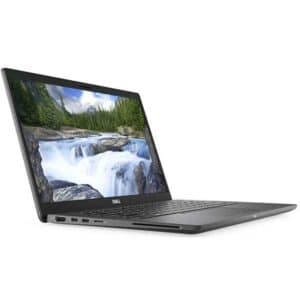
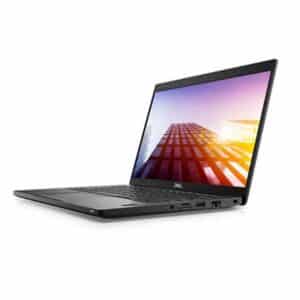
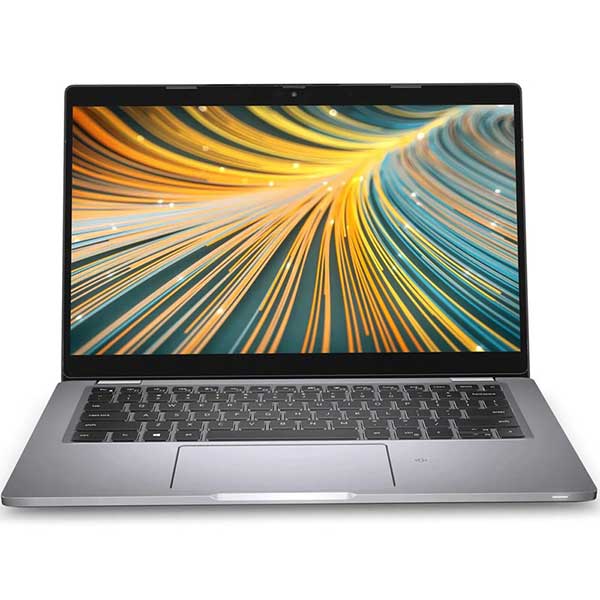
The strongest buying decision is usually the one based on total value, not headline price. A professionally refurbished Dell Latitude, HP EliteBook, or Lenovo ThinkPad can give you stronger performance, better durability, and a more comfortable work experience than a bargain-bin new laptop.
That is why businesses, schools, and home users across New Zealand continue to choose ex-lease hardware. It is practical. It is tested. And it is built for real work rather than showroom appeal. For a brand like NZ Laptop Wholesale, that focus on business-grade refurbished laptops is not about selling old stock. It is about matching buyers with hardware that still has plenty of reliable life left in it.
If you are choosing a budget laptop for remote work, think less about what looks impressive in an ad and more about what will still feel dependable on an ordinary Tuesday morning. That is usually where the best value is found.
Browse our current range of budget laptops under $500, or explore our wider selection of affordable refurbished laptops available for delivery throughout New Zealand.
Products by Category
-
Apple iPad 8th Gen – 32GB – Wi-Fi – 10.2″ Retina Display – Refurbished (A2270)
Original price was: $449.00.$289.00Current price is: $289.00. inc gst -
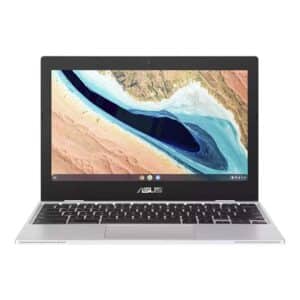
Asus 11.6″ ChromeBook CX1101CMA- Updates until 2029
Original price was: $219.00.$179.00Current price is: $179.00. inc gst -
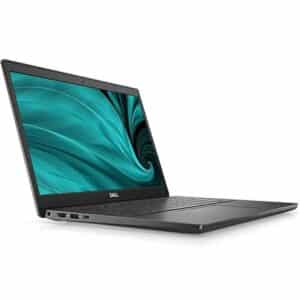
Dell Latitude 3510, 10th Gen i3, 16GB, 256GB NVMe, 15.6″ Screen, Windows 11 Pro
Original price was: $589.00.$489.00Current price is: $489.00. inc gst -
Dell Latitude 3520, 11th Gen i3, 16GB, 256GB NVMe, 15.6″ Screen, Windows 11 Pro
Original price was: $589.00.$539.00Current price is: $539.00. inc gst -
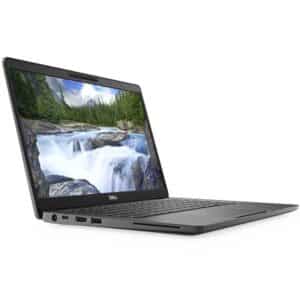
Dell Latitude 5300 2-in-1 Touchscreen – i5 8th Gen, 8GB, and 256GB M.2, Win 11 Pro
Original price was: $519.00.$499.00Current price is: $499.00. inc gst -
Dell Latitude 5320 – 11th Gen i5 | 16GB | 128GB | NVMe | Win 11 Pro
Original price was: $649.00.$599.00Current price is: $599.00. inc gst -
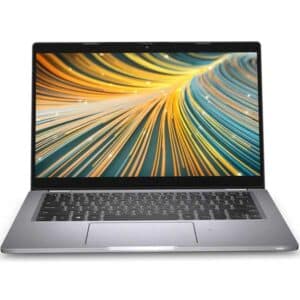
Dell Latitude 7310 Touchscreen, 10th Gen i5 – 8GB – 256GB NVMe, Win 11 Pro
Original price was: $649.00.$539.00Current price is: $539.00. inc gst -
Dell Latitude 7390, 8th Gen i5, 8GB, 256GB M.2, 13.3″ Full HD Touchscreen, Windows 11 Pro
Original price was: $699.00.$539.00Current price is: $539.00. inc gst