











Buying Advice
IPS, TN and VA Monitor Panels Explained
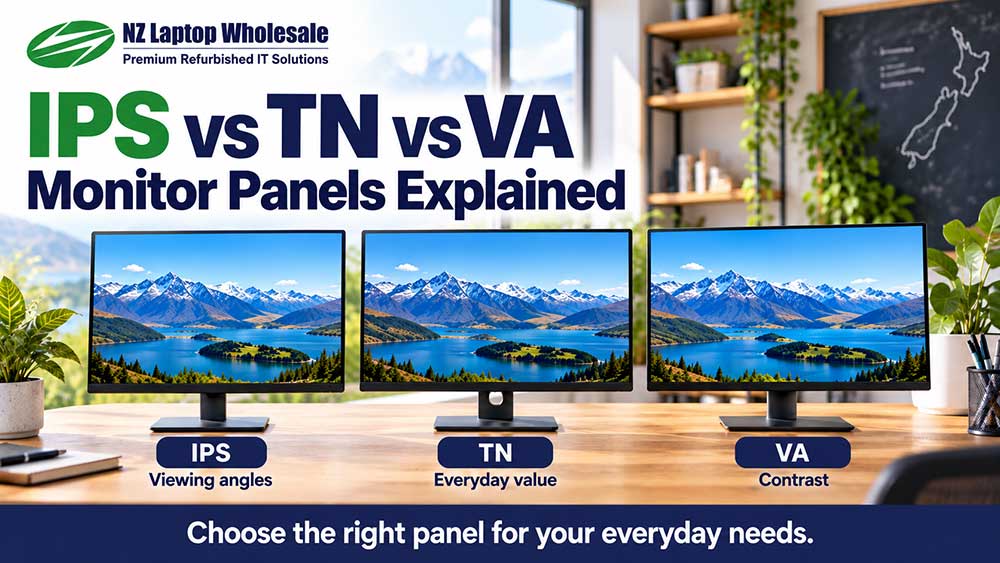
IPS, TN and VA are three common types of LCD monitor panel. They influence how a screen looks from different angles, how it displays dark scenes and how it handles movement. However, the panel type alone does not tell you whether a particular monitor is a good purchase.
For everyday home, study and office use, IPS is often a useful starting point because of its viewing-angle consistency. VA can offer strong contrast, while a suitable TN monitor can still provide practical everyday value.
The best choice depends on the individual monitor, its condition and what you want to use it for.
What is a monitor panel?
The panel is the part of the monitor that produces the visible picture.
IPS, TN and VA use different arrangements of liquid crystals to control light passing through an LCD screen.
You do not need to understand the engineering to choose a useful monitor. The practical differences are mainly about viewing angles, contrast, colour consistency and motion handling.
Resolution, screen size, connections and stand adjustment are separate specifications. Knowing that a monitor uses an IPS panel, for example, does not tell you whether it is Full HD or QHD, has speakers or supports height adjustment.
IPS vs TN vs VA: a practical comparison
The table below describes general tendencies. Individual models can perform differently, especially across different ages and price ranges.
| Panel type | Common strengths | Things to consider |
|---|---|---|
| IPS | Wide viewing angles and relatively consistent colour when viewed off-centre | Black levels are often less deep than VA; a glow may be visible in dark scenes at some angles |
| TN | Can provide affordable everyday displays and fast pixel response in suitable models | Colour and contrast commonly change more noticeably with viewing angle, especially vertically |
| VA | Often strong native contrast and deeper-looking blacks | Some models show slower dark transitions, and the picture can change when viewed off-centre |
What is an IPS monitor?
IPS stands for In-Plane Switching.
One of its main practical strengths is that the picture generally stays more consistent when you move your head or look at the screen from the side.
This can be useful when you:
- Use two monitors positioned at different angles
- Share your screen with someone beside you
- Work with documents and images throughout the day
- Use a monitor in portrait orientation
- Want less noticeable colour change when adjusting your seating position
IPS is therefore a sensible option for many general office and home setups.
However, IPS does not automatically mean professional colour accuracy. Colour coverage, calibration and panel quality still vary between models.
What is IPS glow?
IPS glow is a light-looking haze that can become visible when viewing dark content, particularly towards the corners and from an angle.
How noticeable it is depends on the monitor, viewing position, brightness setting and room lighting.
It is different from backlight bleed, although the two can be confused. The panel label alone cannot tell you how a particular unit will look.
What is a TN monitor?
TN stands for Twisted Nematic.
TN panels have been widely used in both everyday monitors and displays designed for fast motion.
For documents, browsing, accounting and general administration, a good-condition TN monitor can still be perfectly useful.
The main trade-off is usually viewing angles. Colours and contrast can change more noticeably when the screen is viewed from above, below or to the side.
This matters less when you sit directly in front of one screen, but it may be more noticeable with an angled second monitor or a portrait setup.
Do not assume a TN monitor is fast simply because it uses TN technology. Refresh rate and response behaviour must be checked for the particular model.
What is a VA monitor?
VA stands for Vertical Alignment.
VA panels often offer higher native contrast than typical IPS or TN panels. In practical terms, dark areas can look deeper, particularly when viewing films or other dark content.
This can make VA appealing for mixed home use, entertainment and everyday work.
However, some VA monitors show visible trailing or smearing during darker moving scenes because certain pixel transitions are slower.
The effect varies considerably between models. A modern, well-performing VA display should not be judged solely by the behaviour of an older or cheaper example.
Viewing angles also vary, and colour or dark tones may change as you move away from the centre.
Which panel type is best for office work?
IPS is often a useful starting point for a general-purpose office monitor. Its viewing-angle consistency can be convenient for documents, spreadsheets, multiple screens and sharing information.
That does not mean TN or VA is unsuitable.
A well-positioned TN monitor can handle everyday office applications, while a VA monitor can also provide a comfortable and useful workspace.
For many buyers, these details deserve just as much attention as the panel type:
- A suitable screen size
- A resolution that makes text and applications comfortable
- A stand that positions the screen properly
- Connections that match the computer
- A clean screen without distracting marks
- A sensible total cost
A monitor with a preferred panel type can still be the wrong choice if it has unsuitable connections or does not fit your desk.
Does IPS always have better colour?
No. IPS generally offers useful colour consistency across viewing angles, but that is different from verified colour accuracy.
If you edit photographs, create designs or prepare work for print, check the individual monitor’s specifications rather than relying on the IPS label.
Relevant details can include:
- Colour gamut: Which range of colours the screen can display, such as its documented sRGB coverage.
- Colour accuracy: How closely displayed colours match their intended values.
- Calibration: Whether the monitor has been measured and adjusted appropriately.
- Uniformity: How consistently brightness and colour are displayed across the panel.
A general office IPS monitor should not automatically be described as suitable for professional colour-critical work.
Does panel type affect text clarity?
It can influence the overall viewing experience, but it is not the only factor.
Resolution, screen size, pixel layout, display settings, surface coating and connection quality can all affect how text looks.
For example, moving from a low-resolution screen to a higher-resolution model may make a more noticeable difference to fine text than changing panel type alone.
Use the monitor’s native resolution and adjust text size or display scaling to suit your needs.
Which panel type is best for two monitors?
IPS can be useful in a dual-monitor setup because the screens are often angled towards you rather than both sitting directly in front of your face.
Its viewing-angle consistency can help reduce obvious picture changes across the setup.
However, matching panel types does not guarantee matching colours. Different models, settings, ages and previous usage can all affect the result.
If visual consistency matters, matching models and adjusting their brightness and colour settings is a more useful starting point than simply choosing two screens labelled IPS.
What about portrait orientation?
A monitor turned vertically can be useful for documents, coding and long pages.
Viewing-angle behaviour becomes particularly relevant because rotating the screen changes how its horizontal and vertical characteristics affect your view.
IPS is often a practical option for this use, although the individual monitor should still be assessed.
Also confirm that the stand supports rotation or that the monitor can be fitted to a compatible arm. Panel type does not determine whether the screen can physically rotate.
Does panel type tell you whether a monitor is good for gaming?
No. IPS, TN and VA monitors can all be found in gaming ranges, but their performance varies widely.
Refresh rate, pixel response behaviour, input lag and support for compatible variable refresh rate technology matter alongside panel type.
A business monitor with a TN panel is not automatically a gaming monitor. Likewise, an IPS monitor is not automatically unsuitable for fast movement.
If gaming is your priority, check the specific model’s capabilities rather than choosing by panel name alone.
Is LED another panel type?
Usually, an “LED monitor” is an LCD monitor that uses an LED backlight.
It can still have an IPS, TN or VA panel.
This means LED and IPS are not competing descriptions. One describes the backlight, while the other describes the LCD panel technology.
OLED uses a different approach in which the pixels produce their own light. It is not simply another name for an LED-backlit LCD monitor.
How do you find out which panel a monitor uses?
Start with the exact model number and check the product listing or manufacturer’s specifications.
A general series name may not be enough. Similar-looking monitors can use different panels, resolutions or stands.
Do not rely on appearance alone, and do not assume every screen from a particular brand uses the same technology.
If the panel type is important to your purchase and it is not stated, ask for confirmation before ordering.
What matters when buying a refurbished monitor?
Panel type is worth knowing, but the condition of the individual unit remains important.
Read the listing for screen marks, pixel defects, pressure marks or any other disclosed issues. Check the supplied stand, power equipment and display cables too.
A good-condition monitor with suitable specifications is generally a more practical purchase than one chosen solely for its panel label.
For a wider buying checklist, consider the screen’s size, resolution, connections, adjustment and total delivered cost.
Frequently asked questions
Is IPS better than TN?
IPS generally offers more consistent viewing angles, which can be useful for office work and multiple screens. However, a suitable TN monitor can still provide good everyday value. Compare the actual models and their condition.
Is VA better than IPS?
VA often offers stronger native contrast, while IPS generally provides more consistent viewing angles. The better choice depends on the monitor and how you intend to use it.
Are TN monitors bad?
No. They can be useful for everyday tasks when positioned appropriately. Their viewing-angle limitations are simply something to understand before buying.
Does IPS mean 100% sRGB?
No. Colour coverage varies between IPS monitors. Check the documented specifications for the exact model if you need a particular colour gamut.
Can an IPS monitor have screen defects?
Yes. Any panel type can have faults or signs of wear. The technology label does not replace checking the condition of the individual monitor.
Is a higher contrast ratio always better?
Higher native contrast can help dark and light areas look more distinct, but it is only one part of picture quality. Be careful when comparing native contrast figures with advertised dynamic contrast figures, which measure something different.
Our practical recommendation
Consider IPS for viewing-angle consistency, VA when native contrast is a priority, and TN when a suitable model offers the features and value you need.
Then check the details that affect your everyday setup: resolution, screen size, stand adjustment, connections and condition.
Browse our refurbished monitor range, or contact NZ Laptop Wholesale if you would like help choosing a screen for home, study or business use.
Find the Features That Matter to You
Compare our refurbished monitors by screen size, resolution, connections and stand features. Read each listing for the specifications and condition of the individual model.
Browse Refurbished Monitors


