









General
Clearance Laptop Deals Guide for NZ Buyers
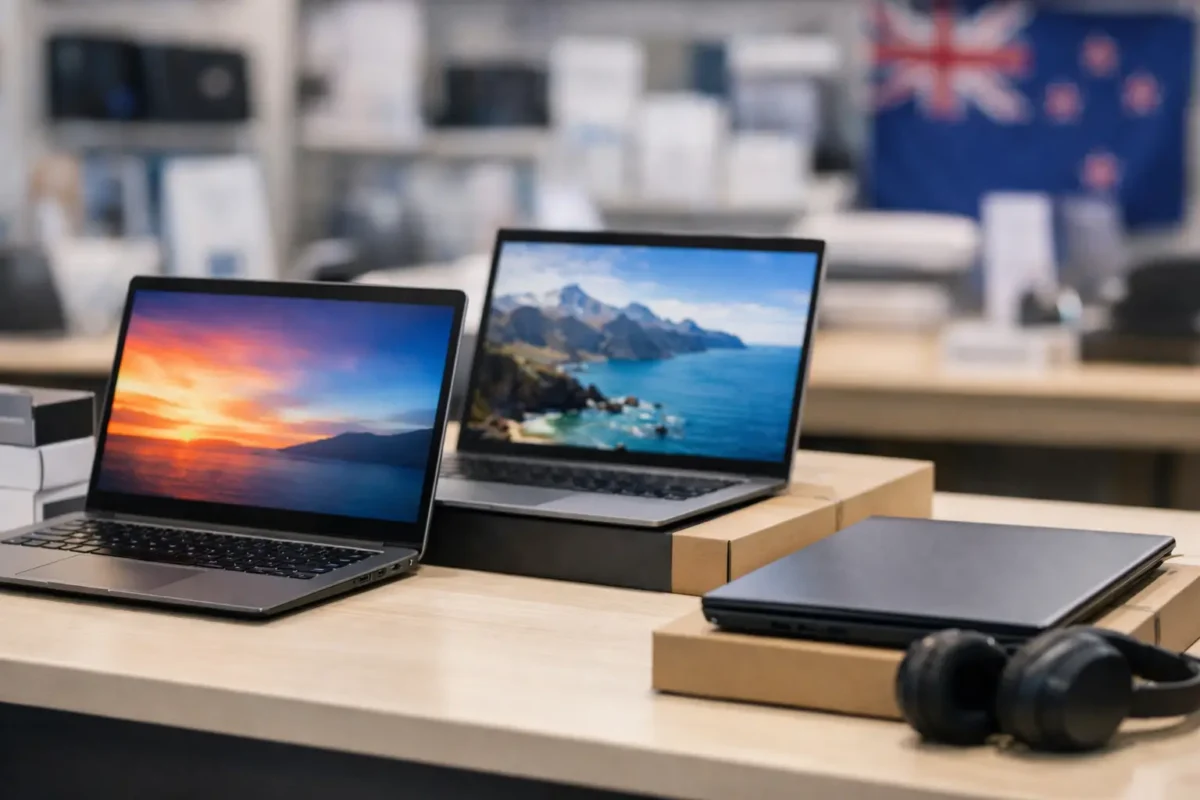
A $500 clearance laptop can be a far better work or study machine than a cheap new model at the same price – provided you know what you are looking at. This clearance laptop deals guide is for New Zealand buyers who want dependable hardware, not a short-term bargain that becomes a problem halfway through the school year or a busy work week.
Clearance stock is often where ex-lease business laptops offer their strongest value. These are machines originally built for offices, so they commonly have sturdier chassis, better keyboards, practical ports and specifications suited to daily use. The trade-off is usually age, cosmetic wear or limited quantities, rather than a lack of capability.
Clearance Laptop Deals Guide: Buy for the Job First
The right laptop depends less on the discount label and more on what it needs to do every day. A student writing assignments, joining video calls and using browser-based learning tools has different needs from a remote worker running multiple spreadsheets and an external monitor. A small business replacing several older devices needs consistency across the fleet as well as a sharp per-unit price.
Start with your actual workload. For email, web browsing, documents, online learning and streaming, a professionally refurbished business laptop with an Intel Core i5 processor, 8GB of RAM and a solid-state drive is often a sensible baseline. It will feel considerably more responsive than a lower-specification device with a traditional hard drive, even if the latter has a newer-looking case.
For heavier office work, frequent video meetings, large spreadsheets, multiple browser tabs or dual-monitor use, look for 16GB of RAM where budget allows. A 256GB SSD is a practical starting point for most people, while 512GB gives more room for local files, photos and work documents. Students using mostly cloud storage may be comfortable with less, but it is worth checking how much usable storage remains after Windows and essential applications are installed.
Do not pay for performance you will never use. A powerful workstation-class laptop can be excellent for design, engineering or data work, but it is unnecessary for basic administration or schoolwork. Equally, a very low-cost device may be false economy if its processor, memory or storage prevents it from handling the tasks you rely on.
Read the Specification, Not Just the Sale Price
A clearance price tells you that an item is priced to move. It does not tell you whether it suits your needs. Compare the full specification before deciding that one laptop is a better deal than another.
Processor generation matters, especially for Windows 11 readiness. Many businesses and schools need a supported operating system that will remain practical for the years ahead. Check the listed processor model rather than relying only on labels such as Core i5. An 8th-generation Intel Core i5, for example, is generally a more useful reference point for Windows 11 compatibility than an older i5 with a similar name.
Memory and storage have an immediate effect on day-to-day experience. An 8GB RAM, 256GB SSD configuration is suitable for many standard users. A machine with 4GB RAM or very small storage can still have a place for light ChromeOS or basic tasks, but buyers should be realistic about its limits. If the laptop is intended as a main device for several years, a little more RAM and storage is often money well spent.
Screen size is another practical choice. A 12-inch or 13-inch model is easier to carry between classes, meetings and home. A 14-inch business laptop offers a useful balance of portability and workspace. A 15-inch model can be more comfortable for spreadsheets and full-day desk work, though it takes up more room in a bag. Resolution also matters: Full HD gives noticeably more working space and clearer text than a lower-resolution panel.
Check the ports before buying, particularly if you already use accessories. USB-C, HDMI, USB-A and a headphone port may all matter. For office users, compatibility with a docking station can make one laptop into a tidy desk setup with a full keyboard, mouse and one or two external monitors. That can be more cost-effective than buying a larger laptop simply because it will spend most of its time on a desk.
What Clearance Condition Really Means
Professionally refurbished does not mean every laptop looks brand new. Clearance stock may have visible marks, scuffs, small dents or keyboard shine from previous business use. These cosmetic details can be a good reason for a lower price, but they should be described clearly and should not be confused with a fault.
Focus on the condition that affects function. Confirm that the screen is clear and usable, the keyboard and trackpad work correctly, ports have been tested and the laptop includes the right charger. Battery performance deserves a sensible view too. Battery capacity naturally declines over time, particularly on ex-lease equipment. A laptop that will mainly sit at a desk may still represent excellent value with ordinary battery wear, while a student carrying it all day may place a higher value on battery condition and compact size.
A dependable refurbishing process matters because it separates genuine value from an unknown used-device purchase. Tested hardware, clear specifications and warranty information give buyers a defined standard to work from. That is particularly useful for parents, schools and businesses that cannot afford surprises after purchase.
Compare the Cost of the Complete Setup
The cheapest laptop is not always the lowest-cost solution. Think about what must be purchased alongside it and what will make it useful in the real world. A device for home study may need a protective sleeve and mouse. A staff laptop used at a fixed desk may benefit from a dock, monitor, keyboard and webcam arrangement.
When comparing clearance options, account for these factors:
- the included operating system and whether the machine is Windows 11-ready;
- RAM, SSD size and processor generation, rather than processor branding alone;
- charger, warranty cover and clearly stated condition;
- ports and docking compatibility for your current workspace;
- freight costs and delivery timing if the device is needed for a new term, new employee or urgent replacement.
For a business buying several units, identical or closely matched models reduce support headaches. Staff can use the same charger type, docks are easier to standardise and replacement devices are simpler to manage. A slightly higher per-unit spend on matching, tested laptops can save time later.
Know When a Deal Is Too Compromised
Some clearance laptops are best treated as secondary devices. Older Chromebooks can be useful for web-based schoolwork, simple browsing and email, but buyers should check the automatic update support date before relying on one as a long-term primary computer. Older Windows laptops may also suit light duties, but they need enough memory, SSD storage and supported hardware to remain secure and comfortable to use.
Be cautious when a listing does not identify the processor, RAM, storage type, operating system or condition. Vague descriptions make it difficult to compare value. The same applies to unusually low prices where the battery, charger, screen condition or warranty is not clear. A transparent listing lets you make a proper decision instead of guessing what may arrive.
Gaming is another area where expectations matter. Business-grade ex-lease laptops are excellent for productivity, study, administration and general home use, but most are not designed for modern demanding games. Integrated graphics are fine for everyday tasks and lighter titles, while serious gaming, 3D modelling or video production calls for a model with suitable dedicated graphics and cooling.
Make a Fast, Confident Clearance Decision
Good clearance lines can sell quickly because quantities are limited. You do not need to overthink every purchase, but you should have a short decision process ready. Decide your minimum specification before you shop, identify whether portability or screen size matters more, and set a total budget that includes any accessories.
For most NZ households, a refurbished Dell, HP or Lenovo business laptop with a supported Intel processor, 8GB RAM and SSD storage is a strong place to start. For a desk-based worker, prioritise ports and monitor support. For a child or student, prioritise a manageable size, a reliable charger and enough performance for the software their school uses. For an organisation, prioritise matching models, Windows 11 readiness and warranty-backed stock.
NZ Laptop Wholesale clearance stock can be a practical option when you need business-grade equipment without new-device pricing. The best purchase is not necessarily the largest discount. It is the laptop that arrives ready for the work, study or office task you need it to handle – and keeps doing that job reliably after the clearance label is forgotten.


