








General
Refurbished Chromebook for School: Smart Buy?
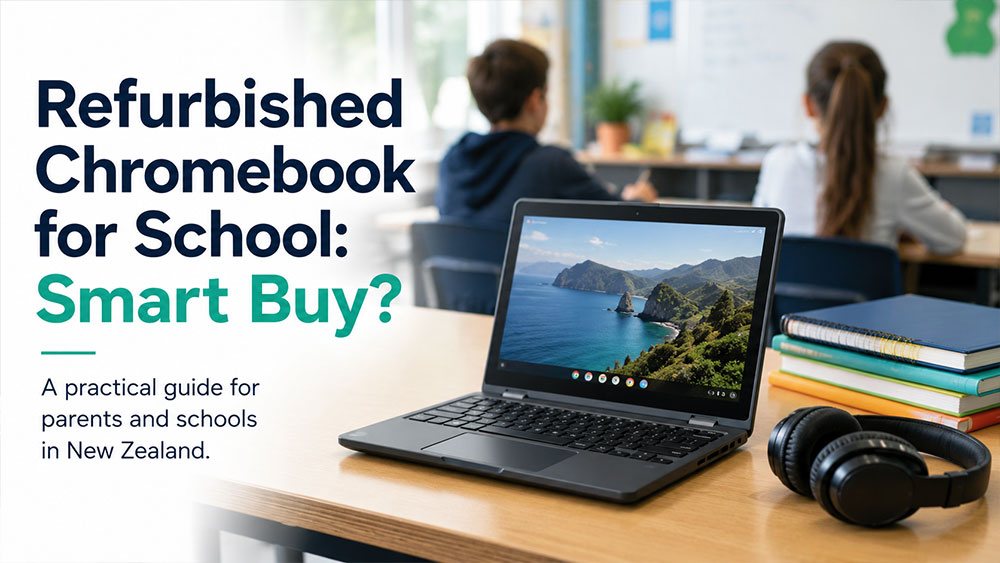
School device lists have a way of making simple decisions feel expensive. When you need a laptop that can handle classroom work, web apps, email and homework without blowing the family budget, a refurbished Chromebook for school usually deserves a serious look.
For many students, the question is not whether a Chromebook can do enough. It is whether the specific device is the right fit for the school’s requirements, the child’s year level and the way they actually work. That is where refurbished business-grade hardware can make far more sense than buying the cheapest new unit on the shelf.
Why a refurbished Chromebook for school makes sense
The biggest reason is value. A professionally refurbished Chromebook can deliver the everyday performance a student needs at a much lower price than a new device. That matters for parents replacing a damaged laptop, schools buying in volume, or families trying to cover uniforms, stationery and everything else that comes with the school year.
The second reason is practicality. Most school use is browser-based. Students are working in Google Classroom, cloud documents, educational websites, video lessons and email. They are not usually editing 4K video or running specialist engineering software. In that environment, a Chromebook often fits the job better than an oversized, over-specced laptop.
The third reason is durability, but this depends on what you buy. Refurbished enterprise or education-focused models are often built better than ultra-cheap consumer machines. Ex-lease units from recognised brands such as Dell, HP and Lenovo were designed for repeated daily use, proper keyboards and hinges that can cope with real life.
What a Chromebook is actually good at
A Chromebook is strongest when a student’s schoolwork lives online. Research, assignments, Google Docs, spreadsheets, presentations, Teams or Zoom, web portals and streaming lessons all sit well within the Chromebook sweet spot. They boot quickly, are simple to manage and tend to be easier for younger students to use without endless fiddling.
Battery life is another plus. A school device is better when it survives a full day in the bag without a charger becoming one more thing to lose. Chromebooks are generally efficient, and that helps students move from class to home without worrying about finding a power point.
Security and maintenance are also simpler than on many traditional laptops. Automatic updates, straightforward user accounts and cloud-first storage keep things tidy. For schools and parents, less maintenance usually means fewer headaches.
When a Chromebook is not the right choice
This is where the decision needs a bit of honesty. A Chromebook is not the best answer for every student. Some secondary schools still require full Windows compatibility, especially for older year levels or specific subjects. If the student needs desktop software that only runs on Windows, a Chromebook can become a compromise too far.
There is also the issue of offline work. Chromebooks can manage some offline tasks, but they are built around internet access. If a student regularly works in areas with poor connectivity, or relies on local software and file-heavy workflows, a Windows laptop may be the safer option.
Then there is support life. Not every older Chromebook has the same remaining update window. This matters more with refurbished stock than with many Windows devices. If a Chromebook is nearing the end of its automatic update support, the low purchase price may not be as good a deal as it first appears.
What to check before you buy
The first check is the school’s BYOD policy. This sounds obvious, but plenty of buyers skip it. Some schools explicitly support Chromebooks. Others allow them but recommend a minimum screen size, RAM amount or keyboard format. A few prefer Windows devices for senior students. Start there, not with the price tag.
The next thing to look at is the processor and memory. For basic school tasks, you do not need huge specs, but you do want enough headroom for multiple browser tabs, video calls and classroom apps. As a rule, 8GB of RAM is more comfortable than 4GB if the budget allows it, especially for older students juggling several tasks at once.
Screen size matters as well. An 11-inch Chromebook is easy to carry and suits younger students well, but some teenagers will find it cramped for long writing sessions or split-screen work. A 13-inch or 14-inch model often gives a better balance between portability and usability.
Keyboard condition is worth paying attention to on any refurbished unit. Students type a lot. A solid keyboard and working trackpad matter more day to day than chasing small performance differences on a spec sheet.
Battery health is another practical point. Refurbished sellers should be clear about testing and condition. A low-cost Chromebook is not much use if it needs charging halfway through the school day.
Why refurbishment quality matters more than the sticker price
Not all refurbished devices are equal. There is a big difference between a properly tested, professionally refurbished Chromebook and a random used device sold with vague details and no meaningful backup.
A good refurbished retailer will check the screen, battery function, keyboard, ports, wireless connection and overall performance. They will also present the condition honestly, list the specifications clearly and provide warranty information. That transparency matters because it lets you compare products on real value, not guesswork.
This is one of the strongest arguments for buying from a specialist rather than gambling on a private sale. When a child needs the device for school on Monday, saving a small amount upfront is not much comfort if the Wi-Fi drops out, the charger is wrong or the hinge gives up after two weeks.
Refurbished Chromebook for school vs cheap new laptop
This is usually the real comparison. Many buyers are not deciding between a refurbished Chromebook and a premium new laptop. They are deciding between a well-built refurbished machine and the cheapest new laptop available.
In plenty of cases, the refurbished option wins. A business-grade or education-grade Chromebook may offer better build quality, a better keyboard and more dependable day-to-day performance than a bargain-bin new model built to hit a price point. The lower initial cost of the cheapest new device can be attractive, but the trade-off is often weaker construction and shorter useful life.
That said, a cheap new laptop may still make sense if the school requires Windows or if the student needs software outside the Chrome ecosystem. The better buy depends on the workload, not just the price.
Who should buy one
A refurbished Chromebook is often a strong fit for primary school students, intermediate students and many secondary students whose schools rely heavily on Google Workspace and browser-based tools. It also suits families who need a second study device at home without paying for performance the student will never use.
It can be especially useful for schools or organisations buying multiple units. Lower replacement cost, easy setup and simple user management all help when you are purchasing more than one device.
For New Zealand buyers, local stock and local support are worth factoring in as well. If a problem comes up, dealing with an NZ-based refurbished IT specialist is usually more straightforward than chasing help offshore. That practical side often matters more than people expect.
The sensible way to decide
Think about the student first, not the marketing. What year are they in? What does the school recommend? Do they mostly work in a browser? Do they need Microsoft desktop apps or specialist software? Will they carry the device all day? How hard are they on keyboards, screens and chargers?
If the answers point to web-based schoolwork, basic productivity and budget-conscious buying, a refurbished Chromebook for school is often one of the smartest purchases you can make. It keeps costs under control, covers the essentials and avoids paying new-device prices for work that does not require new-device performance.
At NZ Laptop Wholesale, that is the value of refurbished hardware done properly – fit-for-purpose devices, clear specs and reliable performance where it counts.
The best school laptop is rarely the flashiest one. It is the one that turns on every morning, lasts through the day and gets the work done without turning a necessary purchase into an expensive mistake.
-
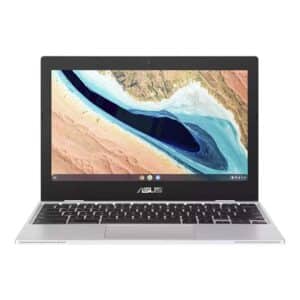
Asus 11.6″ ChromeBook CX1101CMA- Updates until 2029
Original price was: $219.00.$179.00Current price is: $179.00. inc gst -
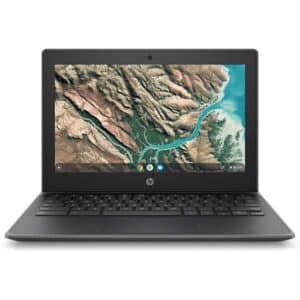
HP Chromebook 11 G8 EE – 11.6″ Rugged Student Laptop | ChromeOS Updates to 2029 | Refurbished NZ
Original price was: $219.00.$189.00Current price is: $189.00. inc gst -

The $99 Chromebook
$99.00 inc gst