




Buying Advice, FAQs, General, Guides, Tech-Info
Ex-Lease Laptop Battery Life: What Should You Really Expect?
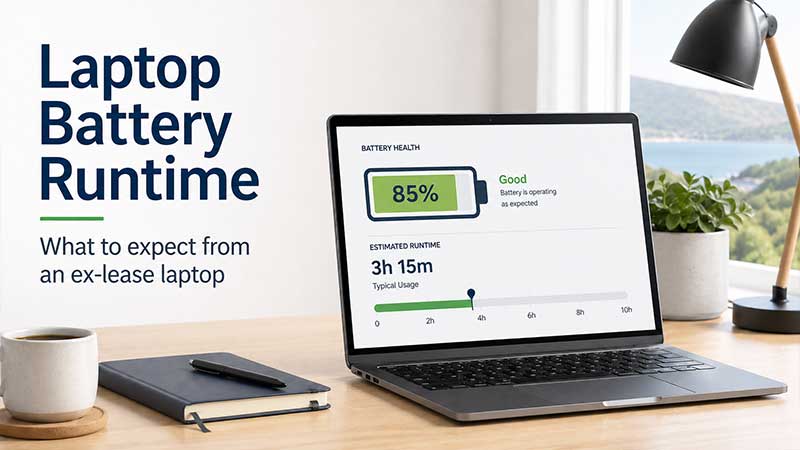
Battery life is one of the most common questions people ask when buying a refurbished or ex-lease laptop. It is also one of the hardest things to give a single fixed answer for, because real-world laptop runtime depends on far more than just the age of the battery.
If you are buying a laptop for school, study, work-from-home, office use, or everyday browsing, it is important to understand what battery life realistically looks like on a professionally refurbished business-grade laptop. In this guide, we will explain what affects laptop battery runtime, what you can reasonably expect from an ex-lease laptop, and how NZ Laptop Wholesale checks batteries before listing laptops for sale.
Quick Summary: What to Expect From an Ex-Lease Laptop Battery
- Battery runtime varies depending on the laptop model, battery size, age, settings, workload, and screen brightness.
- Business-grade ex-lease laptops are often designed for reliability, repairability, and office use rather than ultra-long battery life.
- Most refurbished laptop batteries will not perform exactly like a brand-new laptop battery.
- A laptop used for web browsing and documents will usually last longer than one used for video calls, gaming, heavy software, or high screen brightness.
- At NZ Laptop Wholesale, we test the batteries in the laptops we sell.
- We do not replace every battery by default, but if a battery has been replaced or needs to be noted, this will be shown on the laptop listing.
- If battery life is very important to you, check the individual product listing carefully or contact us before buying.
Why Laptop Battery Runtime Is Not a Fixed Number
When a laptop manufacturer advertises battery life, the figure is often based on ideal test conditions. In the real world, most people use their laptops with Wi-Fi on, multiple browser tabs open, screen brightness turned up, background apps running, and sometimes video calls or streaming in the mix.
This means two people can use the same model laptop and get very different battery results. One person writing documents at low brightness may get several hours of use, while another person on video calls with the screen turned up may drain the battery much faster.
New vs Ex-Lease vs Second-Hand Battery Expectations
It helps to separate the different types of laptops people commonly compare. A brand-new laptop should generally have the strongest battery performance because the battery has had no previous use. A professionally refurbished ex-lease laptop may still have a good battery, but it has usually had a previous business life. A private second-hand laptop can vary significantly, depending on how it was used and whether it has been tested properly.
| Laptop Type | Battery Expectation | What to Watch For |
|---|---|---|
| Brand-new laptop | Usually the best battery performance, depending on the model and battery size. | Higher upfront cost, and advertised battery life may still differ from real-world use. |
| Professionally refurbished ex-lease laptop | Battery has had previous use, but should be tested and assessed before sale. | Runtime will vary by model, battery health, screen brightness, and workload. |
| Private second-hand laptop | Highly variable. Battery condition may be unknown unless properly tested. | No clear testing process, no support, and battery wear may not be disclosed. |
What Is an Ex-Lease Laptop Battery?
An ex-lease laptop is typically a business-grade laptop that has come from a corporate, education, or government environment after being replaced as part of an equipment refresh cycle. These laptops are often better built than many entry-level consumer machines, but their batteries have still been used over time.
That does not automatically mean the battery is bad. Many business laptops are used mostly at desks, plugged into docking stations, or connected to external monitors. Others may have been used more heavily on the move. This is why testing matters.
How We Approach Battery Testing at NZ Laptop Wholesale
At NZ Laptop Wholesale, we test the batteries in the laptops we sell. Battery condition is part of the overall checking process before a laptop is made available on our website.
We do not automatically replace every battery, because many ex-lease laptop batteries are still perfectly usable for everyday work, study, web browsing, and home use. If a battery has been replaced, or if there is something specific you should know about the battery, this will be noted on the laptop listing where relevant.
This approach keeps refurbished laptops affordable while still giving customers a clear and practical understanding of what they are buying.
What Sort of Battery Runtime Should You Expect?
There is no single answer that applies to every laptop. As a general rule, an ex-lease laptop battery should be viewed as a used battery that has been tested for practical use, not as a brand-new battery with factory-fresh performance.
For many everyday users, the laptop will spend most of its time at a desk, on a charger, or moving between rooms rather than being used unplugged all day. In that situation, a tested ex-lease battery can be perfectly suitable.
If you need a laptop that will run unplugged for a full school day, a full day of meetings, or long travel sessions, you should check the individual listing carefully and ask us before buying. Some models are better suited to long battery use than others.
Battery Runtime Depends on How You Use the Laptop
The biggest difference in battery life often comes down to workload. Light use is much easier on a battery than heavy use.
Light Use
Light use includes tasks like writing documents, checking emails, using Google Docs, browsing a few websites, or using basic school and office apps. This type of use generally gives the best battery runtime.
Medium Use
Medium use includes lots of browser tabs, YouTube, online learning platforms, spreadsheets, cloud apps, and switching between multiple programs. Battery life will usually be lower than light use, especially if brightness is high.
Heavy Use
Heavy use includes video calls, design software, gaming, large downloads, updates, multiple external devices, or running demanding applications. These tasks can drain a battery much faster, even on a new laptop.
| Usage Type | Examples | Battery Impact |
|---|---|---|
| Light use | Documents, email, basic browsing, Google Docs, school work | Best chance of longer runtime |
| Medium use | Streaming, many browser tabs, spreadsheets, cloud apps | Moderate battery drain |
| Heavy use | Video calls, gaming, design apps, updates, high brightness | Fastest battery drain |
Why Screen Brightness Makes Such a Big Difference
The screen is one of the biggest power users in a laptop. Turning brightness down even slightly can make a noticeable difference to battery life. If you are using the laptop indoors, you may not need the screen at full brightness.
For students, home users, and office workers, reducing brightness, closing unused tabs, and using battery saver mode can often improve runtime without changing how the laptop is used day to day.
Video Calls Can Drain Batteries Quickly
Video calls are demanding because they often use the webcam, microphone, speakers, Wi-Fi, screen, processor, and sometimes background apps all at once. If you are using Zoom, Teams, Google Meet, or similar apps, expect battery life to drop faster than it would during simple document work.
If you regularly attend long video calls, it is worth keeping the charger nearby. This is true for both refurbished and new laptops.
Battery Health vs Battery Runtime: What Is the Difference?
Battery health and battery runtime are related, but they are not exactly the same thing.
Battery health refers to how much usable capacity the battery has compared with when it was new. Battery runtime is how long the laptop actually lasts during real use. A laptop with decent battery health can still drain quickly if it is running demanding software, high brightness, or multiple background tasks.
| Term | What It Means | Why It Matters |
|---|---|---|
| Battery health | The remaining usable capacity of the battery compared with its original design. | Helps indicate the general condition of the battery. |
| Battery runtime | How long the laptop lasts on battery during actual use. | Depends on battery health, laptop model, settings, and workload. |
Should Every Refurbished Laptop Have a New Battery?
Not always. Replacing every battery would increase the cost of refurbished laptops, even when the existing battery is still suitable for normal everyday use. For many customers, the better value is a tested business-grade laptop at a fair price, rather than paying extra for a new battery that may not be necessary.
If a battery does need to be replaced, or if there is something important to disclose, that should be made clear on the listing. At NZ Laptop Wholesale, battery notes are included on listings where relevant.
When Battery Life Matters Most
Battery life should be a higher priority if you regularly use your laptop away from a charger. For example, students moving between classes, people working from cafes, or mobile workers visiting clients may care more about battery runtime than someone using the laptop mostly at home or at a desk.
If the laptop will mostly sit on a desk, connect to a monitor, or stay near a power point, battery life may be less important than screen size, performance, storage, memory, or overall value.
Buying for School, Study, or BYOD?
If you are buying a laptop for a student, think about how the laptop will actually be used. A student who mostly uses Google Docs, browser-based learning tools, and basic apps may not need a high-powered laptop. However, they may benefit from a lighter model with better portability and sensible battery runtime.
For school use, it is also worth checking whether the school requires Windows, Chromebook, touchscreen, stylus support, or a specific software platform before choosing a laptop.
Buying for Business or Work From Home?
For business and work-from-home setups, many people use their laptop plugged in at a desk with a monitor, keyboard, mouse, or docking station. In that setup, battery runtime may only matter when moving between meetings, rooms, or locations.
A business-grade ex-lease laptop can be a very practical option because these machines are usually built for reliability, daily work, and repairability. They can also offer excellent value compared with buying brand new.
Tips to Improve Battery Runtime
You can often improve battery life by changing a few simple settings and habits.
- Lower the screen brightness when full brightness is not needed.
- Use battery saver mode when working unplugged.
- Close browser tabs and apps you are not using.
- Disconnect USB devices that are not needed.
- Turn off Bluetooth if you are not using it.
- Keep Windows and drivers updated.
- Avoid running heavy updates while on battery power.
- Use the correct charger for the laptop.
- Restart the laptop occasionally to clear background processes.
Battery Safety: What Not to Ignore
Most laptop battery wear is normal, but some warning signs should be taken seriously. If a laptop battery appears swollen, the touchpad or keyboard is lifting, the laptop case is separating, or the battery becomes unusually hot, stop using the laptop and seek advice.
Do not puncture, bend, crush, or attempt to open a lithium-ion laptop battery. If you are unsure whether a battery is safe, contact a technician before continuing to use the device.
How to Check Battery Health Yourself
Many laptops include built-in tools that can help you check battery condition. Some brands allow battery checks through the BIOS or built-in diagnostics. Windows also includes a battery report tool, although it can be more technical for everyday users.
For some models, we have separate guides that walk you through the process. If you are using a Dell or HP laptop, check our related battery health guides for step-by-step instructions.
Is a Refurbished Laptop Still Worth It If the Battery Is Used?
Yes, for many people. A refurbished or ex-lease laptop can still be excellent value, especially when it is a business-grade model that has been tested, cleaned, and prepared properly.
The key is to buy from a seller who is clear about what they are selling, tests their equipment, and provides real support if you have questions. A used battery is not automatically a problem, but it should be understood as part of the buying decision.
What NZ Laptop Wholesale Does Differently
NZ Laptop Wholesale sells professionally refurbished and ex-lease laptops, desktops, monitors, and accessories. Our laptops are tested, cleaned, and checked before sale, including battery testing as part of the preparation process.
We focus on practical, business-grade equipment that offers strong value for New Zealand customers. We courier NZ-wide with secure packaging, offer real local support, and our products are backed by our warranty.
If battery life is a major priority for you, we recommend checking the notes on the individual laptop listing or contacting us before purchase. We are happy to help you choose a laptop that better matches how you plan to use it.
Battery Runtime Buying Checklist
Before buying an ex-lease laptop, use this quick checklist:
- Will you mostly use the laptop plugged in or unplugged?
- Do you need it for a full school day, work day, or just short sessions away from the charger?
- Will you be doing light work, video calls, or heavier software tasks?
- Is portability more important than screen size?
- Have you checked the product listing for any battery notes?
- Would a Chromebook, Windows laptop, or desktop setup better suit your needs?
- Have you asked us if battery life is one of your main concerns?
Final Thoughts
Battery life on an ex-lease laptop is not something that can be summed up with one simple number. It depends on the laptop model, battery condition, settings, software, and how the laptop is used.
The honest answer is that a refurbished laptop battery should not be expected to perform exactly like a brand-new battery. However, when properly tested and matched to the right use case, an ex-lease laptop can still be a smart, affordable, and reliable choice for many New Zealand homes, students, and businesses.
If you are unsure what to buy, browse our refurbished laptop range or get in touch with NZ Laptop Wholesale. We can help you choose a practical laptop for your budget, workload, and battery expectations.


