









Buying Advice, FAQs, General, Guides, Tech-Info
Budget Laptop Specs That Actually Matter

TL;DR: Budget Laptop Specs That Actually Matter
When buying a budget laptop, focus on the specs that make the biggest real-world difference: the processor, RAM, storage type, screen size and overall condition. A cheaper laptop with the right core specs can often feel much better to use than a newer-looking machine with slow storage or limited memory.
Quick answer: For everyday use, look for at least an Intel Core i5 or similar, 8GB RAM, and an SSD rather than an old-style hard drive. These three specs have the biggest impact on speed and usability.
Don’t get too caught up in marketing numbers or looks alone. Battery condition, build quality, ports, screen size and whether the laptop suits your actual use matter just as much when choosing a good-value refurbished laptop.
Shopping for a budget laptop should be straightforward — but then you open a product page and get hit with processor generations, RAM types, storage acronyms, and display specs that feel like they need a decoder ring. It’s easy to either overspend chasing numbers that don’t make a difference for your use case, or underspend on something that frustrates you within six months.
The good news? Most everyday users only need a handful of specs to go right. This guide cuts through the noise so you can buy with confidence — whether you’re a student, a parent shopping for school, working from home, or just need a reliable laptop for everyday tasks.
The Specs That Actually Matter: Quick Answer
If you want the short version before we dig in, here’s what to focus on when buying a budget laptop:
- Storage: SSD is essential — size is secondary
- RAM: 8GB minimum; 16GB if you’re a heavy user
- Processor: Generation matters more than i3/i5/i7 branding
- Battery health: Especially important for refurbished laptops
- Screen: Full HD (1920×1080) is the sweet spot for most people
- Windows 11 compatibility: Keeps you covered for security and updates
- Build quality: Business-grade ex-lease laptops often punch well above their price
Everything else — touchscreens, ultra-high-res displays, gaming graphics, massive storage — is often where buyers overspend unnecessarily. Let’s look at each spec in detail.
Processor (CPU): Generation Matters More Than the Badge
The processor is the brain of your laptop, and it’s one of the most misunderstood specs in the budget segment. Most people know that an i7 sounds better than an i5 — but that’s not always the whole story.
Intel Core processors come in i3, i5, and i7 tiers (and newer models use different naming like Core 3, Core 5, Core 7). AMD offers Ryzen 3, 5, and 7 equivalents. Within each tier, the generation — the number after the dash in the model name — has a big impact on real-world performance. A 10th or 11th generation Intel i5 will typically outperform a much older i7 in everyday tasks.
For most home users, students, and work-from-home setups, a recent-generation Intel Core i5 or AMD Ryzen 5 hits the sweet spot. It handles web browsing, documents, video calls, email, and light multitasking without breaking a sweat — and won’t cost you as much as an i7 model you may not need.
RAM: How Much Do You Actually Need?
RAM (memory) determines how many things your laptop can handle at once without slowing down. Think of it as your laptop’s short-term working space — the more you have, the more you can do simultaneously without things grinding to a halt.
- 8GB RAM — the practical minimum for most everyday users. Web browsing, documents, streaming, video calls, and general home use all run comfortably.
- 16GB RAM — recommended if you keep lots of browser tabs open, use cloud-based business software, do light creative work, or want the laptop to feel comfortable for the next few years.
If you’re choosing between two otherwise similar laptops, the one with 16GB will feel snappier and last longer before it starts to feel dated. For students using school apps and Zoom, 8GB is usually fine. For business users or those who multitask heavily, 16GB is worth prioritising.
Storage: Why SSD Beats a Bigger Hard Drive Every Time
This is one of the biggest factors separating a laptop that feels fast from one that feels painfully slow — and it comes down to storage type, not just storage size.
An SSD (Solid State Drive) stores data on flash chips with no moving parts. Your laptop starts up in seconds, apps open quickly, and files load fast. An older HDD (Hard Disk Drive) uses a spinning magnetic platter — it’s slower to start, slower to load, and more vulnerable to damage from drops or bumps.
A 256GB SSD is enough for most everyday users who store documents, photos, and software but aren’t running large media libraries or video projects locally. If you store a lot of photos, games, or work files, 512GB gives you more breathing room. If you need more, external storage or cloud services can fill the gap cheaply.
The bottom line: a 256GB SSD laptop will feel faster and more responsive than a 1TB HDD laptop in almost every real-world situation. Don’t be tempted by a bigger number if it means sacrificing SSD storage.
Screen: Size, Resolution, and Everyday Comfort
Screen size comes down to how you’ll use the laptop. There’s no single right answer, but here’s a practical breakdown:
- 13–14 inch — lightweight and portable, good for students, commuters, and anyone moving the laptop between home and work. Easier to carry, sometimes more compact to store.
- 15.6 inch — the most common size in the budget range. Better for desk use, more comfortable for long sessions, and usually comes with a full-size keyboard including a numpad.
For resolution, Full HD (1920×1080) is the target. Text and images look crisp, video looks sharp, and it doesn’t demand a powerful graphics chip to run smoothly. Lower-resolution screens (1366×768 HD) are common on very cheap laptops and look noticeably softer — worth avoiding if you can.
Battery Life: What to Look For (and What to Watch)
Battery life varies significantly between models, workloads, screen brightness settings, and — importantly — battery health. Manufacturers quote maximum battery life under ideal conditions, which rarely matches everyday use.
With refurbished laptops, battery health is worth paying attention to. A well-maintained ex-lease laptop from a reputable supplier will have been tested and, where needed, have the battery replaced or clearly noted. If you’re buying refurbished, look for a supplier who’s upfront about battery condition.
As a general guide: most modern business-grade laptops comfortably handle a full workday when the battery is in good health. If you’re frequently working away from a power point, check whether the battery specification is mentioned in the listing.
Build Quality: Where Budget Can Bite You
This is one of the most overlooked specs in the budget laptop market — and one of the biggest arguments for professionally refurbished ex-lease business laptops over cheap consumer-grade new laptops.
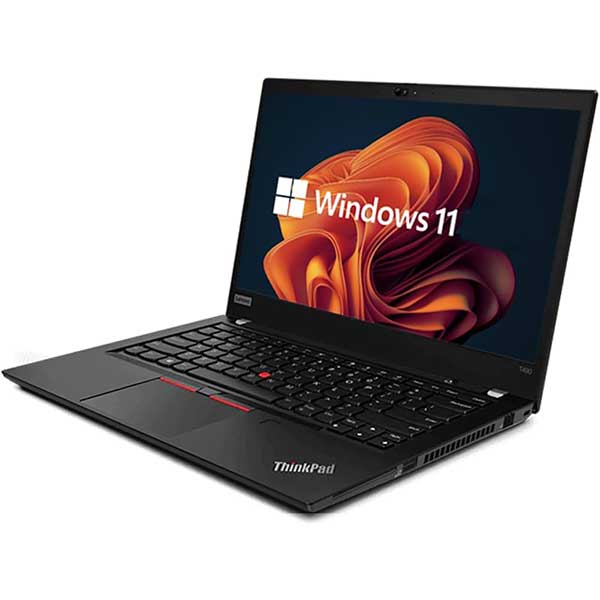
Business-grade laptops from brands like Lenovo ThinkPad, HP EliteBook, and Dell Latitude are engineered for daily use in demanding environments. They tend to feature stronger chassis (often magnesium alloy or reinforced plastic), better keyboards designed for long typing sessions, more reliable hinges, and serviceability features that cheap consumer laptops skip entirely.
A very cheap new laptop at a similar price point often cuts costs on the chassis, the keyboard, the trackpad, and the screen — the things you interact with every single day. That’s a bad trade-off for a device you’ll use for hours daily.
To learn more about how ex-lease laptops are tested and prepared, see why you can trust our process.
Ports and Connectivity: Practical Stuff That Gets Overlooked
Budget laptop listings don’t always highlight ports clearly, but they matter — especially if you’re planning a home office or study desk setup.
Look for:
- USB-A ports — for mice, USB drives, and accessories
- USB-C — increasingly important for charging, docking, and display output
- HDMI or DisplayPort — to connect an external monitor
- Wi-Fi — Wi-Fi 5 or Wi-Fi 6 for reliable wireless
- Webcam — built-in is expected; quality varies
- Docking station support — useful if you want a clean desk setup with one cable connection
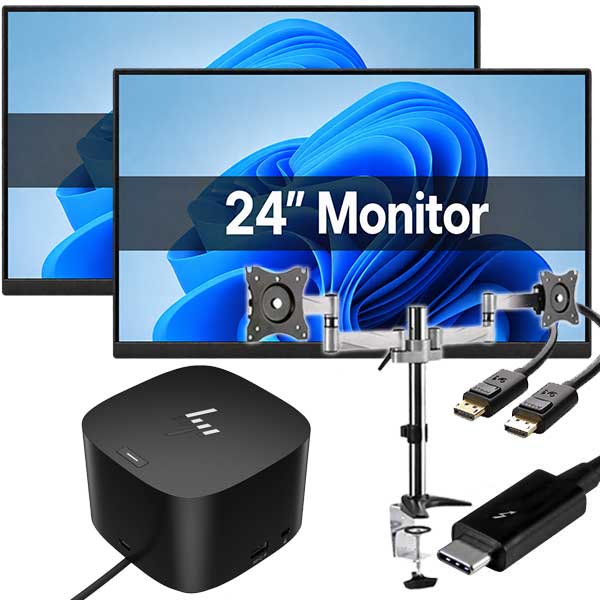
If you’re planning to work from home with a proper desk setup, a docking station can connect your laptop to monitors, keyboard, mouse, and network with a single cable. Many business-grade laptops support this natively. Browse laptop docking stations if that’s part of your setup.
Windows 11 Compatibility: Why It Matters
Windows 11 requires a processor from around 2017 or newer, along with TPM 2.0 — a security chip that older laptops may not have. If a laptop can’t run Windows 11, it will eventually stop receiving security updates from Microsoft, which is a real-world risk for any laptop you’re counting on for banking, business, or personal data.
When buying a budget or refurbished laptop, checking Windows 11 compatibility is worthwhile — particularly if you want the laptop to stay secure and supported for the next several years.
Specs That Are Often Overrated
Knowing what to skip can save you as much money as knowing what to prioritise.
- i7 branding on older generations — an older 8th-gen i7 isn’t necessarily better than a newer 11th-gen i5 for everyday tasks
- Huge HDD storage — 1TB of spinning hard drive is rarely better value than a smaller, faster SSD
- Touchscreens — useful in some cases, but most laptop users never use them and they add cost
- 4K or high-refresh-rate displays — overkill for everyday use and drain battery faster
- Dedicated gaming graphics — unnecessary if you’re not gaming; adds cost and weight
- Brand-new budget models — a professionally refurbished business laptop often delivers better real-world performance than a brand-new consumer laptop at a similar price
Practical Recommendations by User Type
Basic Home Use (web, email, streaming, video calls)
Intel Core i5 (8th gen or newer), 8GB RAM, 256GB SSD, 14–15.6″ Full HD screen. This is the sweet spot for most home users and the most common spec combination in quality refurbished stock.
Students and BYOD School Laptops
Intel Core i5, 8–16GB RAM, 256GB SSD, 14″ screen for portability. Windows 11 compatibility is worth checking if the school requires it. Battery health matters more here — school days are long.
Work From Home
Intel Core i5 or i7 (recent generation), 16GB RAM, 256–512GB SSD. Docking station compatibility is a bonus. A 15.6″ screen or a smaller laptop paired with an external monitor makes for a much more comfortable workstation.
Small Business
Business-grade ex-lease laptops are a strong fit here. Good keyboards, reliable build, Windows 11 Pro, and serviceability all matter more in a business context. 16GB RAM and 256–512GB SSD are sensible minimums.
Heavier Multitasking (lots of tabs, cloud software, light creative work)
Prioritise 16GB RAM and an Intel Core i5 or i7 from a recent generation. Storage of 512GB gives room to move. A good screen matters if you’re working long hours.
Refurbished vs Cheap New: Which Is Better Value?
This is one of the most common questions we hear. The honest answer: it depends on what you’re comparing.
A professionally refurbished business-grade ex-lease laptop — tested, cleaned, and reset to a known good state — can offer significantly better real-world value than a brand-new budget consumer laptop at a similar price. The build quality, keyboard, ports, and underlying hardware are often meaningfully better because the original laptop was designed for a commercial environment with higher standards.
A cheap new laptop, on the other hand, is built to a price point. Cost is cut somewhere — and it’s often the chassis, the keyboard, the display, or the storage type. You get something brand new, but sometimes “new” just means new compromises.
That said, not all refurbished laptops are equal. A reputable supplier who professionally tests, wipes, and warrants their stock is a very different proposition from a private seller listing something as “refurbished” with no process behind it. See understanding refurbished laptop grades for more on what the grade labels actually mean.
Budget Laptop Buying Checklist
Before you buy, run through this quick checklist:
- ✅ SSD storage (not HDD)
- ✅ At least 8GB RAM (16GB if possible)
- ✅ Intel Core i5 or AMD Ryzen 5 (recent generation)
- ✅ Full HD (1920×1080) screen
- ✅ Windows 11 compatible
- ✅ Battery health confirmed or noted
- ✅ USB-A and USB-C ports
- ✅ Backed by a warranty
- ✅ Sold by a supplier with a clear testing and refurbishment process
Frequently Asked Questions
How much RAM do I need in a budget laptop?
For most everyday use — web browsing, documents, video calls, streaming — 8GB is a comfortable minimum. If you multitask heavily, keep lots of browser tabs open, or want the laptop to feel capable for several years, 16GB is worth the step up.
Is an i5 better than an i7 laptop?
Not always. Generation matters more than the i3/i5/i7 badge. A newer Intel Core i5 from the 11th or 12th generation will outperform an older i7 from the 7th or 8th generation in most everyday tasks. Look at the full processor model, not just the tier name.
Is 256GB storage enough for a laptop?
For most everyday users — yes. Documents, apps, and browser data take up far less space than people expect. Where 256GB starts to feel tight is when you’re storing large photo libraries, video files, or a lot of downloaded software locally. 512GB gives more room if that sounds like you.
Should I buy a refurbished laptop or a cheap new laptop?
A professionally refurbished business-grade laptop often delivers better real-world value than a cheap new consumer laptop. The build quality, keyboard, ports, and hardware are typically superior because the original device was made to a higher commercial standard. The key is buying from a supplier with a genuine testing and refurbishment process.
What is the most important spec in a budget laptop?
Storage type — specifically, having an SSD instead of a hard drive — has the single biggest impact on how fast and responsive a budget laptop feels. After that, RAM and processor generation are the next most meaningful factors for everyday use.
Do I need a touchscreen laptop?
For most users: no. Touchscreens are useful in tablet-hybrid form factors, but most people use a laptop with a keyboard and trackpad and rarely (or never) touch the screen. A touchscreen adds cost that’s often better spent on more RAM or a faster processor.
Is Windows 11 important when buying a laptop?
Yes, it’s worth checking. Windows 11 compatibility means the laptop can receive security updates and support from Microsoft for years to come. Laptops that can’t run Windows 11 will eventually fall outside Microsoft’s support window, which creates a real security risk for everyday use.
Ready to Find the Right Laptop?
If you’re looking for a reliable, professionally refurbished laptop that hits the right specs without the retail markup, take a browse through our range of refurbished laptops. We’re based in Auckland and ship NZ-wide, and every laptop we sell is professionally tested and backed by our Warranty.
Not sure which model suits your needs? Get in touch — we’re happy to point you in the right direction.
Focus on the Specs That Actually Matter
A good laptop isn’t about chasing the biggest numbers. It’s about choosing the right balance of processor, RAM, SSD storage and screen size for what you actually need. Our Laptop Buying Guides & Advice hub explains each of these in plain English.
Explore Our Laptop Buying Guides →


