




Buying Advice, General
Refurbished vs Used vs New: What’s the Difference (and What Should You Buy in NZ)?
Jan
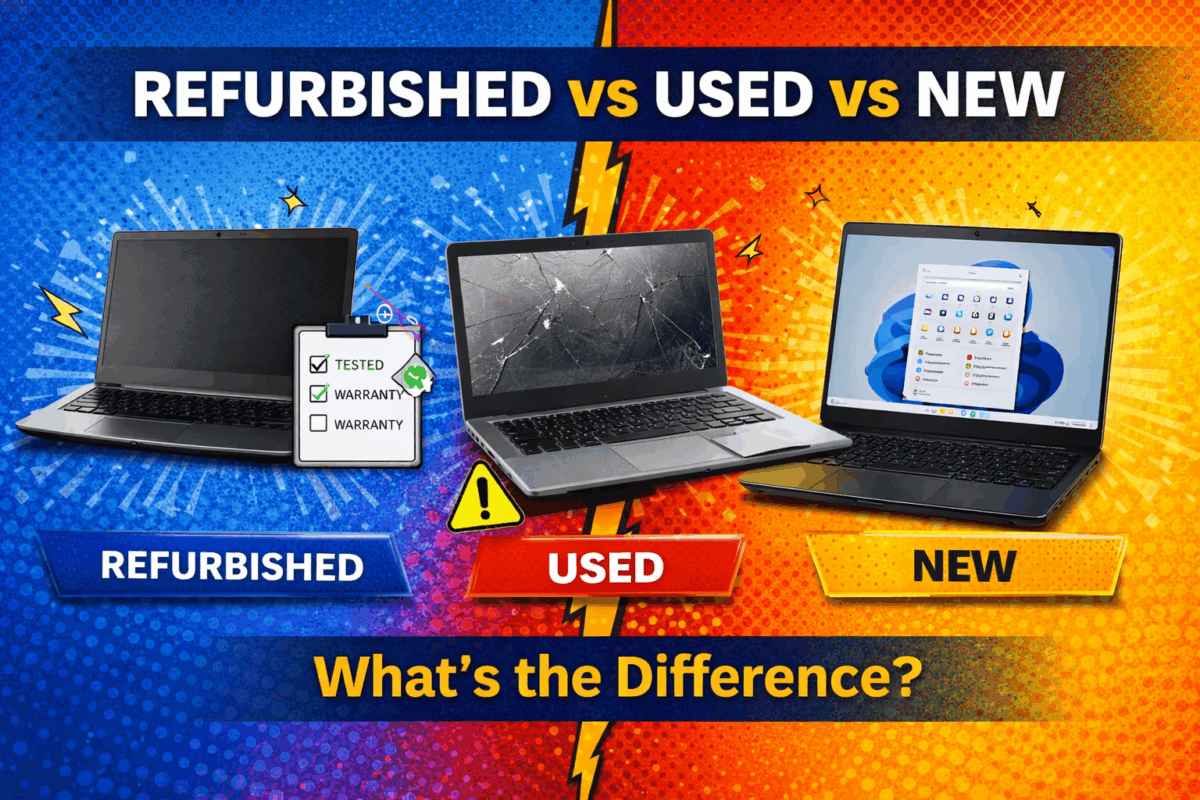
If you’re shopping for a laptop, desktop, or Chromebook in New Zealand, you’ll usually see three options: New, Refurbished, and Used (second-hand). They sound similar, but the real differences come down to testing, warranty, and risk.
This guide explains what each term means (including ex-lease), what a proper refurbishment process should include, and how to choose the best option for your budget and needs.
Quick definitions
New
A brand-new device from a retailer or manufacturer. You’re paying full price for a fresh unit, current model availability, and retail/manufacturer support.
Used (second-hand / “as-is”)
A used device is typically sold privately (for example, via Marketplace or Trade Me) or sold “as-is” by a seller. The device history is often unknown, testing can be minimal, and there’s usually limited or no warranty. It can be cheaper upfront, but higher risk.
Refurbished
A refurbished device is pre-owned equipment that has been professionally tested, cleaned, and prepared for resale. This commonly includes secure data wiping, hardware checks, and a fresh operating system install. Refurbished typically comes with clearer condition expectations and warranty support (depending on the seller).
What does “ex-lease” mean?
Ex-lease devices come from business fleets that were leased in managed environments. “Ex-lease” describes where the device came from, while “refurbished” describes the process done to prepare it for resale. Ex-lease equipment is often business-grade and built to handle daily use.
Refurbished vs Used vs New: side-by-side comparison
Think of it like this: Used is a gamble, refurbished is managed risk, new is premium.
| Factor | New | Refurbished (often ex-lease) | Used / Second-hand (“as-is”) |
|---|---|---|---|
| Price | Highest | Mid (often best value) | Lowest (but can be false economy) |
| Testing & QC | Factory tested | Tested and checked by refurbisher | Often unknown / minimal |
| Warranty / Support | Retail/manufacturer | Typically provided by refurbisher | Usually none |
| History | Known (new) | Often business fleet origin | Unknown |
| Risk level | Lowest | Low–medium | Highest |
| Best for | Latest models and longest lifecycle | Budget buyers who still want reliability | DIY buyers who accept risk |
What a “proper refurbishment process” should include
Not all “refurbished” is equal. A professional refurbishment process should include most (or all) of the following:
- Secure data wiping (so no previous data remains)
- Hardware diagnostics (RAM, storage, ports, display, Wi-Fi, etc.)
- Battery checks (real-world battery performance expectations vary by model)
- Fresh OS install and updates (Windows or ChromeOS as appropriate)
- Cleaning & cosmetic inspection
- Final quality control before dispatch
- Warranty support and local customer service
Refurbishment adds value because issues are more likely to be identified and addressed before you receive the device.
Why ex-lease refurbished is often the “sweet spot”
Ex-lease devices are commonly business-grade machines designed to handle daily use. That’s why many shoppers prefer ex-lease refurbished equipment: you get strong build quality and practical performance without paying new-retail pricing.
Myth-busting: common misconceptions
Myth #1: “Refurbished laptops are low quality”
Reality: “Refurbished” describes a process, not a quality level. A properly refurbished business-grade laptop can be more reliable than a brand-new budget consumer model.
Myth #2: “Used and refurbished mean the same thing”
Reality: Used devices are often sold “as-is” with unknown testing and limited support. Refurbished devices are typically tested, prepared, and sold with clearer condition expectations.
Myth #3: “Used is always cheaper in the long run”
Reality: A used laptop can become expensive quickly if you need a new battery, SSD, charger, or repairs — and you’re paying out of pocket. Refurbished often costs slightly more upfront but reduces surprises.
Common “as-is” risks when buying second-hand
If people have a bad experience buying used, it’s usually because of one (or more) of these:
- Battery holds very little charge
- Storage is near failure (slow performance, random crashes)
- Keyboard/trackpad faults
- Screen marks, pressure spots, or hinge wear
- Missing or incorrect charger
- Operating system issues or activation problems
- Management locks on Chromebooks or business devices
A refurbisher’s job is to reduce these risks through testing, preparation, and support.
Which should you buy?
- Buy New if you want the newest model, longest lifecycle, and manufacturer support.
- Buy Refurbished (ex-lease) if you want the best balance of price and reliability.
- Buy Used if you’re comfortable with risk and can troubleshoot or repair issues yourself.
A simple checklist to buy smarter
Before purchasing (refurbished or used), ask:
- Is there a warranty and what does it cover?
- Has it been tested — and what testing was done?
- Is it ex-lease/business-grade or a consumer model?
- What are the battery expectations?
- Has it had a fresh OS install and updates?
Shop refurbished laptops in NZ
If you want great value without the guesswork, refurbished ex-lease devices are a smart place to start.


